Constants
Constant values for substitution in a chat bot. Working with contact constants
Information
Constant - a fixed value that can be inserted into a bot message text. Simply add {{name}} to the text, where name is the constant name, see below.
{{name}} - Insert client's full name into message
{{first_name}} - Insert client's first name into message
{{last_name}} - Insert client's last name into message
{{phone}} - Insert client's phone number into message
{{username}} - Insert client's username into message
{{id}} - Insert client id into message
{{telegram_id}} - Insert client id in Telegram
{{max_id}} - Insert client id in Max
{{vk_id}} - Insert client id in VKontakte
{{email}} - Insert client email into message
{{ address }} - Insert client address into message
{{ created_at }} - Insert contact's first activity date (in UTC+0 timezone)
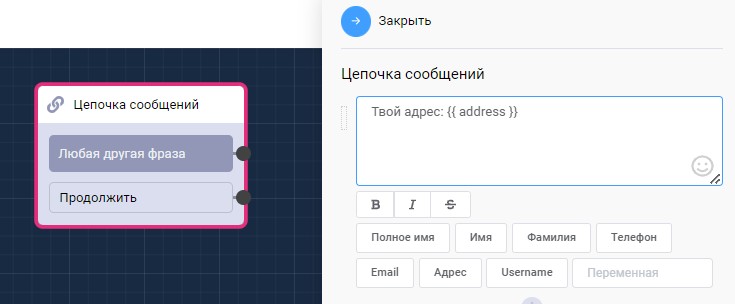
Constants in scenarios
Information
You can create your own constants (global variables) in the section Your bot > Lists > Global variables
User variables
Information
User variable - a variable value filled in by the user. You can create variables in the scenario block editing window.\ It is saved until a lead is created and a notification is sent that includes it
{{$VariableName}} - Insert user variable into message
🎁 Free course on chat bot and MiniApp development for all users with an active PRO subscription is already on LEADTEX.
10 detailed lessons from A to Z.
Start learning right now - Start learning.