Subscriber Balance in Chat Bot
Working with contact balance in bot: topping up and debiting funds from balance
Topping up your clients' balance for future purchases in the bot
As you may know, our service allows accepting payments in bots. Usually clients select a product or service and follow a link to a payment system to complete a purchase. But sometimes you need the client to top up their balance and then spend it on purchases in the bot. Based on this need, we began implementing this feature.
Topping up balance
Method 1. Create a payment block for any payment system, for example YooKassa, open its settings and check "Credit money to user account".
.png)
Crediting funds to contact account via payment block
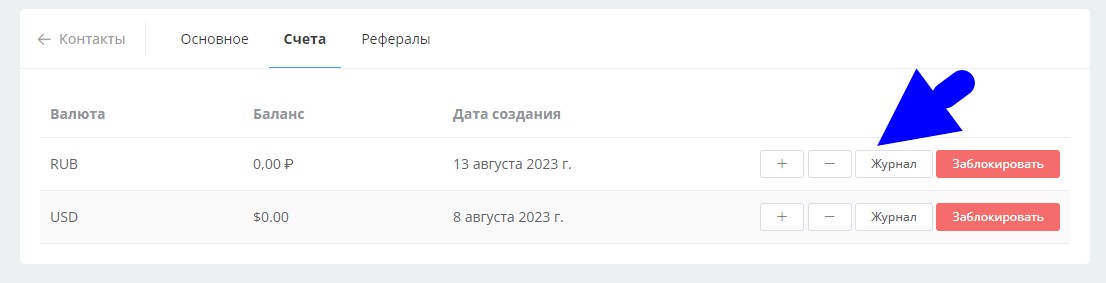
Funds will now be credited to the user's account. First, an account will be created for them in the currency you configured for the payment system. The list of accounts can be viewed in: Lists > Contacts > Required Contact
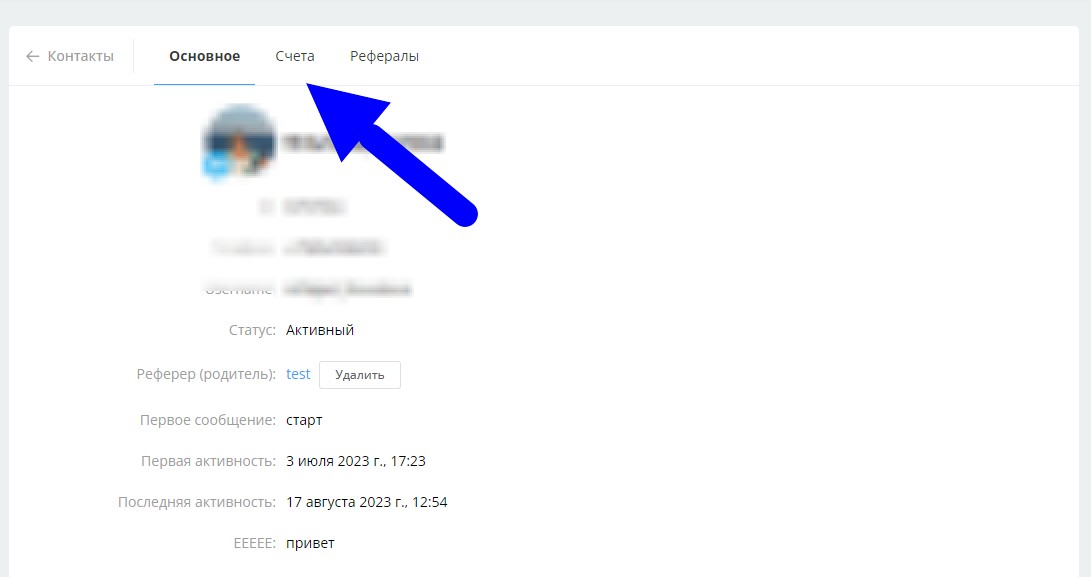
Managing accounts in contact card
A transaction log is kept for each account:
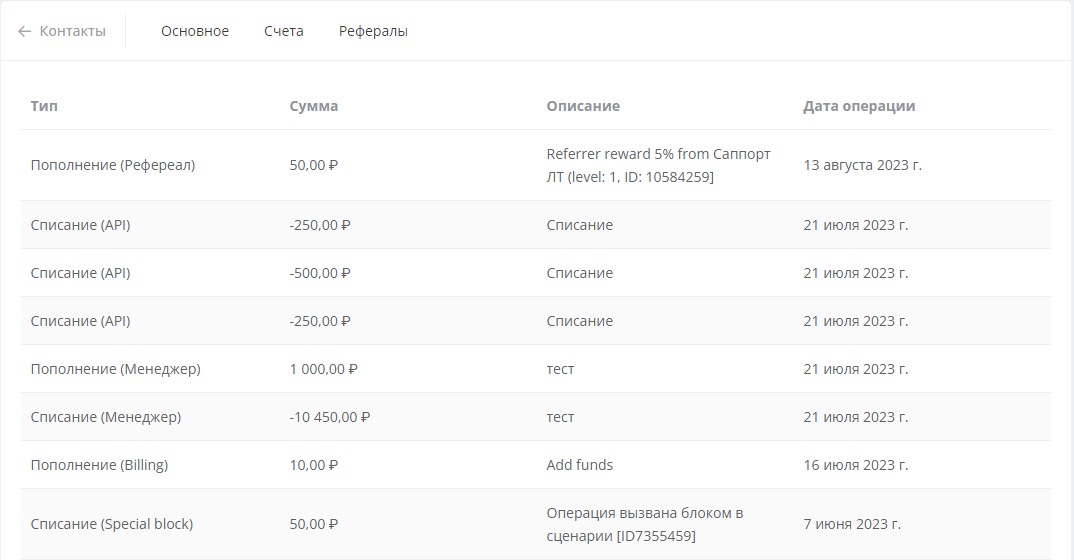
Transaction log
Method 2.
Use the "Top up contact account" block
Method 3. Go to the user card, select the "Accounts" section, click "+" to top up balance. Then specify the amount and description.
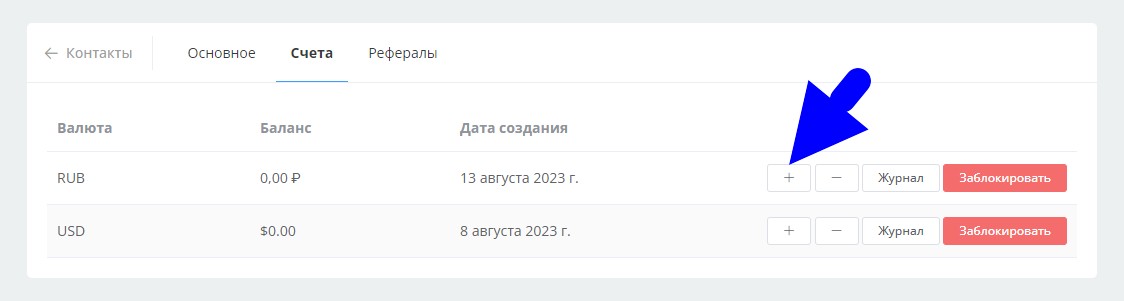
Topping up balance from "Accounts" section in contact card
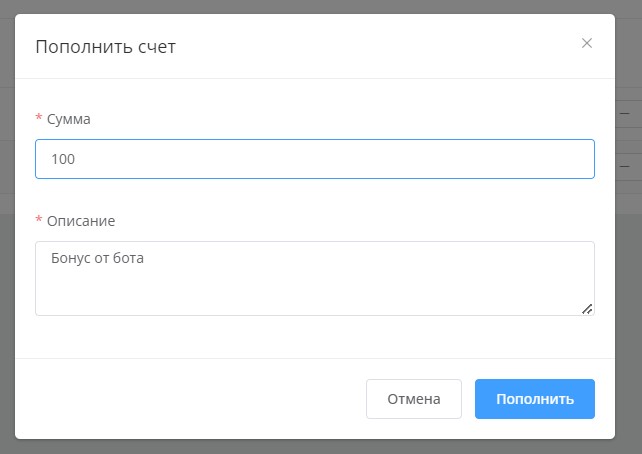
Topping up balance from "Accounts" section in contact card
Method 4. Using the "Credit referrer reward" block.
Method 5. Using the LEADTEX chat bot API.
Debiting funds (purchase)
Method 1. Use the "Debit from contact account" block
Method 2. Go to the user card, select the "Accounts" section, click "-" to debit balance. Then specify the amount and description.
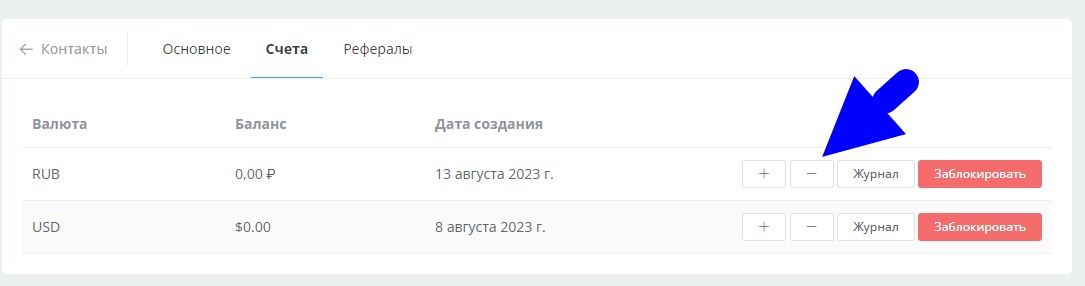
Debiting balance from "Accounts" section in contact card
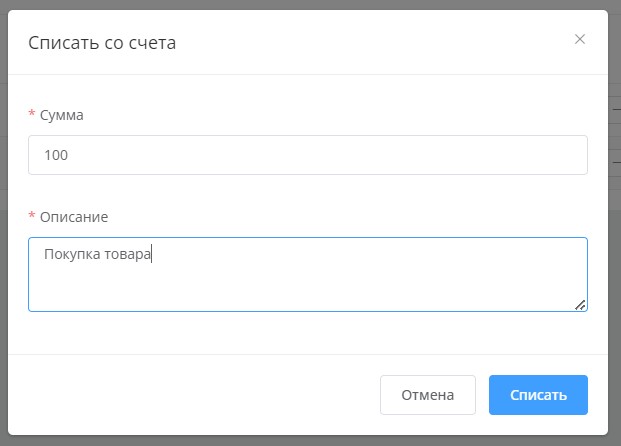
Debiting balance from "Accounts" section in contact card
Method 3. Using the LEADTEX chat bot API.
Current API (application programming interface) capabilities:
- Getting list of accounts.
- Creating account by ISO 4217 currency code
- Deleting account
- Topping up account
- Debiting funds from account
Displaying balance in bot
To display the client's balance, add the following function call to the bot message: {{ getBalance("USD") }}, where USD is the currency code.
.png)
Function for displaying contact balance
Bonus for new users and the opportunity to get 500 rubles in points as a gift 🎁
- Register on LEADTEX
- Create and test your first project
- Don't miss the special offer. Get a gift 👈