Delivery Address in Cart
Delivery setup in online store. How to configure a cart with delivery
When placing an order, the client can enter a delivery address. To do this, enable the necessary option in the "Cart" block. When placing an order, you will receive a corresponding notification containing the delivery address.
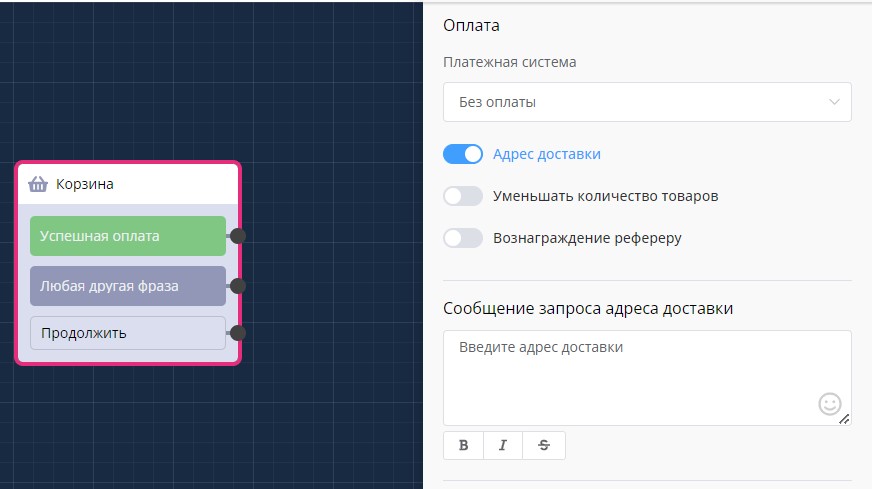
Delivery setup in "Cart" block
Example of requesting delivery address on first order:
.png)
Example of delivery setup in chat bot
Example of requesting delivery address on repeat order:
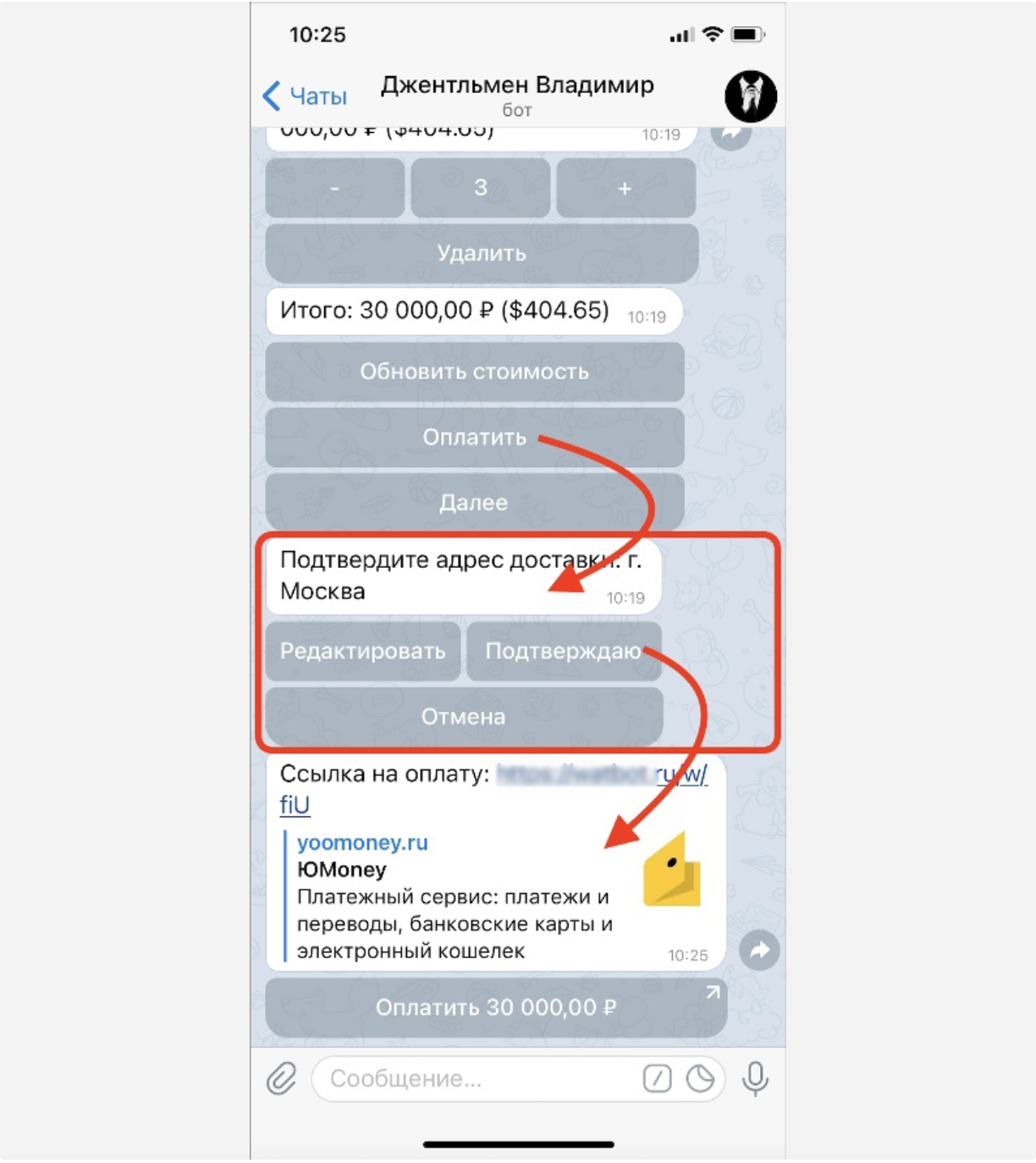
Delivery on repeat order placement
🎁 Free course on developing chat bots and MiniApps for all users with an active PRO subscription is already on LEADTEX.
10 detailed lessons with immersion from A to Z.
Start learning right now - Start learning.