Invoice Generation in Cart
Sending payment invoices in online store. How to configure a cart with invoice generation
Sometimes you need to send an invoice to the client after placing an order. Simply enable the necessary option in the "Cart" block, and our system will send the invoice as a PDF document.
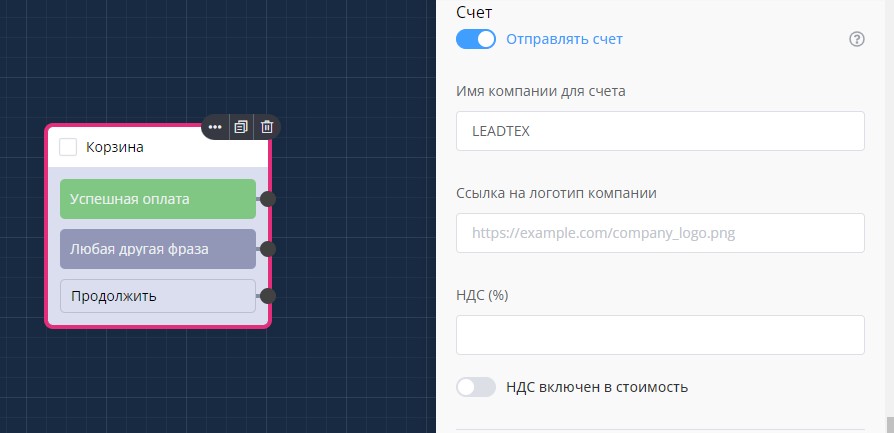
Sending "Invoice" in "Cart" block
Invoice Example
.png)
Example of issued invoice
Logo and VAT rate are configured in the same "Cart" block.
Referrer Reward
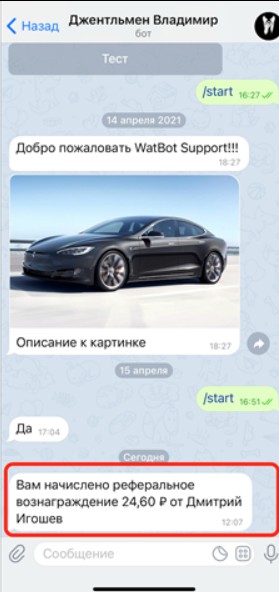
If your store has a referral system, you can directly in the cart block configure the percentage that will be credited to the referrer after their referral makes a purchase.
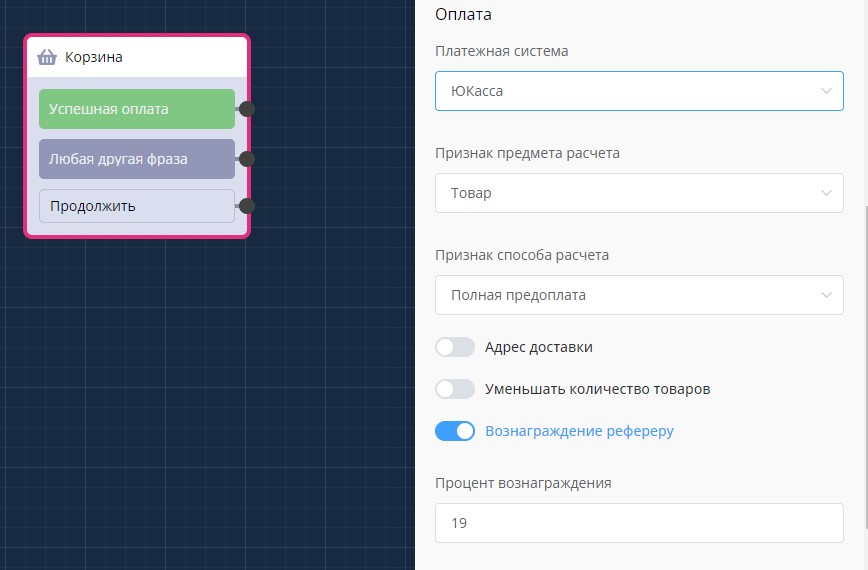
Crediting referrer reward in "Cart" block
In the LEADTEX personal account, 250+ lessons on developing chat bots and MiniApps are already available, as well as the opportunity to join the largest no-code developer community with 6000+ participants - Go to Personal Account.