Paying with Stars in Cart
How to accept payment for cart orders in Telegram Stars
In the "Cart" block, an order can be paid with Telegram Stars. After checkout, the bot sends the contact an invoice in Stars instead of a payment link. General rules for Stars payments are in the Telegram Stars article.
Telegram only
Payment with Stars works only in Telegram bots. A contact from another messenger receives "Payment with Stars is only available in Telegram." at checkout; no order is created and the cart is kept.
1. Item prices in Stars
The cart takes the item currency from the list schema: it is the currency of the money field that stores the price. For items to be payable with Stars, this field must use the "Telegram Stars (XTR)" currency.
- Open "Lists" and create a product list or open an existing one.
For the price field, select the "Money" type and the "Telegram Stars (XTR)" currency.
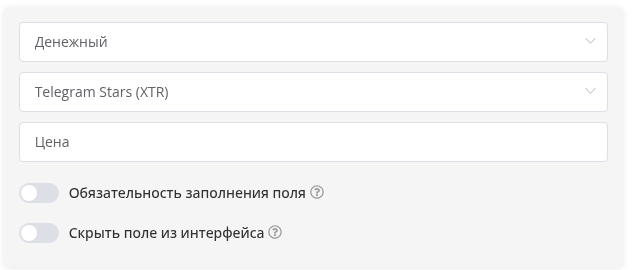
Item price in Stars
Enter item prices as whole numbers: Stars cannot be fractional.
2. Cart settings
Open the "Cart" block settings and in the "Payment" section select Telegram Stars in the "Payment system" field.
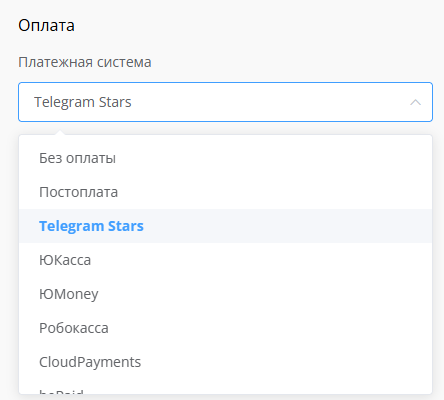
Telegram Stars in the payment system list
Hints appear under the field: payment works only in Telegram, the bot needs the
/paysupportand/termscommands, and all item prices must be in Stars.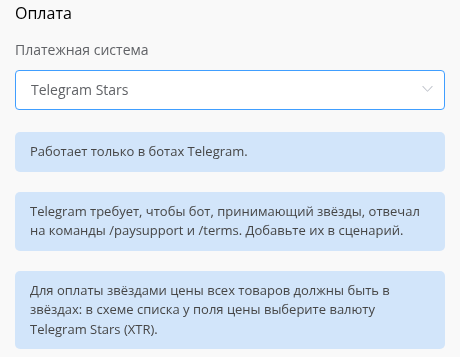
Hints in the cart settings
There is no need to connect a payment system in "Integrations". How to set up /paysupport and /terms — see Telegram Stars.
3. Checkout
When the contact taps the checkout button:
- No phone number is requested — it is not needed for Stars. For other payment systems, the cart requests the phone number as before.
- Delivery address is requested if it is enabled in the cart settings (Delivery Address in Cart).
Item currencies are checked. If at least one item in the cart is not priced in Stars, the contact receives:
These items cannot be paid for with Stars: T-shirt, Mug. Remove them from the cart to place the order.
No order is created; the cart and item stock are not changed.
An order is created, the cart is cleared and the contact receives an invoice in Stars. The invoice title is "Payment for the order", and the description lists the items.
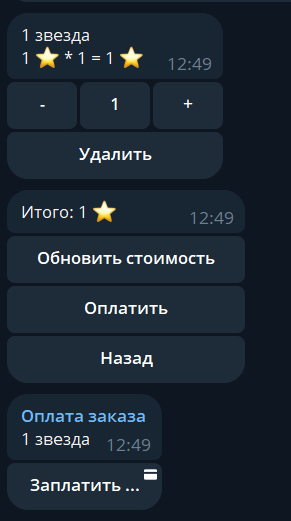
Cart and the order invoice in Stars
After payment, the order status changes to "Paid" and the contact goes to the cart's "Successful payment" branch. Orders are shown in "Lists" → "Orders" (Order List).
An unpaid invoice is canceled after 3 days, as in the Telegram Stars block.
Referrer reward
If "Referrer reward" is on in the cart, the percentage of the order is credited to the referrer in Stars and rounded down to a whole Star: 10% of a 15 ⭐ order gives 1 ⭐. If the result is 0 after rounding, no reward is credited.