Order List
Order analytics in online store. Orders section for analyzing and managing orders in online store
After creating an order, the application will be displayed in the section Your Bot → Lists → Orders.
.png)
How to find "Orders" section
.png)
Order list
You can open order details to view detailed information, as well as manually change the order status. After payment, the order status automatically changes to "Paid".
.png)
Order details
Supported order statuses:
.png)
Supported order statuses
In order for the client to be able to view and pay for their orders, we have developed a special "Order List" block.
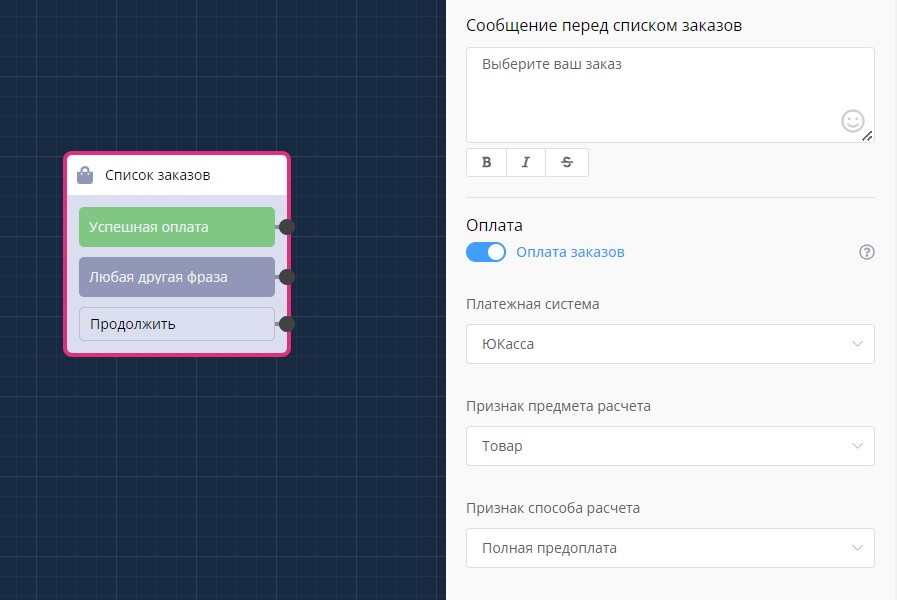
"Order List" block in scenario
How does it look in the bot?
The order list is displayed as buttons. Clicking on a button opens the order card with a list of products and allows payment if the order is not paid.
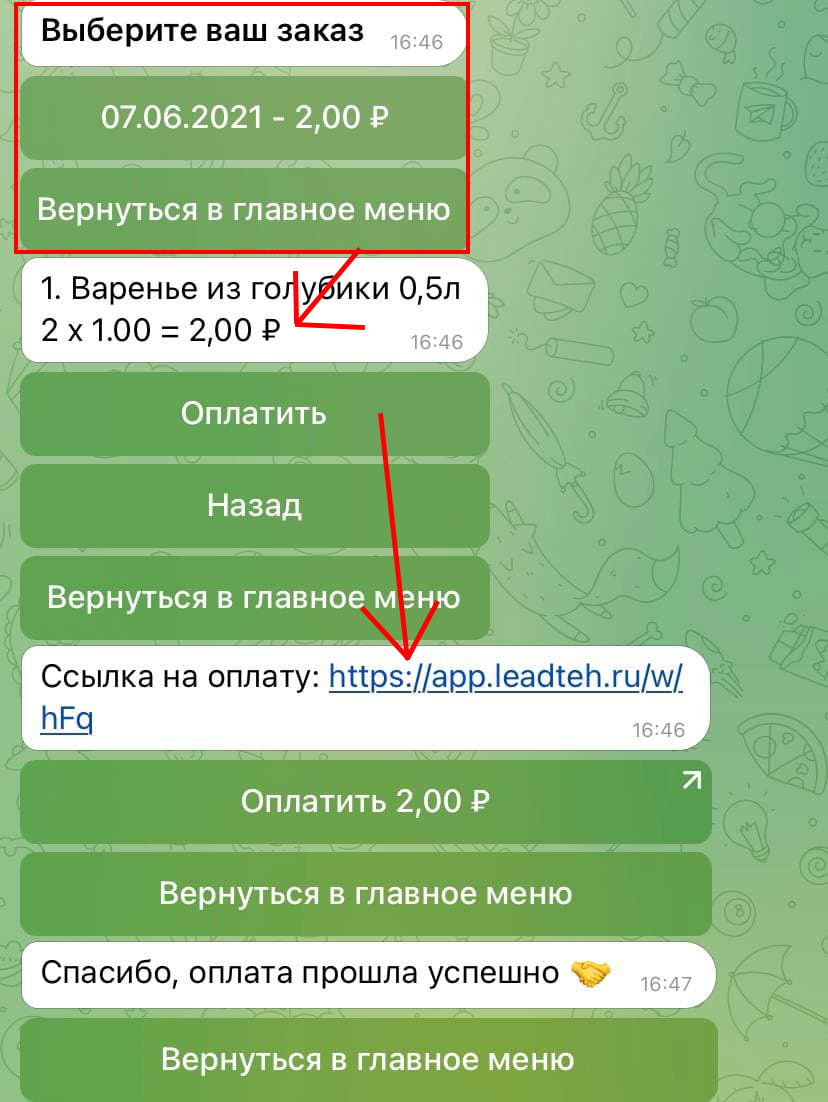
Order list in Telegram bot
🎁 Free course on developing chat bots and MiniApps for all users with an active PRO subscription is already on LEADTEX.
10 detailed lessons with immersion from A to Z.
Start learning right now - Start learning.