Payment Systems
Payment processing in WhatsApp, Telegram and VKontakte bots. Connecting payment systems.
General Scheme
To accept payments in bots, you need to connect the YooKassa payment system in the Settings -> Integrations section.
.png)
YooKassa Integration
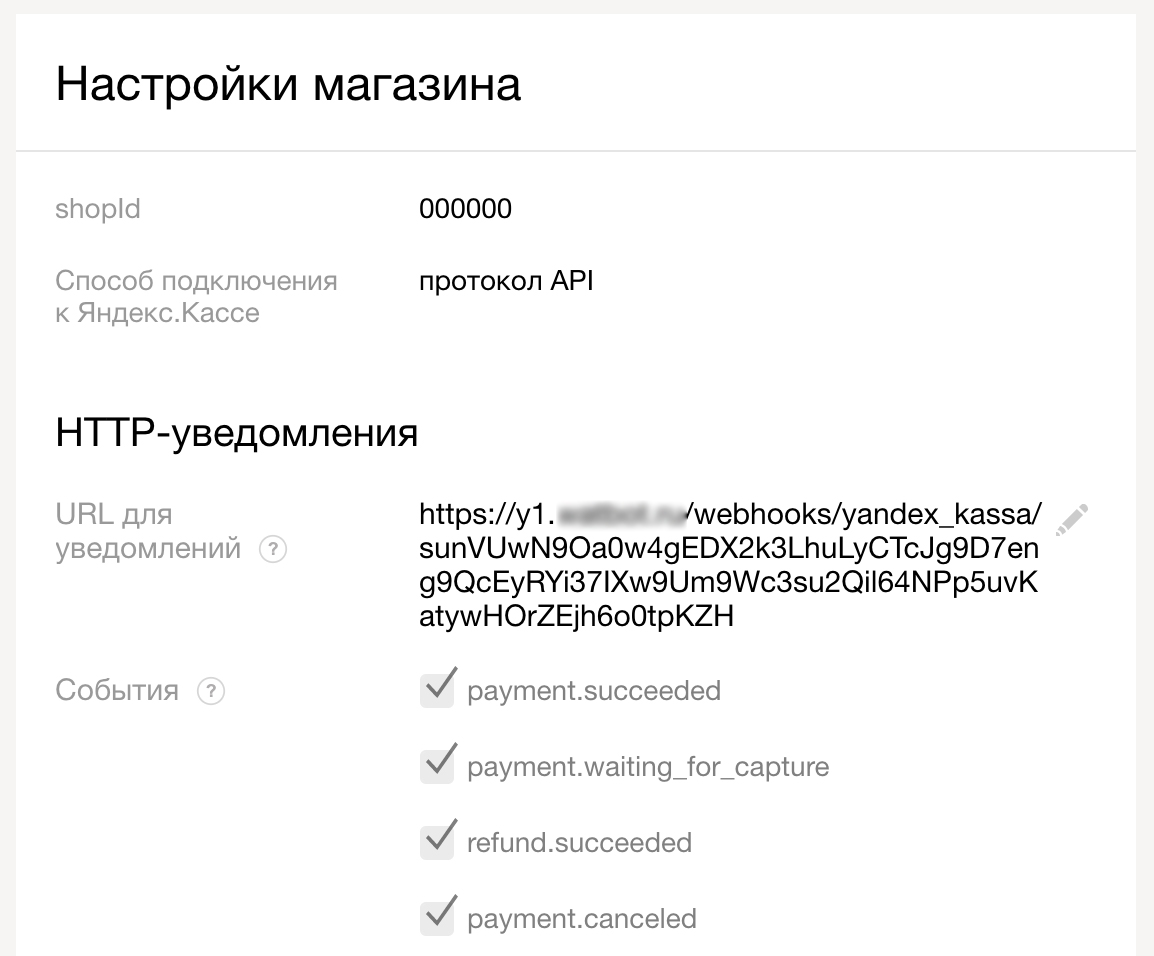
Fill in the corresponding fields in the Main tab and click the Save button, after which the system will generate a webhook (link) that needs to be copied and saved in the YooKassa service personal account in settings in the URL field for notifications.
YooKassa Integration
In the Notifications tab, you can specify a URL for notifications (only https), to which payment information will be sent. The response must contain status code 200. In case of an error, the system will try to deliver the notification within 24 hours, gradually increasing the interval between requests.
.png)
Connecting YooKassa notifications
About which statuses you will receive notifications:
pending- payment created but not completed.waiting_for_capture- payment completed and awaiting confirmation.succeeded- payment successfully completed.canceled- payment canceled.
For more information about YooKassa service statuses, see the link:
Example notification for pending status. Payment for 900 rub.
{
    "id": 1,
    "provider": "yandex_kassa",
    "provider_id": "12345678-1234-1234-1234-123456789ab",
    "currency": "RUB",
    "amount": 90000,
    "state": "pending",
    "created_at": 1554717083,
    "payload": null,
    "order": [
         {
             "name": "Product Name",
             "description": "Product Description",
             "amount": 900
         }
    ],
    "contact": {
         "id": 1,
         "name": "Dmitry",
         "messenger": "whatsapp",
         "phone": "79999999999"
    }
}
Information
The amount field contains the amount in the minimum currency unit.
Example notification for waiting_for_capture status
{
    "id": 1,
    "provider": "yandex_kassa",
    "provider_id": "12345678-1234-1234-1234-123456789ab",
    "currency": "RUB",
    "amount": 90000,
    "state": "waiting_for_capture",
    "created_at": 1554717099,
    "payload": {
        "type": "notification",
        "event": "payment.waiting_for_capture",
        "object": {
            "id": "12345678-1234-1234-1234-123456789ab",
            "status": "waiting_for_capture",
            "paid": true,
            "amount": {
                "value": "900.00",
                "currency": "RUB"
            },
            "authorization_details": {
                "rrn": "858585858585",
                "auth_code": "555444"
            },
            "created_at": "2019-04-08T09: 51: 35.762Z",
            "description": "[ID1] Dmitry +79999999999",
            "expires_at": "2019-04-15T09: 51: 38.488Z",
            "metadata": [

            ],
            "payment_method": {
                "type": "bank_card",
                "id": "12345678-1234-1234-1234-123456789ab",
                "saved": false,
                "card": {
                    "first6": "555555",
                    "last4": "4444",
                    "expiry_month": "12",
                    "expiry_year": "2021",
                    "card_type": "MasterCard"
                },
                "title": "Bank card *4444"
            },
            "recipient": {
                "account_id": "123456",
                "gateway_id": "654321"
            }
        }
    },
    "order": [
        {
            "name": "Product Name",
            "description": "Product Description",
            "amount": 900
        }
    ],
    "contact": {
        "id": 1,
        "name": "Dmitry",
        "messenger": "whatsapp",
        "phone": "79999999999"
    }
}
🎁 Free course on chat bot and MiniApp development for all users with active PRO subscription is already available on LEADTEX.
10 detailed lessons with immersion from A to Z.
Start learning right now - Start learning.