JustClick
Chat bot integration with JustClick payment service

JustClick Service Integration
Integration with JustClick service allows accepting payments in bots without an online cash register.
To set up the integration, open your bot scenario, then \ Settings → Integrations → JustClick.
For integration, you will need your login and API Key from JustClick, for this open your JustClick personal account. Login is located in the Profile → Change Password section — https://justclick.ru/profile/edit/, API key is located in the Integrations section — https://justclick.ru/shops/setts/apisettings/
.png)
Setting up JustClick integration
After saving the settings, open the Webhook tab and to complete the integration, set the URL for API notifications about paid invoice in the product integration settings in your JustClick personal account.
.png)
Getting Webhook for integration setup
After setting up the integration, create a JustClick block in the bot scenario, enter Product ID, payment purpose, payment description. If you don't know where to get the Product ID, hover your mouse over the question mark next to the field. Payment purpose and description are saved to the payment list on the platform, also payment description is sent to JustClick order. Other settings are similar to other payment blocks.
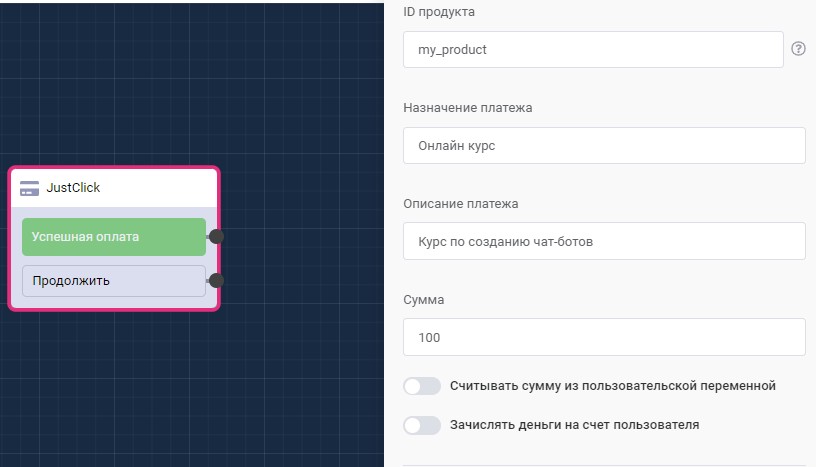
"JustClick" block in scenario
🎁 Free course on chat bot and MiniApp development for all users with active PRO subscription is already available on LEADTEX.
10 detailed lessons with immersion from A to Z.
Start learning right now - Start learning.