Prodamus
Chat bot integration with Prodamus payment service
Prodamus is a payment system for accepting online payments that supports working with various currencies (rubles, dollars, euros, tenge) and provides flexible integration capabilities with chat bots and mini-applications.
Integration with Prodamus Payment System
After registering and creating a store on the Prodamus side:
- You need to go to the integration section in Leadtex personal account, select integration with Prodamus payment system and specify the url of your store
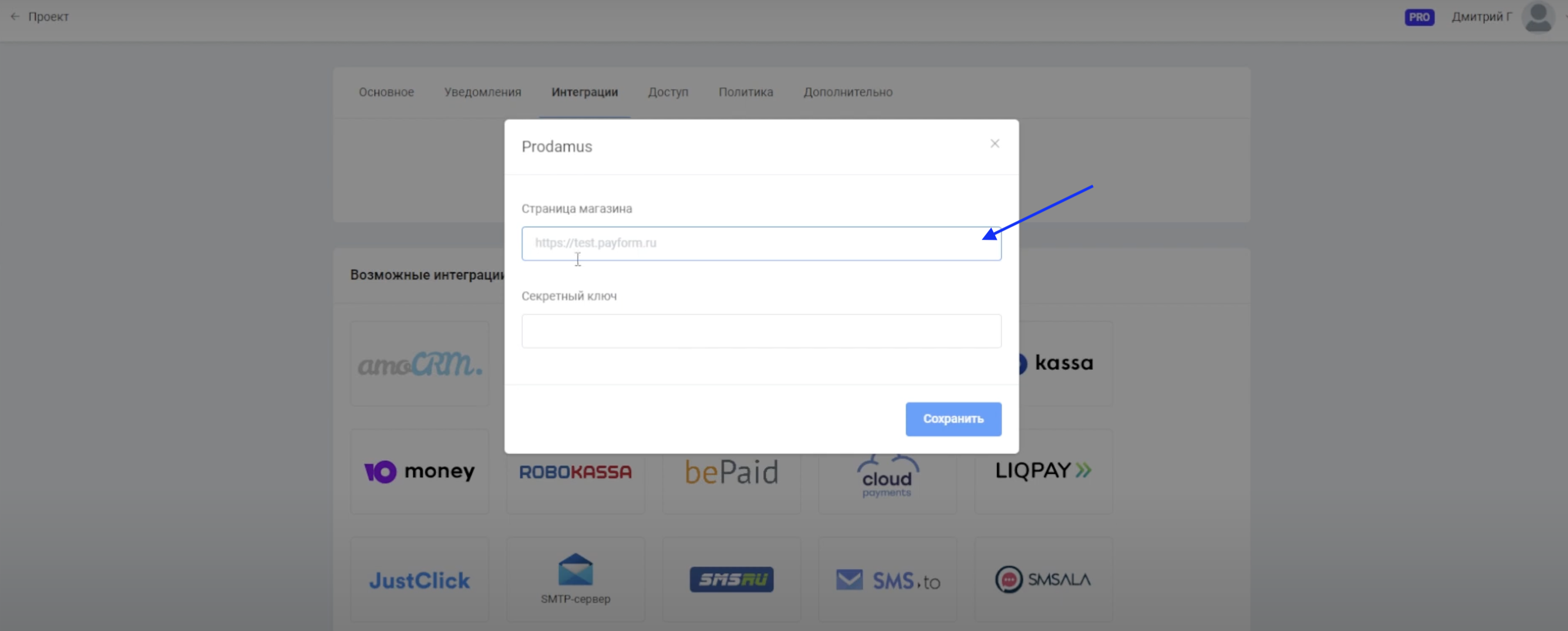
Prodamus Integration: adding store url address
- Next, you need to copy and specify the secret key.
To get the secret key, you need to go to the "Settings" -> "Secret Key" section on the Prodamus side.
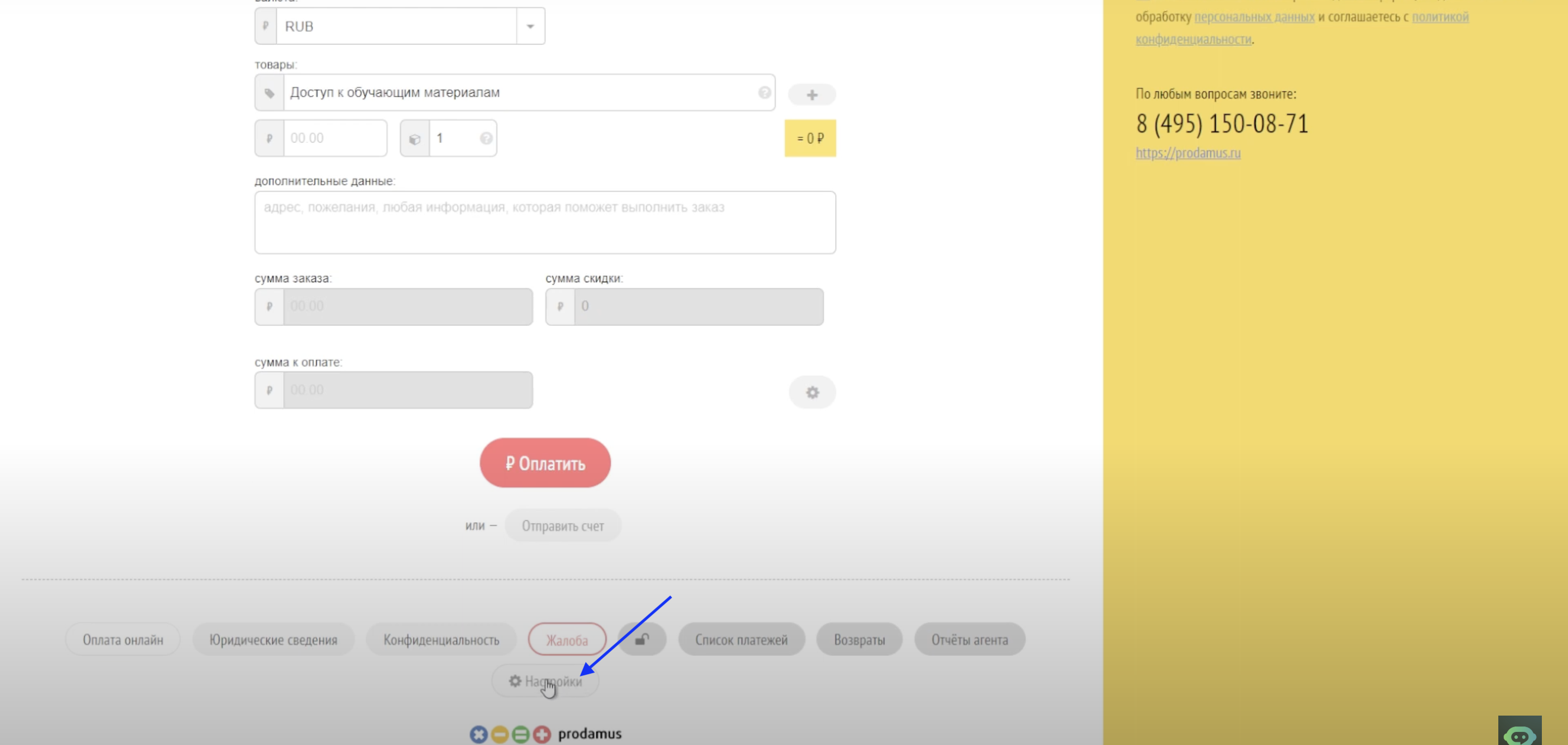
Going to "Settings" section Prodamus
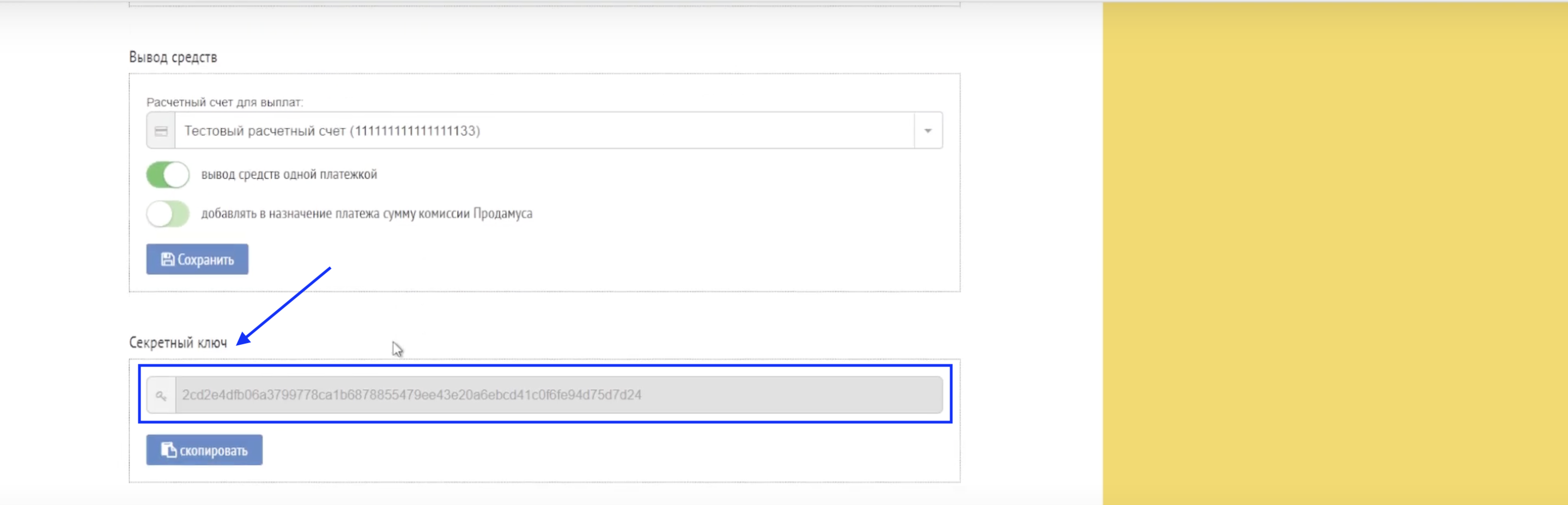
Getting Prodamus secret key
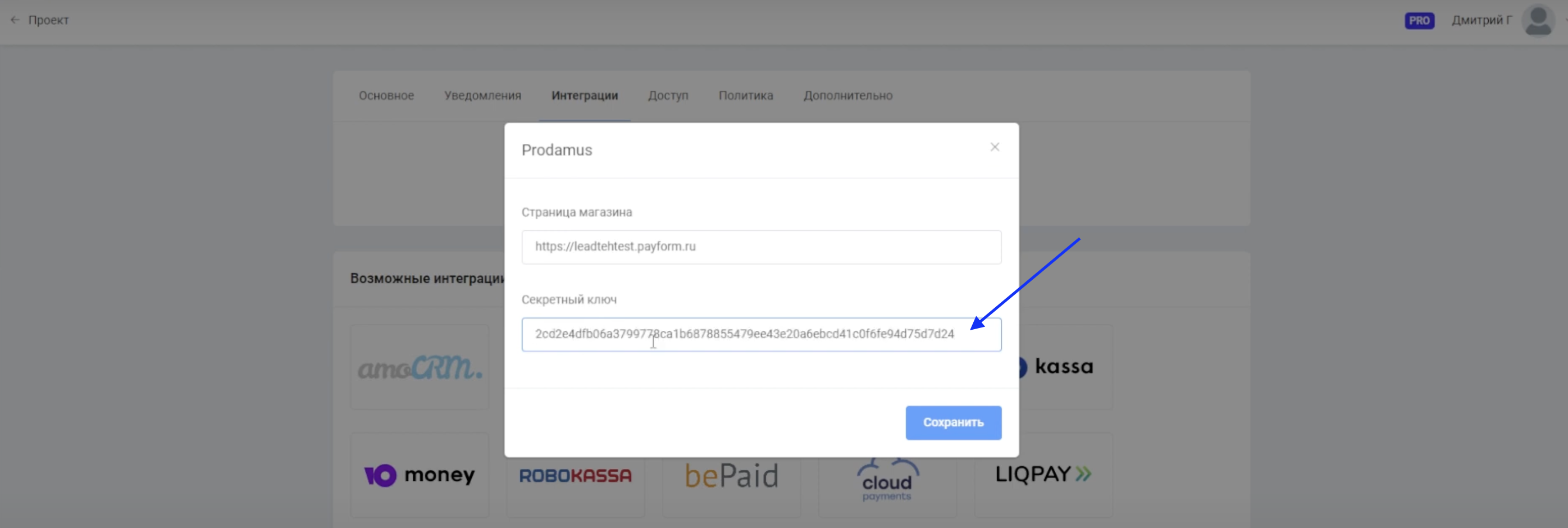
Adding secret key on Leadtex side
- Notification setup
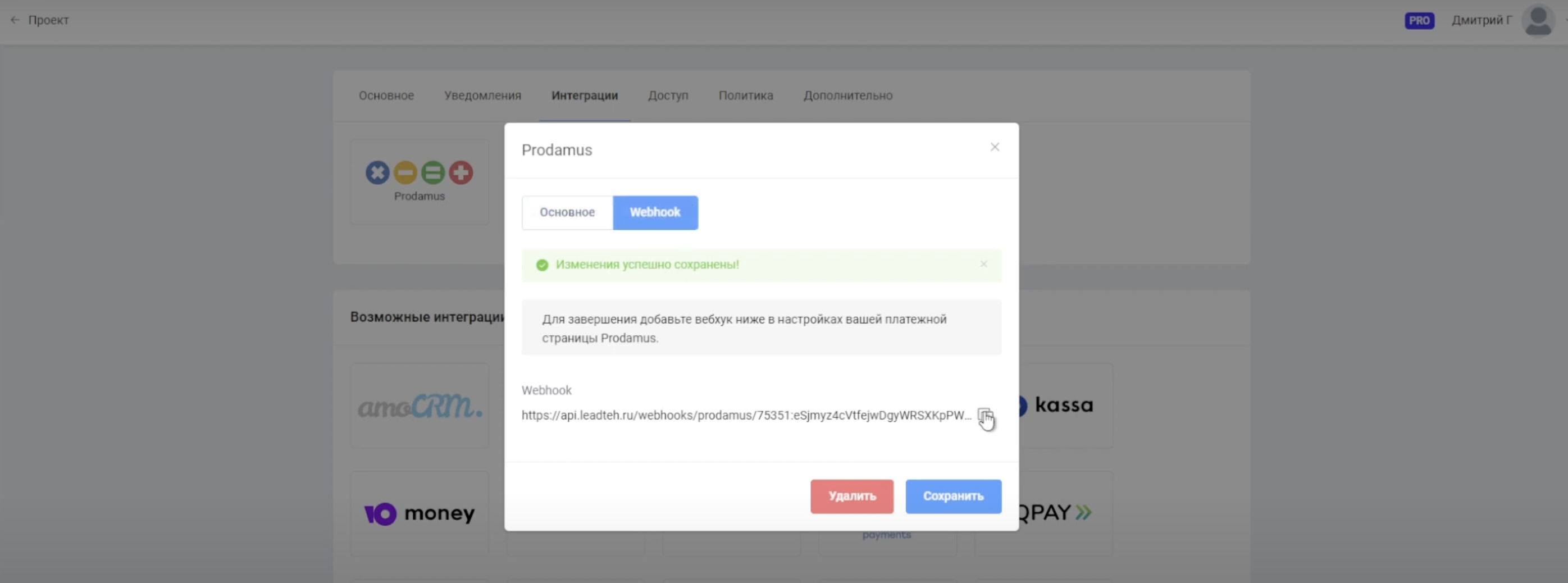
The final step is notification setup. After specifying the secret key, the system will automatically generate a webhook for sending notifications about successful payments. This webhook must be copied and specified in Prodamus -> "Notification Settings".
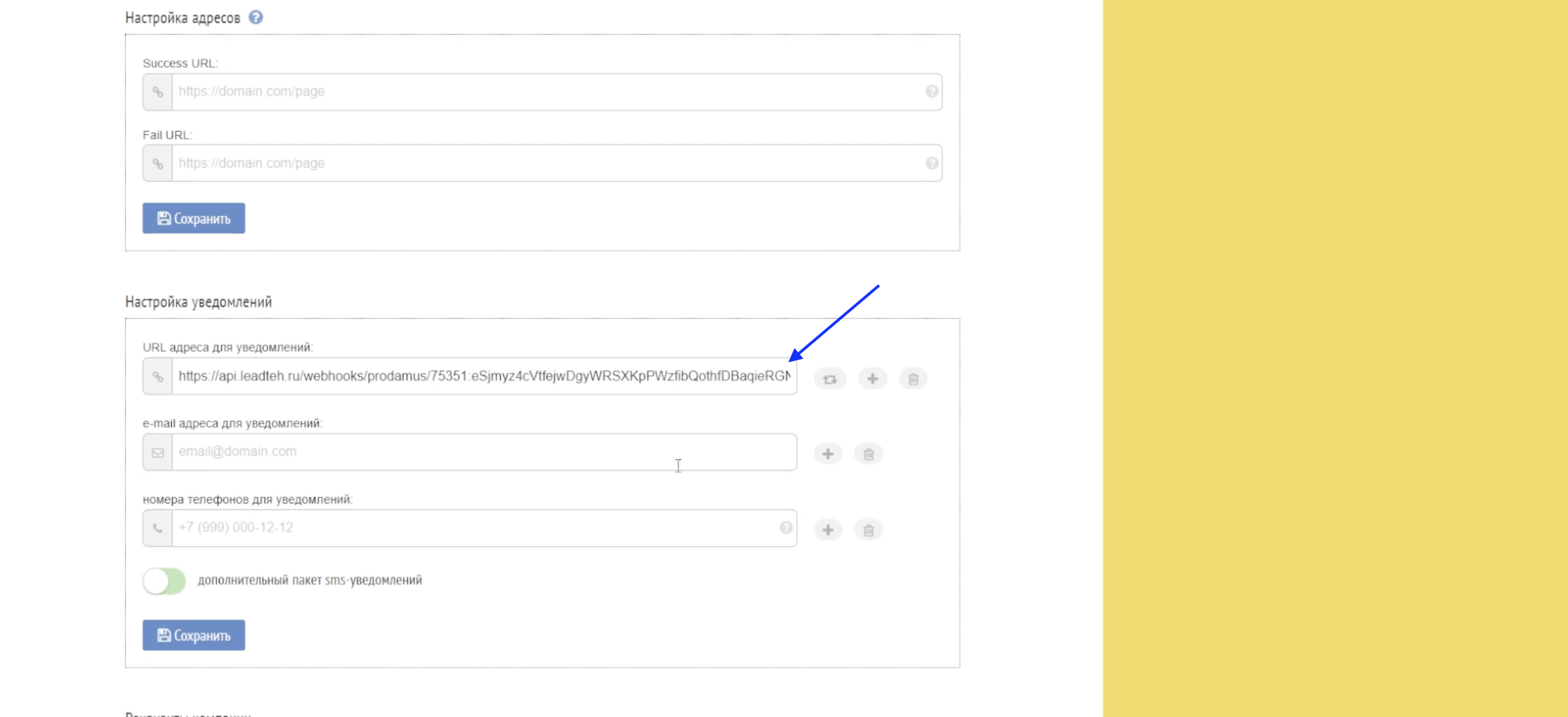
Additionally, in the "Notification Settings" section, you can specify phone numbers and email for receiving payment notifications in Prodamus.
MiniApp Store with Payment Processing in Prodamus
You can use integration with Prodamus payment system in MiniApp stores.
The video covers connecting payments in different currencies, setting up event tagging system to link store actions with chat bot logic, improved HTML editor for product descriptions and creating autoresponders by trigger events.
🎁 Free course on chat bot and MiniApp development for all users with active PRO subscription is already available on LEADTEX.
10 detailed lessons with immersion from A to Z.
Start learning right now - Start learning.