Validation
Validation - checking user-entered data for compliance with the specified format. If validation is considered failed, the client receives an error message asking them to re-enter the data in the correct format. Validation is activated when there are no matches for menu items.
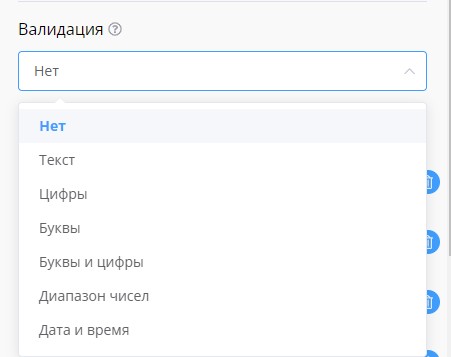
Validation capabilities
The following validation types are currently supported:
- Text - any text
- Numbers - numbers only
- Letters - letters only
- Letters and numbers - letters and numbers only
- Number range - number range within specified values
- Date and time - date and time according to the specified template
- Phone number - phone number in international format
- Email - email address
- URL - link to a website or its page
- Image - image file
- Regular expression - this validation type is for professionals, which allows you to check any format of entered data. To configure it, ask a programmer friend to help you or contact support. Example of a regular expression to check for a number:
^\d+$
Character limit
Along with the validation type, you can optionally set a limit on the number of characters:
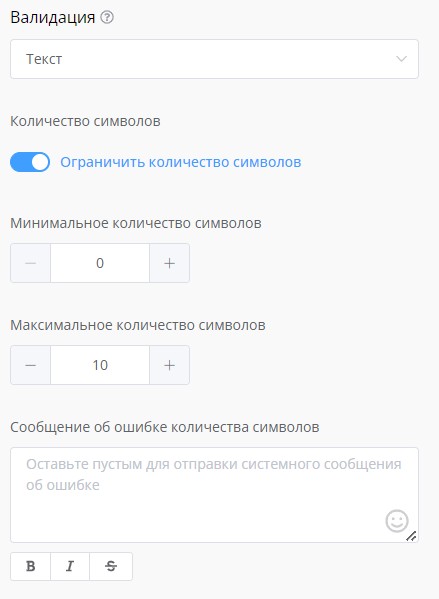
Character limit for validation
Custom error message
The error message is generated by the system according to the validation type. You can also set your own custom error message.
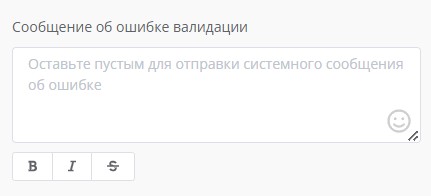
Validation error
Data validation: checking phone, Email, dates and setting error messages
A practical breakdown of user data validation in LEADTEX chat bots.
The video shows how to configure validation for various input formats: from simple text to complex regular expressions, with custom error message settings.