Request Phone Number and Email
Collecting contact data in bot: instructions for using "Request Phone Number" and "Request Email" blocks
Request Phone Number
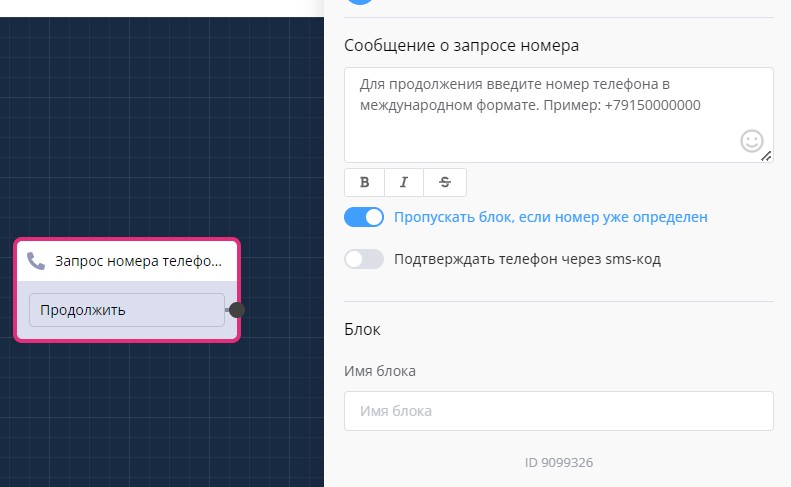
"Request Phone Number" block in scenario
The block can be configured so that it does not ask for the number if it is already in the database.
For Telegram, the number is sent by pressing a button.

Request phone number in chat bot
Setting up phone verification in "Request Phone Number" block
To enable phone number verification, simply activate the "Confirm phone via sms-code" option and select the SMS provider that you integrated through the Settings → Integrations section.\
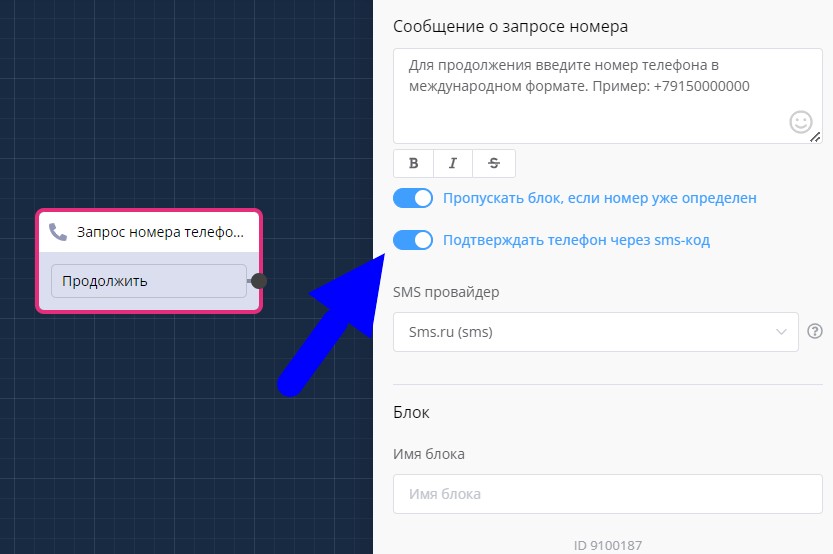
Special features of "Request Phone Number" block
Request Email
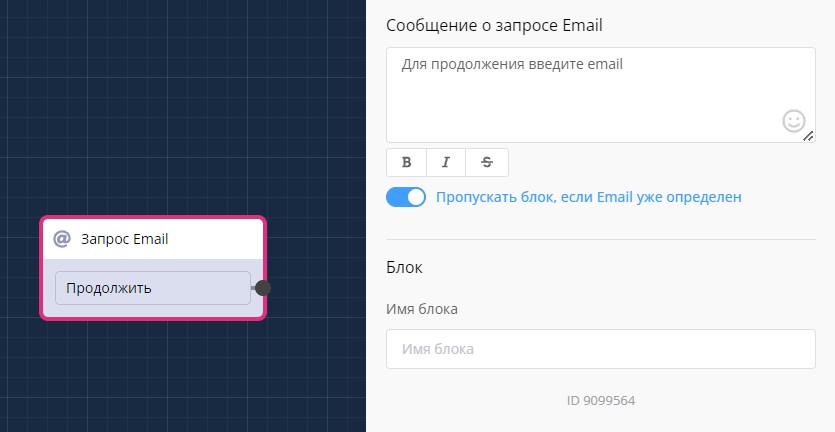
"Request Email" block in scenario
In the LEADTEX personal account, 250+ lessons on chat bot and MiniApp development are already available, as well as the opportunity to join the largest no-code developer community with 6000+ participants - Go to personal account.