Application
Instructions for receiving applications from the bot to different sources: sending applications to Telegram, Email or internal CRM system
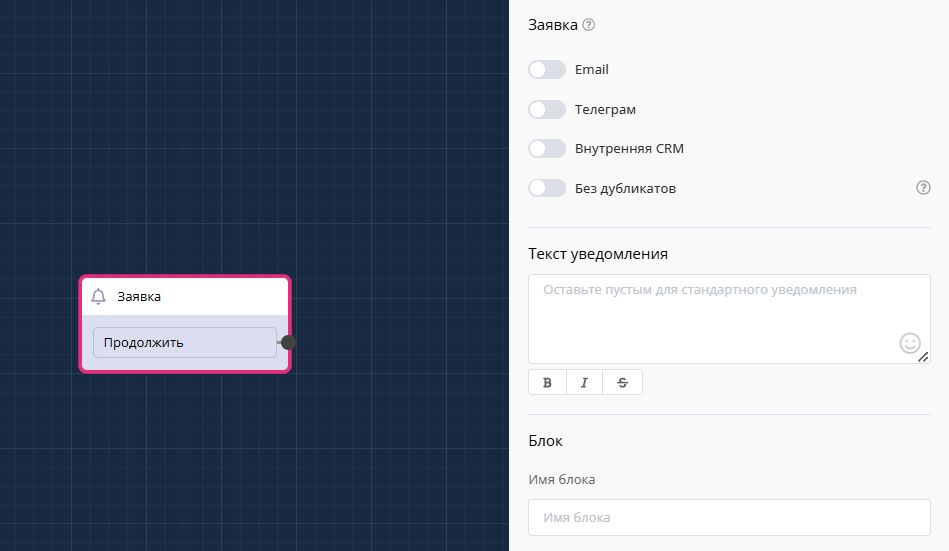
"Application" block in scenario
In this block, you have the ability to configure application receiving channels: email and Telegram.
Limitations on maximum number of channels: \ email - 50 \ Telegram - 50
This block cannot be placed after "application" blocks.
To add a manager, go to the settings section on the left, notifications. Select the desired notification channel, click "add".\ To connect email, simply enter the email address and press Enter. \ To connect Telegram, copy the link from the newly opened window and send it to the manager.
After this manager clicks on the link, you can create a link for another manager in the same way. Note that links have an expiration date.
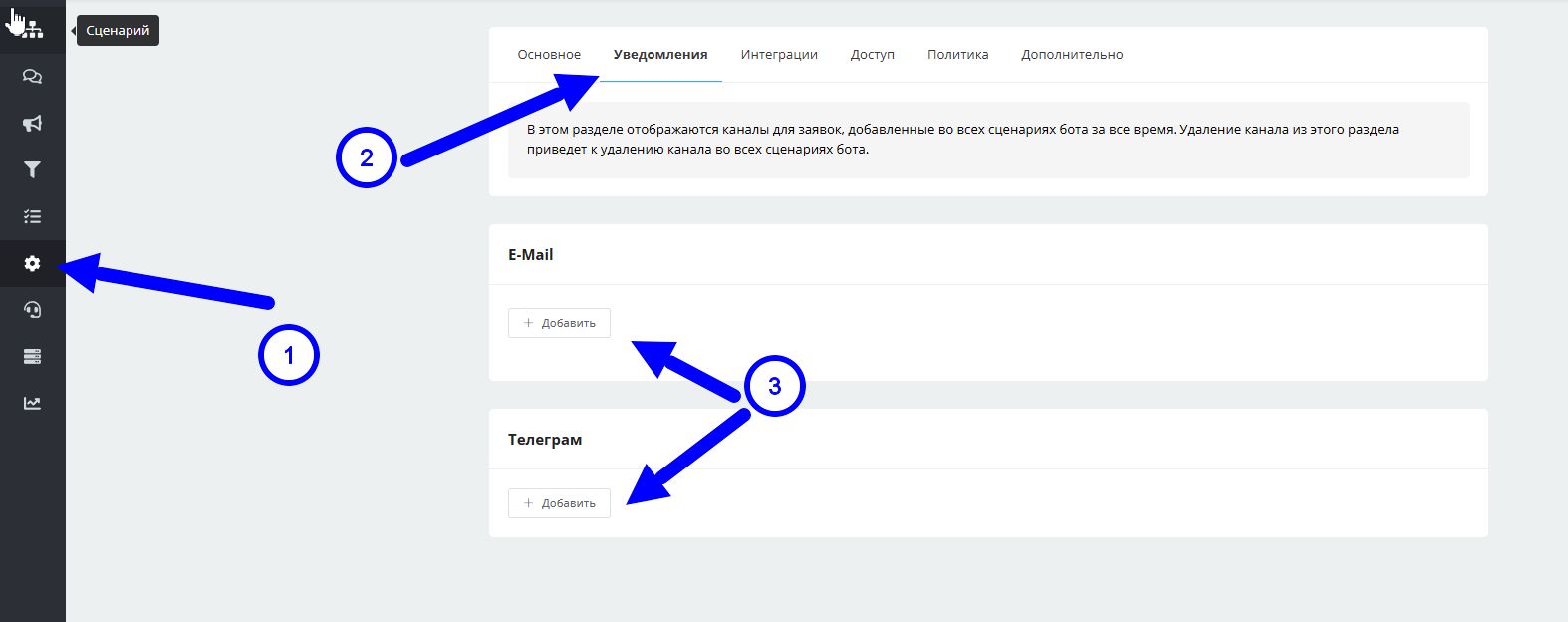
Connecting channels for application notifications in chat bot
Manager notifications: complete setup for automatic application sending
Learn the complete notification system in LEADTEX chat bots in two practical videos. Master setting up notifications in Telegram and Email for automatic sending of applications from clients to managers, with detailed breakdown of limitations and features of using the "Application" block.
🎁 Free course on chat bot and MiniApp development for all users with active PRO subscription is already available on LEADTEX.
10 detailed lessons with immersion from A to Z.
Start learning right now - Start learning.