Variable Operation
Working with variables in bot: instructions for using "Variable Operation" block
A way to write an arbitrary value to a variable with the ability to perform calculations before writing. This is perfect for creating tests or quizzes.
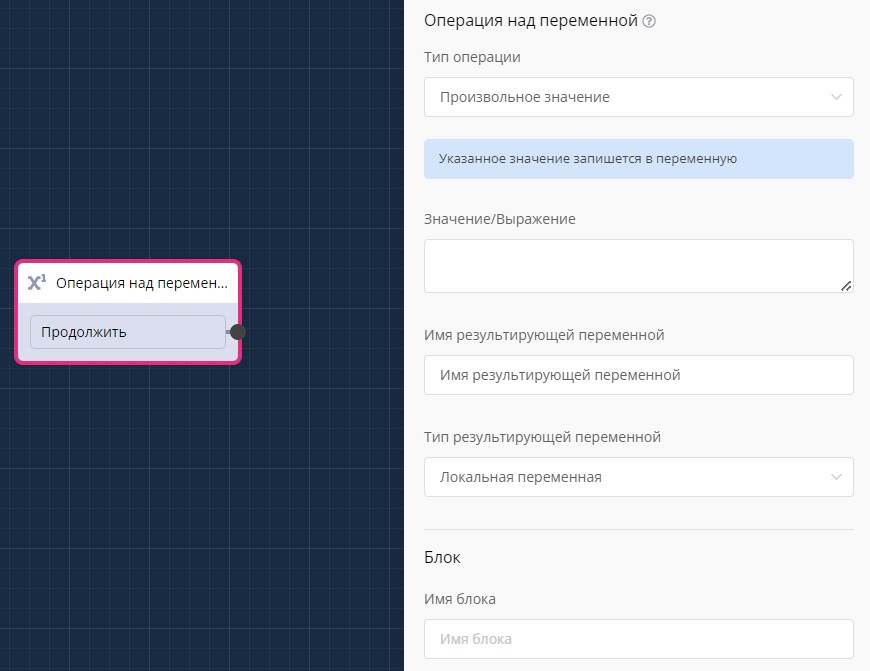
"Variable Operation" block in scenario
When entering this block, an operation on the variable is performed and the user is immediately redirected to the next block via connection.
Currently, you can choose four types of operations:
- Arbitrary value
- Mathematical expression
- Mathematical expression 2.0
- Mass assignment
Arbitrary Value
A simple operation that writes the specified value to the specified variable.\ In this type of operation, you can use Mathematical Operations.
Mathematical Expression
You can set an arbitrary mathematical expression with simple arithmetic operations.
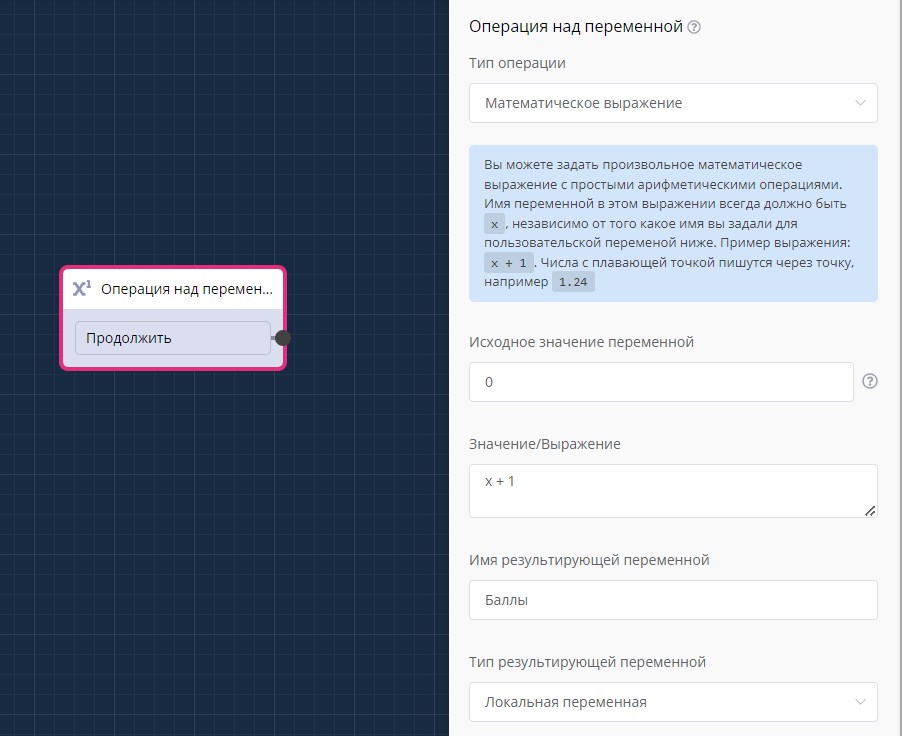
Mathematical expression in "Variable Operation" block
In the expression, you can operate with the current variable. For this, its name must always be x, i.e., in this example, x equals the value of the "Points" variable.
The expression x + 1 means that one will be added to the value of the "Points" variable, and the calculation result will be written to the "Points" variable.
This is perfect for tests or quizzes. Simply place this block between the answer and the next question, and award some points for each question. At the end of the test, you can display the result in the "Simple Message" or "Message Chain" block. This variable will also be present when exporting data from the bot to Excel.
Mathematical Expression 2.0
This type allows you to perform simple arithmetic operations with two or more variables.
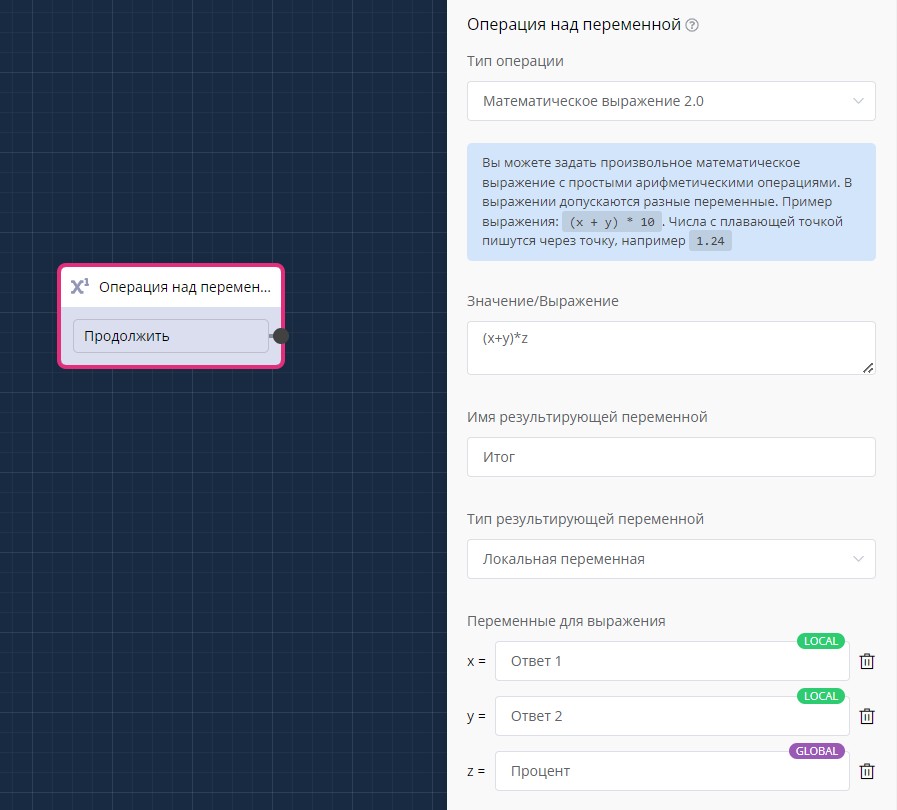
Mathematical expression 2.0 in "Variable Operation" block
This is perfect for calculations where you need to account for several user responses to calculate the final value.
Mass Assignment
This type allows you to assign multiple variables to a user with one block.
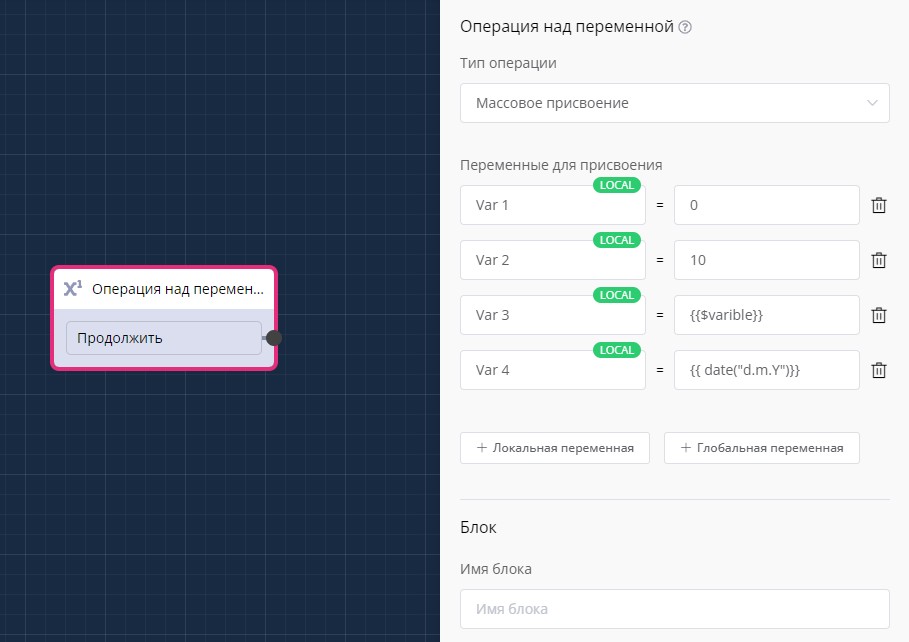
Mass assignment in "Variable Operation" block
Writing Local Variable to Global Using "Variable Operation" Block
With this block, you can write a local variable to a global one. In an arbitrary expression, you can use autosubstitution (variables, functions, etc.). The user variable is written to the value/expression and it is written to global if you specify the resulting variable type as "global".
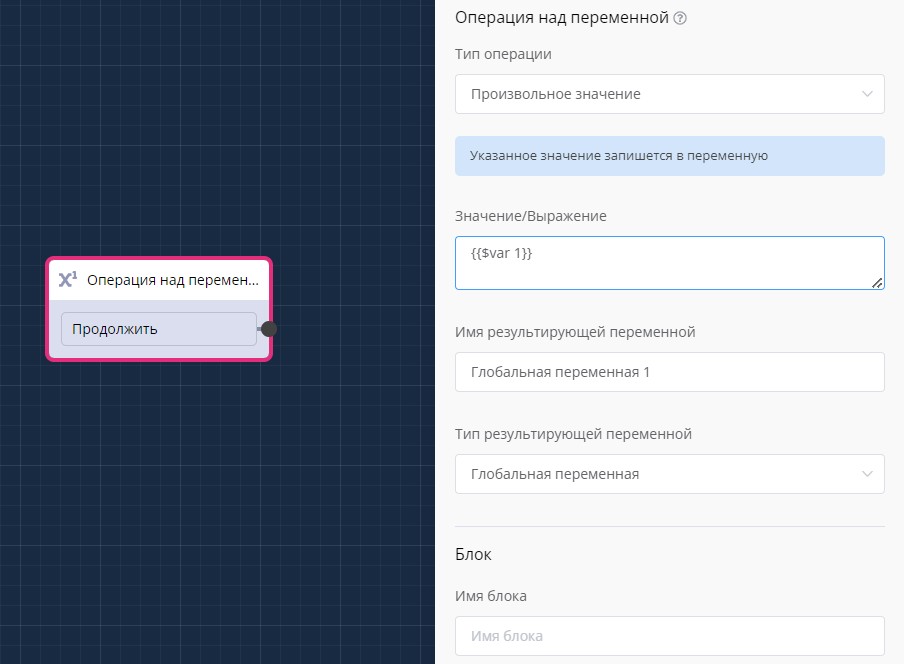
Arbitrary variable value in "Variable Operation" block
Creating Point System and Accrual in Chat Bot
Video on working with variables in LEADTEX constructor and "Variable Operation" block.
Learn how to create local and global variables, configure mathematical expressions, and apply them for quizzes and tests with automatic point calculation.
Creating Internal Currency in Chat Bot
Lesson on creating your own currency system in a chat bot.
Learn how to set up an internal currency "webcoins", create earning and spending mechanisms, and protect the system from abuse through tags and conditions.
Quiz in Bot - Creating Survey with Role Separation
Creating a quiz bot with a role system. Learn how to set up surveys with automatic result calculation, create personal accounts for teachers, and save student data to platform lists.
Timed Testing with Unix Dates
Video lesson on creating an HR bot for testing candidates with time constraints.
Timed Testing in Telegram Bot
Timed Testing in Telegram Bot
Ready template for installing the project "Timed Testing in Telegram Bot" in one click:
Testing with Multiple Answers and Top Rating
Video lesson on creating tests with multiple choice in LEADTEX.
Learn how to create interactive buttons, check answer combinations, integrate Google Sheets to store results, and display top participants with best results.
Ready template for installing the project "Testing in Telegram Bot | Multiple Choice" in one click:
🎁 Free course on developing chat bots and MiniApps for all users with an active PRO subscription is already on LEADTEX.
10 detailed lessons with immersion from A to Z.
Start learning right now - Start learning.