HTTP Request
Extending constructor capabilities through third-party API and HTTP Request block
Chat Bot Integration with External Services Using API
Specify your URL, request type, and headers for request processing.
GET, POST, PUT, DELETE, and PATCH methods are supported.
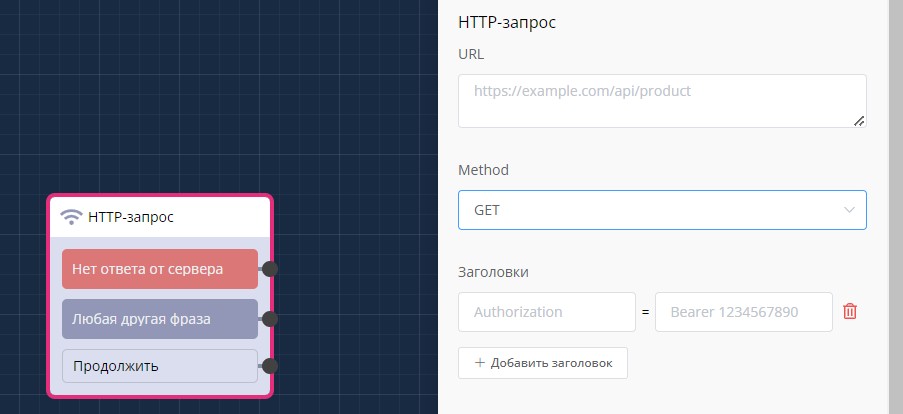
"HTTP Request" block in scenario
When using the POST method, you additionally have the ability to pass body in the request.
Request
To send all user variables obtained in previous steps, user contact, and CRM system data in the request, you need to enable "Send contact data in request".
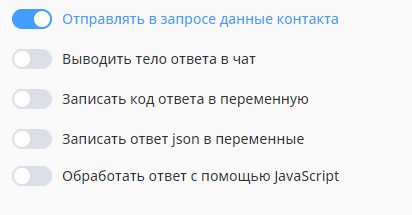
Sending contact data in request
Request Example:
{
    "variables": [
        {
            "name": "City",
            "value": "Moscow"
        }
    ],
    "contact": {
        "name": "Dmitry",
        "messenger": "whatsapp",
        "phone": "79999999999"
    }
}
Important
Connection timeout: 3 seconds
File Upload
To upload a file, select the POST method.
In the body section, select multipart/form-data mode and click the "Add File" button.
Select file upload method:
- "Upload File" — select a file on your device. The file will be uploaded immediately and will be sent with each processing of this HTTP request.
- "Specify Link" — fill in key and url (in the url field you can specify a file link as text or use a local/global variable that contains a link). The file by link will be loaded at the beginning of HTTP request block processing and sent together with the request itself.
Important
Maximum allowed file size is 100 MB.
.png)
Adding file in HTTP Request block settings
When selecting "Specify Link" method, you can specify a variable in which a file was previously uploaded by the chat bot user in the scenario. The file from this variable will be sent in binary format.
Important
The link from the file variable must be decoded first. To do this, in a separate http block, make a request — Get Media File Link
.png)
File upload by link
If an error occurred when uploading a file by link — the entire scenario execution will be stopped with an error field output to chat.
Information
Binary file upload is used, for example, when transferring files to a neural network for subsequent processing.
When integrating with neural networks, a two-stage request is often used (for example, Gemini and Chat GPT): after the first request you get a file_id, and then send this file_id with a prompt.
Example of http block setup for Gemini integration.
.png)
Response
In case of success, the server should respond with code 200, and the body should contain text for the user.
The text should be formatted according to WhatsApp standards. Formatting for other messengers happens automatically on our server.
In case of an error (for example validation), you can notify the user about it. To do this, the server should respond with code 422, and the body should contain a message for the user.
To record the response code, enable the "Write response code to variable" option.
Added the ability to output response body to chat for further work with the received response.
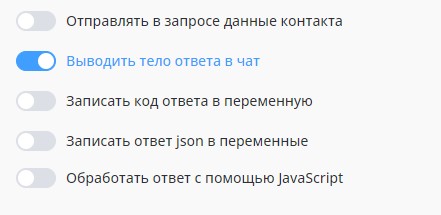
Outputting response body to chat
Important
Response timeout can be adjusted from 5 to 60 seconds
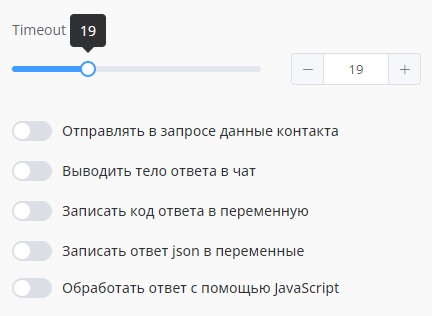
Timeout for getting response
Writing json Response to Variables
Write json response to variables allows writing the received response from the server to variables for further work with them.
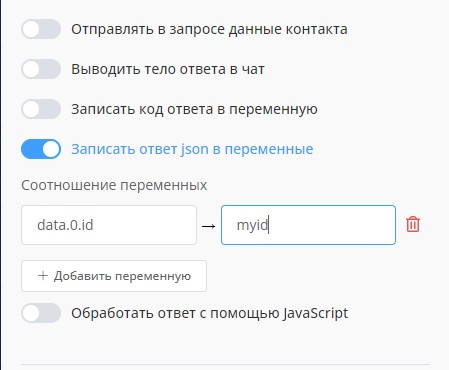
Writing response to json variables
Telegram API Integration in Chat Bot
Practical guide to setting up HTTP blocks for working with Telegram API.
The block also allows processing the response using JavaScript and gives you the ability to "add" your own script to extend your bot's functionality.
 (1) (1).png)
Processing response using JavaScript in HTTP block
Creating a Smart Bot Using JavaScript and HTTP Requests
Comprehensive case study of developing a bot for filtering movies using JavaScript logic and HTTP integrations.
HR Automation: Connecting Avito API for Personnel Search
Video tutorial on integrating Avito API into a chat bot for HR process automation. Learn how to create a candidate search and selection system through a popular classifieds platform.
Ready template for implementing the project "Avito and Telegram Bot Integration | Resume Parsing for HR" in one click:
Telegram Gift: Issuing Gifts in Telegram Bot
Step-by-step guide to connecting Telegram API for issuing gifts in a bot.
Ready template for implementing the project "EVERYTHING You Need to Know About GIFTS in Telegram in 15 MINUTES" in one click:
Series of lessons on neural network integration in chat bots:
Bonus for new users and the opportunity to get 500 rubles in points as a gift 🎁
- Register on LEADTEX
- Create and test your first project
- Don't miss the special offer. Get a gift 👈