Integration Examples
Instructions for creating external integrations using HTTP Request block
ChatGPT Integration in Telegram
- Forming Request to Open AI API
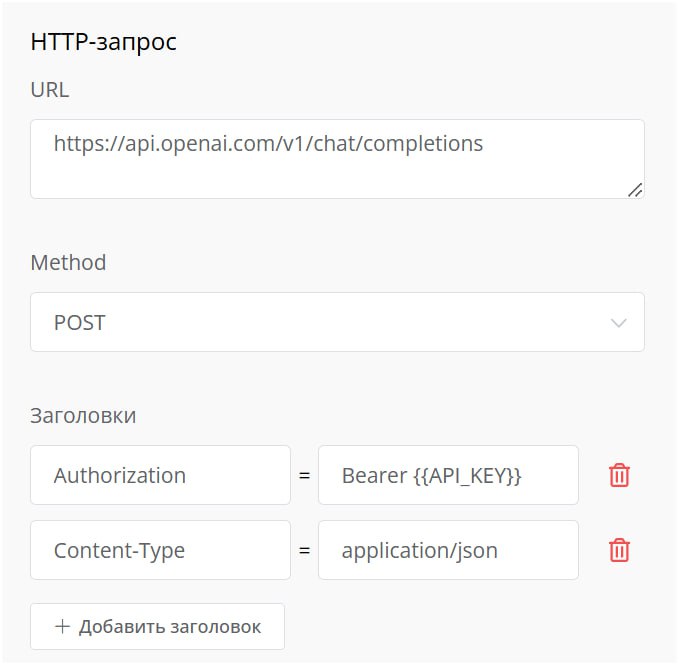
HTTP block settings
Request https://api.openai.com/v1/chat/completions allows generating text and audio responses using various GPT models.
API_KEY value - must be replaced with API key obtained on OpenAI page https://platform.openai.com/api-keys.
- Forming Request Body
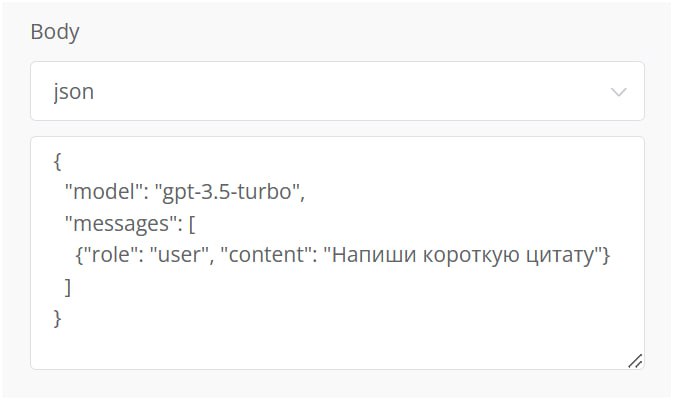
Forming request body in ChatGPT
{
"model": "gpt-3.5-turbo",
"messages": [
{"role": "user", "content": "Write a short quote"}
]
}
Model - model identifier used for response generation
Messages - list of messages making up the current conversation
Role - message author role
Content - user message content.
If the user message is not static but saved to a variable in the "Message Chain" block, you need to adjust the request body,
{
"model": "gpt-3.5-turbo",
"messages": [
{"role": "user", "content": "`{{$variable_name}}`"}
]
}
Additional parameters can also be included in the request body, more details in Open AI documentation.
- Saving GPT Response to Variable
To write the neural network response to a variable, you need to use the "Process response using javaScript" function in the "HTTP Request" block.
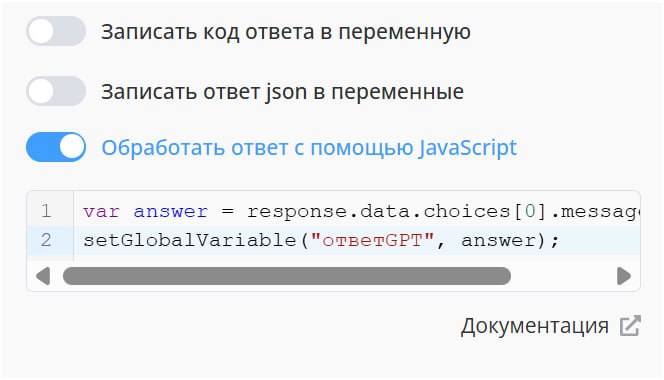
Writing GPT response to variable
Script for writing response to variable "GPTAnswer".
var answer = response.data.choices[0].message.content;
setGlobalVariable("gptAnswer", answer);
- Outputting Neural Network Response to Chat with User
To output the response, standard "Message Chain" blocks are used with adding variable {{$GPTAnswer}} to the text field.
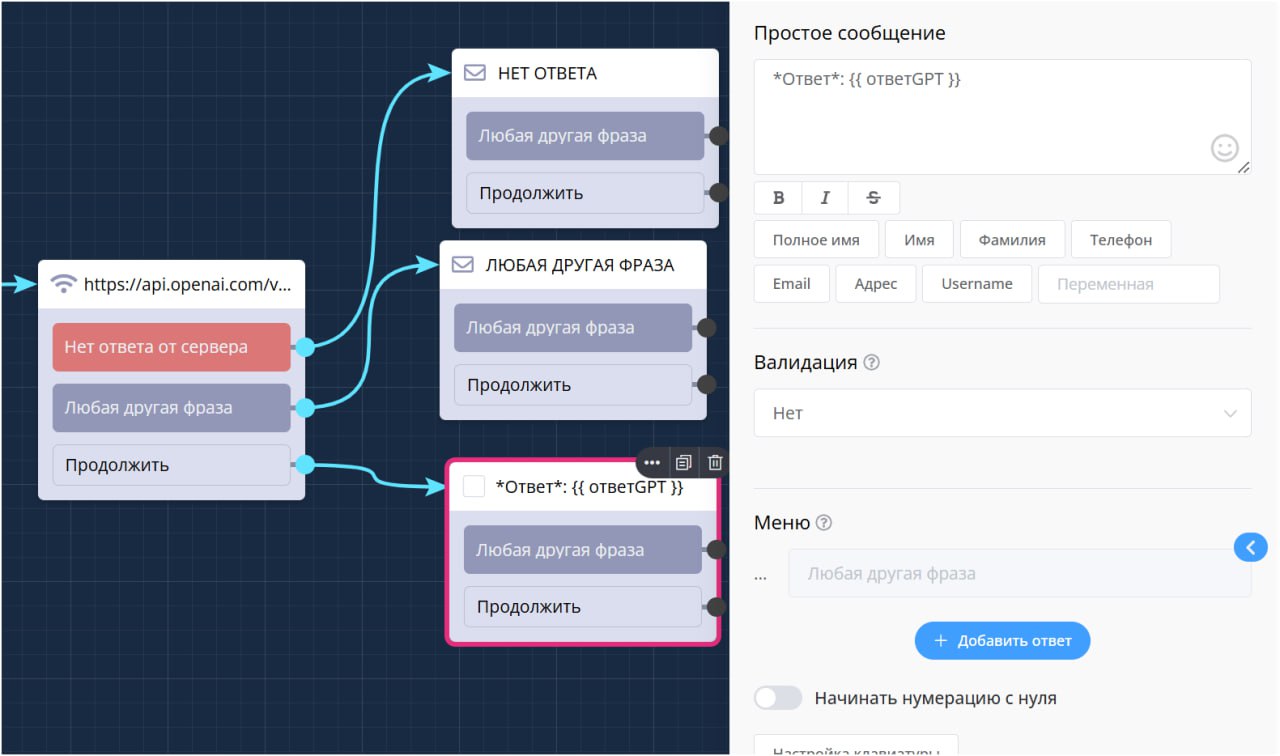
Dialogue scenario
Additionally, you can specify a system message for error handling, in case there was no response, via "No response from server" connection.
If the dialogue needs to be made infinite, from the "Any other phrase" connection, you need to close the connection to the HTTP block and activate the "Write user response to variable" function with specifying the question variable - {{$variable_name}}.
Done! ChatGPT integration is configured.
More lessons on neural network integration in chat bots are available in section: