Built-in Telegram Bot
Instructions for setting up and using built-in bot in Telegram. Breakdown using store catalog as example
Click the gear icon to the right of the button name in the block. In the window that appears, select the command type "Open Built-in Telegram Bot".
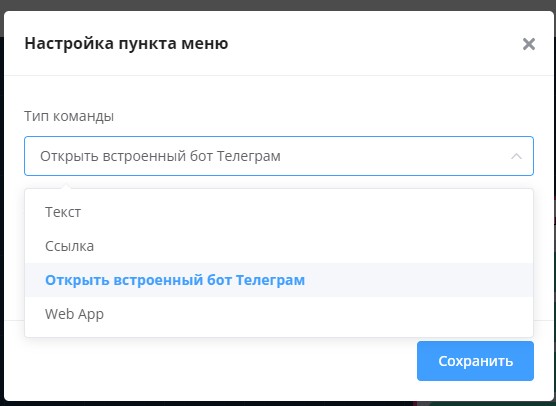
"Open Built-in Telegram Bot" command
In the "Search Text" field, add the # symbol and a search word (tag) in Latin.
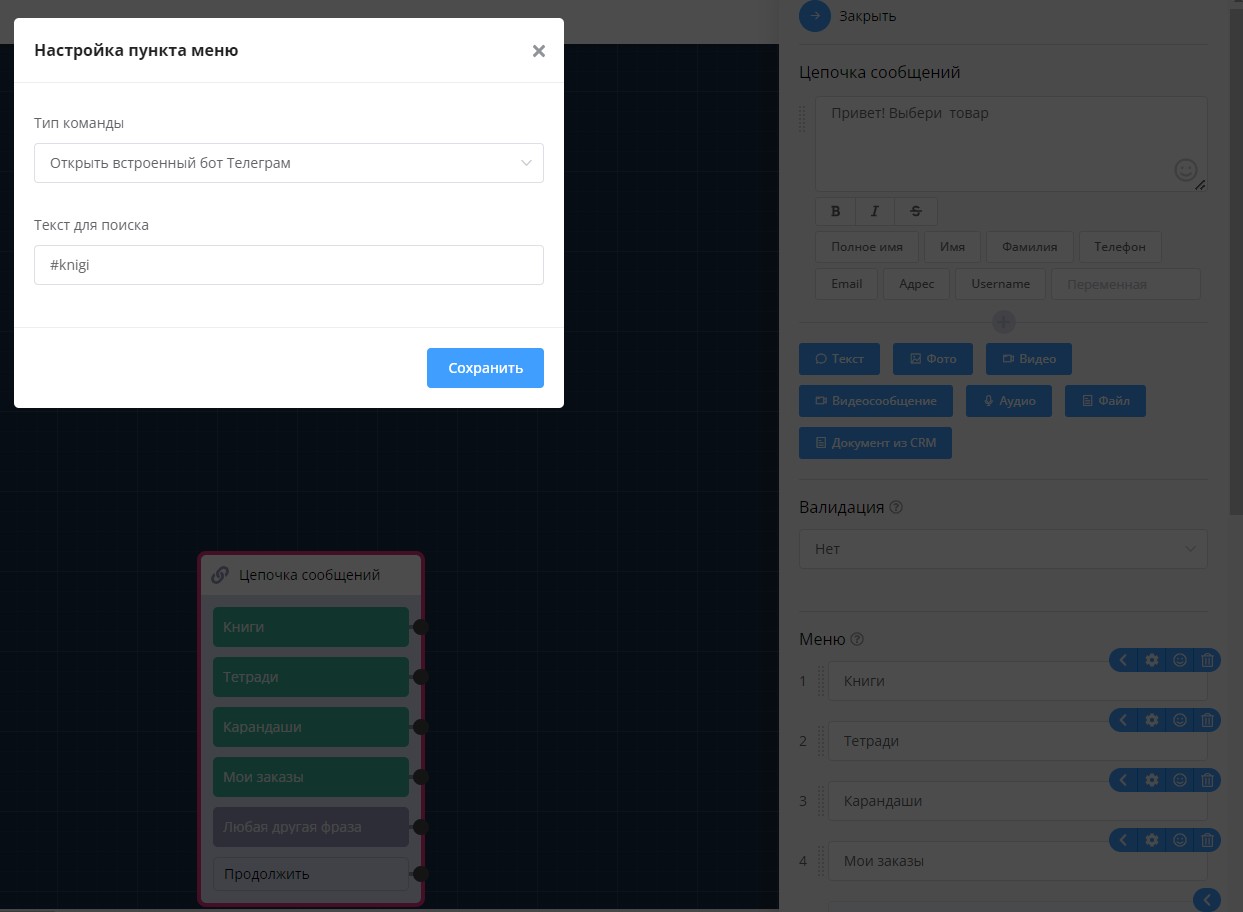
Setting up search phrase for built-in bot
In the "Built-in Telegram Bot" block, select the list, unique field for search, and the tag specified in the button.
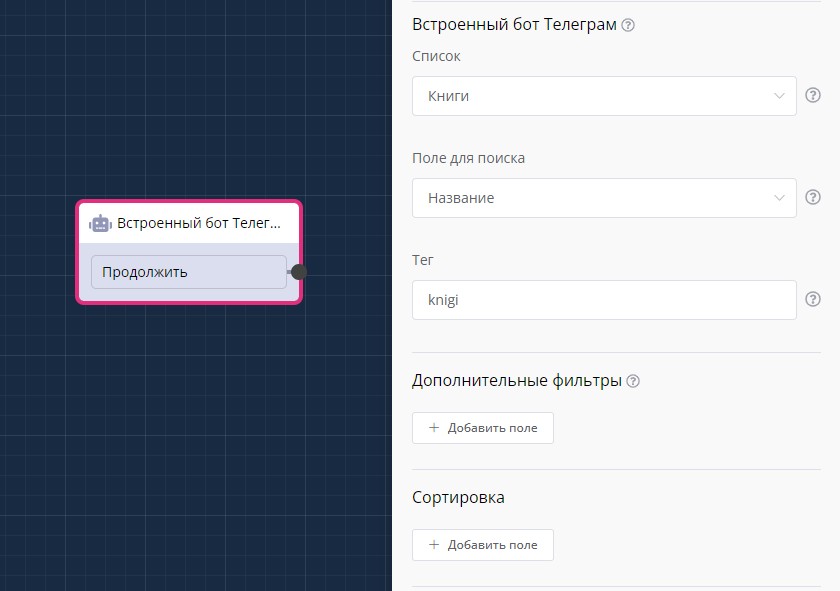
"Built-in Telegram Bot" block in scenario
Menu item loading supports "infinite" scroll.
Additional filtering is possible (for example, filter "!=" - not equal) and sorting of list items.
Built-in Bot in Telegram: Creating Interactive Catalogs with Search
Practical guide to setting up Telegram built-in bot functionality for creating an interactive catalog.
Comprehensive lesson on creating a store in Telegram with various types of product catalogs.
In the LEADTEX personal account, 250+ lessons on developing chat bots and MiniApps are already available, as well as the opportunity to join the largest no-code developer community with 6000+ participants - Go to Personal Account.