Continue Link
Logical connections in bot: "Continue" connection in scenario
In each block, in addition to connections from menu buttons and "any other phrase," there is a "continue" connection. It is needed to send two blocks connected by this link in a row, without stopping at the first one.
.png)
"Continue" connection between blocks in scenario
I.e., transition to the next block is possible in the following ways:
- via menu button
- via "any other phrase" connection
- via "continue" connection
Note that "continue" cannot be combined with other connections because it automatically transfers to the next block.
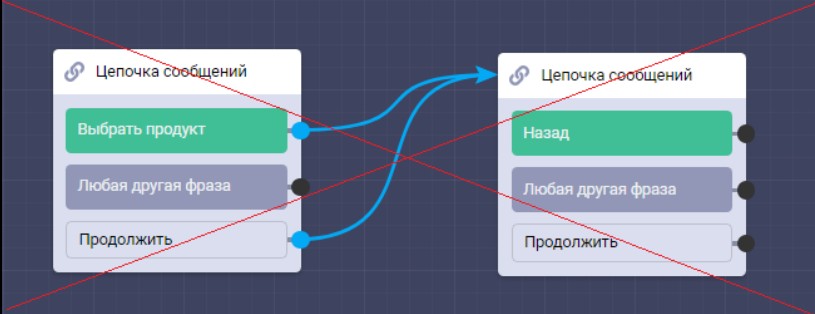
Error in forming connections between blocks
In the example above, the "select product" button will not work, because "continue" will immediately transfer to the second block.
Bonus for new users and the opportunity to get 500 rubles in points as a gift 🎁
- Register on LEADTEX
- Create and test your first project
- Don't miss the special offer. Get a gift 👈