Setting up Email notifications: instructions for using "Email" block
You can choose any source:
- constant – to get it, you first need to request it through the email request block,
- variable (email will be sent to the email recorded in the variable),
- arbitrary email.
The email source can be set manually or from a variable.
To work with this block, you need to set up integration with an SMTP server.
"Distribution name" field: it will be displayed in the email distribution list. This list will be created in the Lists section.
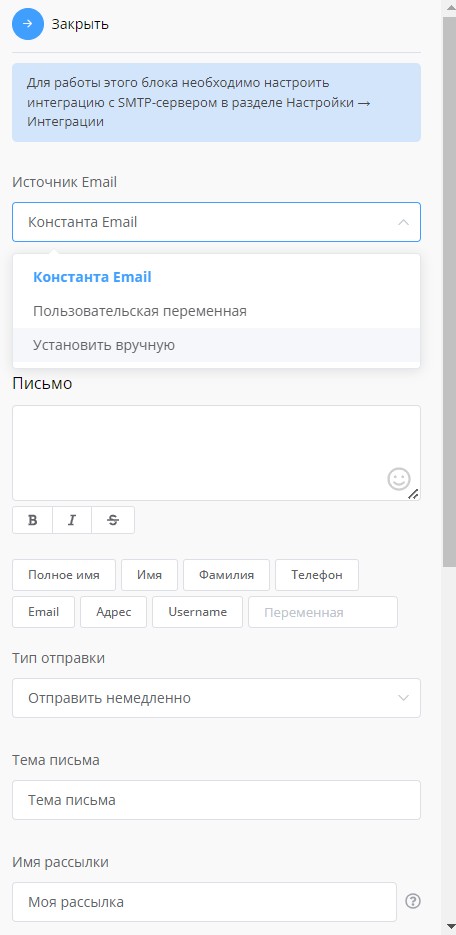
"Email" block settings
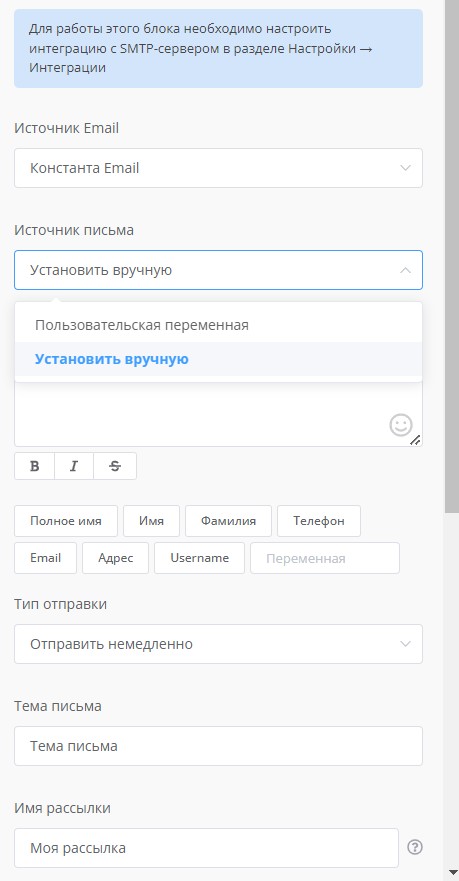
"Email" block settings
🎁 Free course on chat bot and MiniApp development for all users with active PRO subscription is already available on LEADTEX.
10 detailed lessons with immersion from A to Z.
Start learning right now - Start learning.