Notifications in Telegram
Setting up notifications in Telegram bot: connecting and setting up system bot for receiving notifications
To connect notifications in Telegram, you need a username
To create a username, go to Telegram from PC or mobile device in (Settings > Edit Profile > @ Select username) and enter a name in Latin, using hints. See photo below:
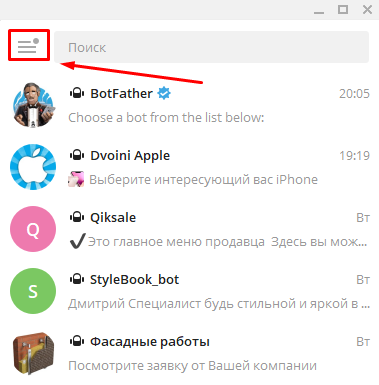
In the left Telegram menu, click on the "burger"
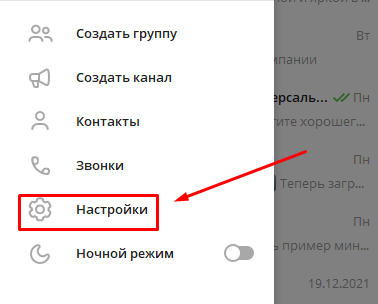
Select settings
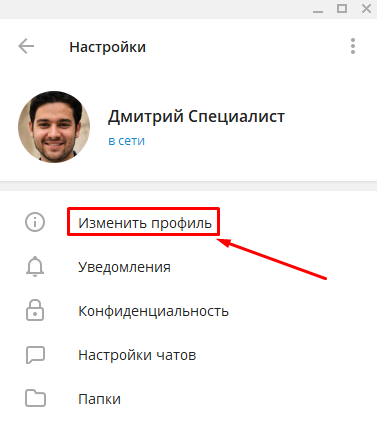
Click "Edit name"
.png)
Click on the empty field for username
.png)
Select a unique name in Latin
.png)
How to connect notifications in bot so they come to Telegram
To connect notifications in Telegram, in the bot editor go to section (Settings > Notifications). Click the plus to add a connection. Open the suggested link with the Telegram app. Once in the bot, click "START". After successful connection, you will receive notifications in this bot (@myleadtehbot).
IMPORTANT! Notifications can only be received on a personal Telegram page with a username. Notifications will not come to a group, channel, community or any other Telegram bot.
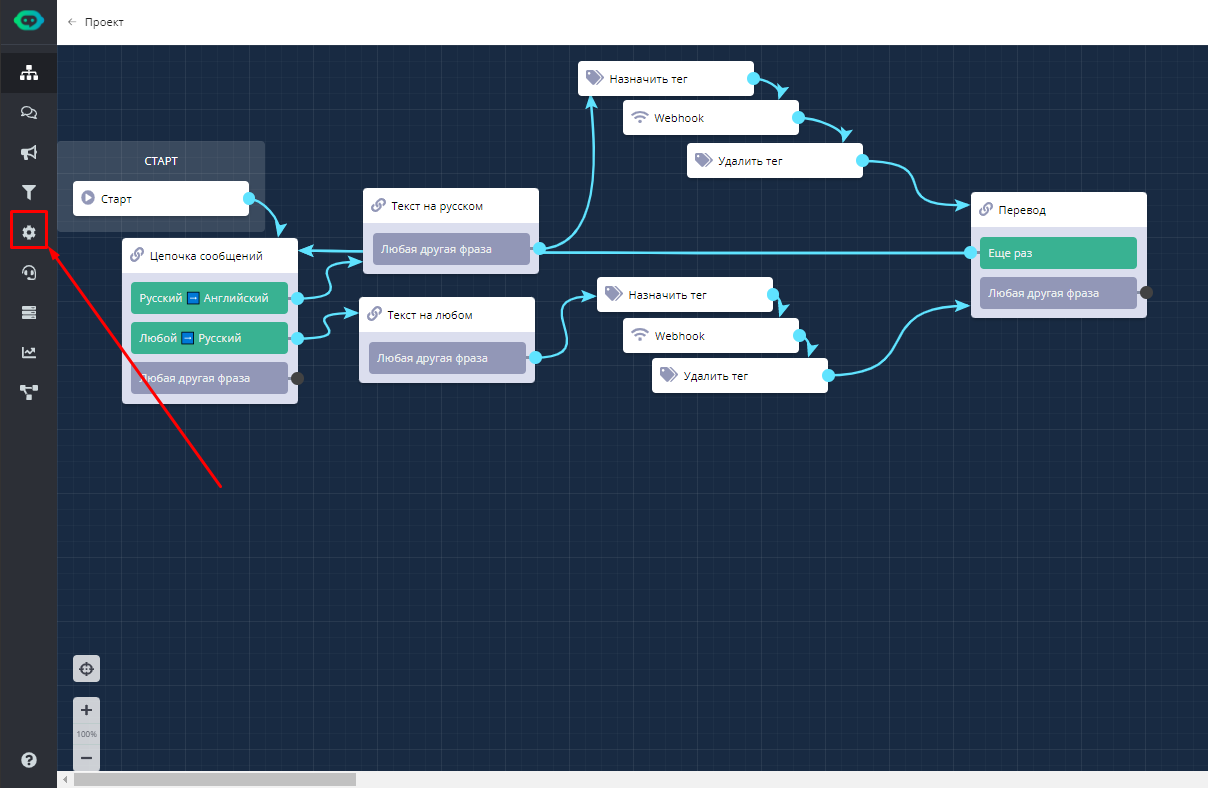
Go to settings
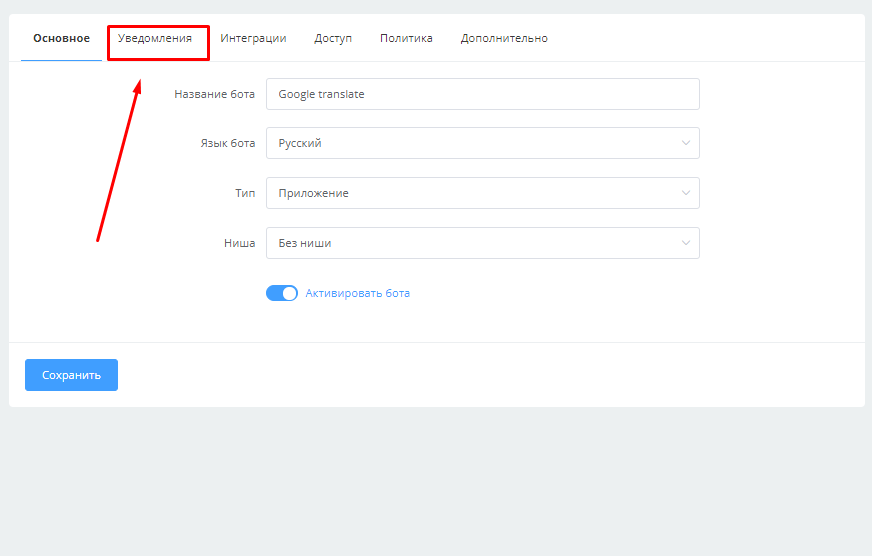
Select "Notifications" section
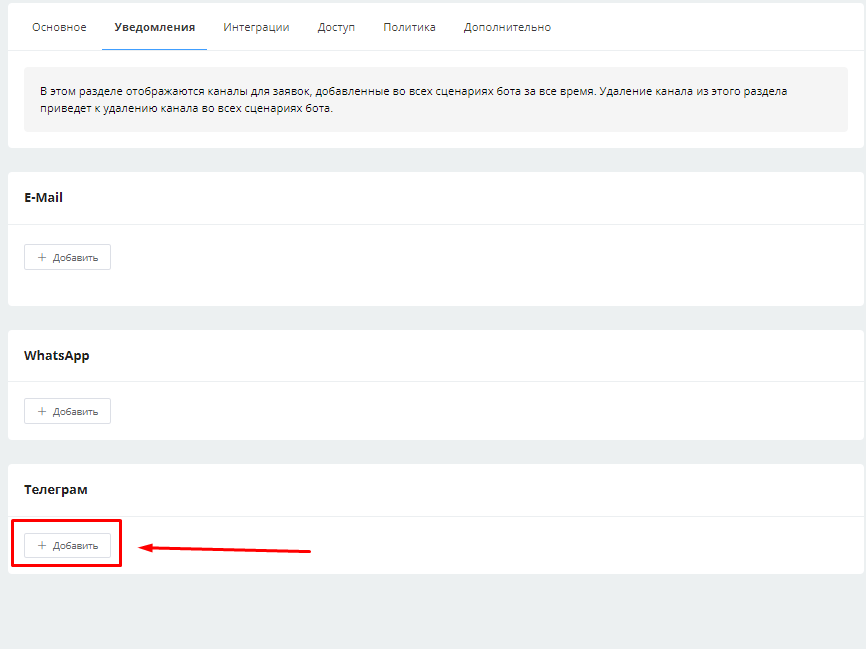
Click the plus to add connection
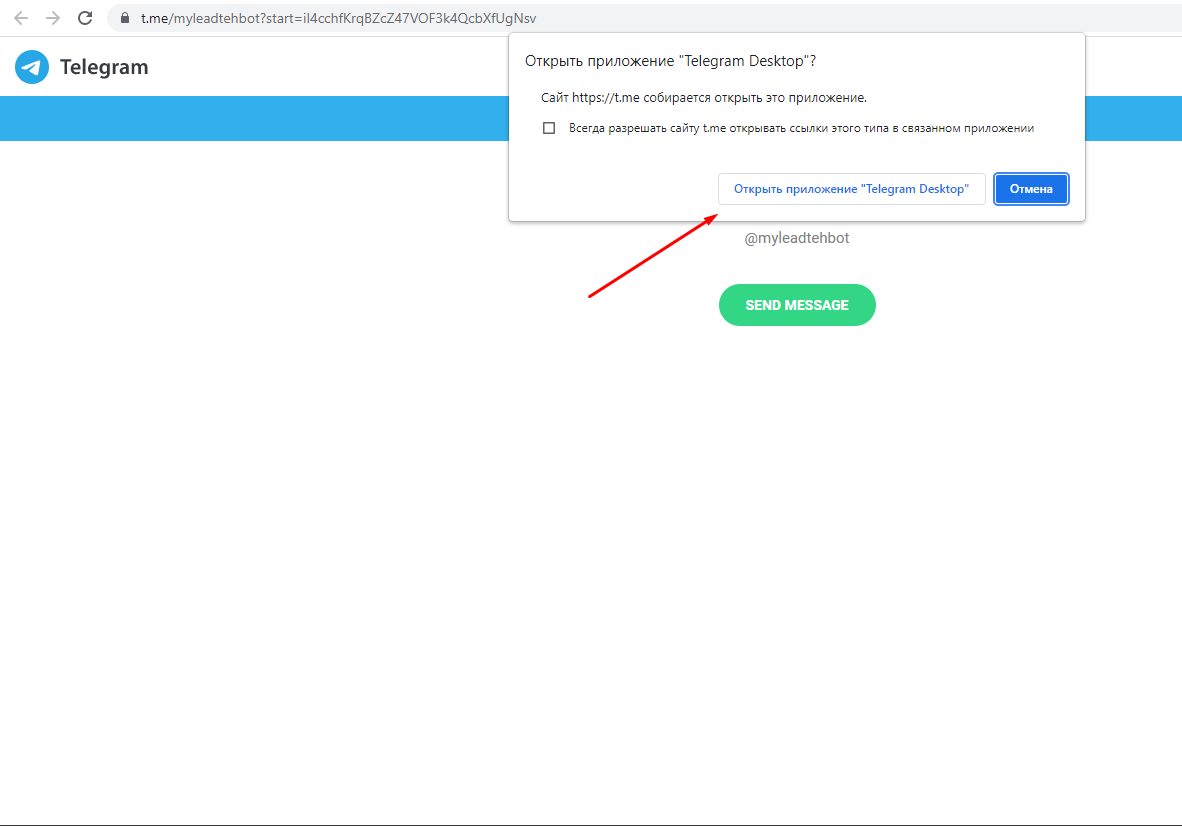
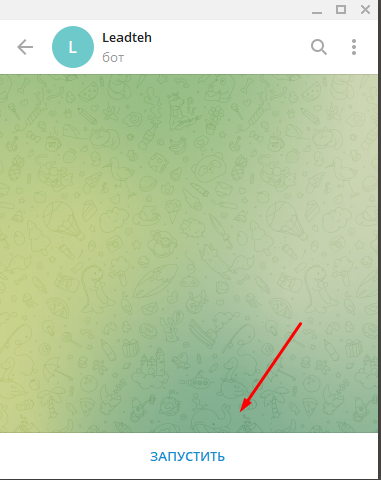
Start the bot in the opened Telegram
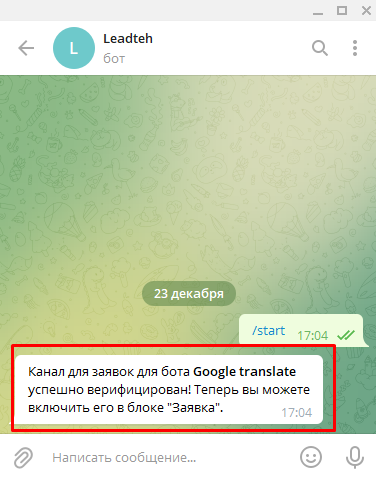
Notifications successfully connected
How to connect notifications to another Telegram user (to another account without access)
If you need to connect notifications to another Telegram user without access to their app, perform the actions described above. At the stage of opening the link with the Telegram app, click "cancel", copy the generated link and send it to the user so they can open it with their app.
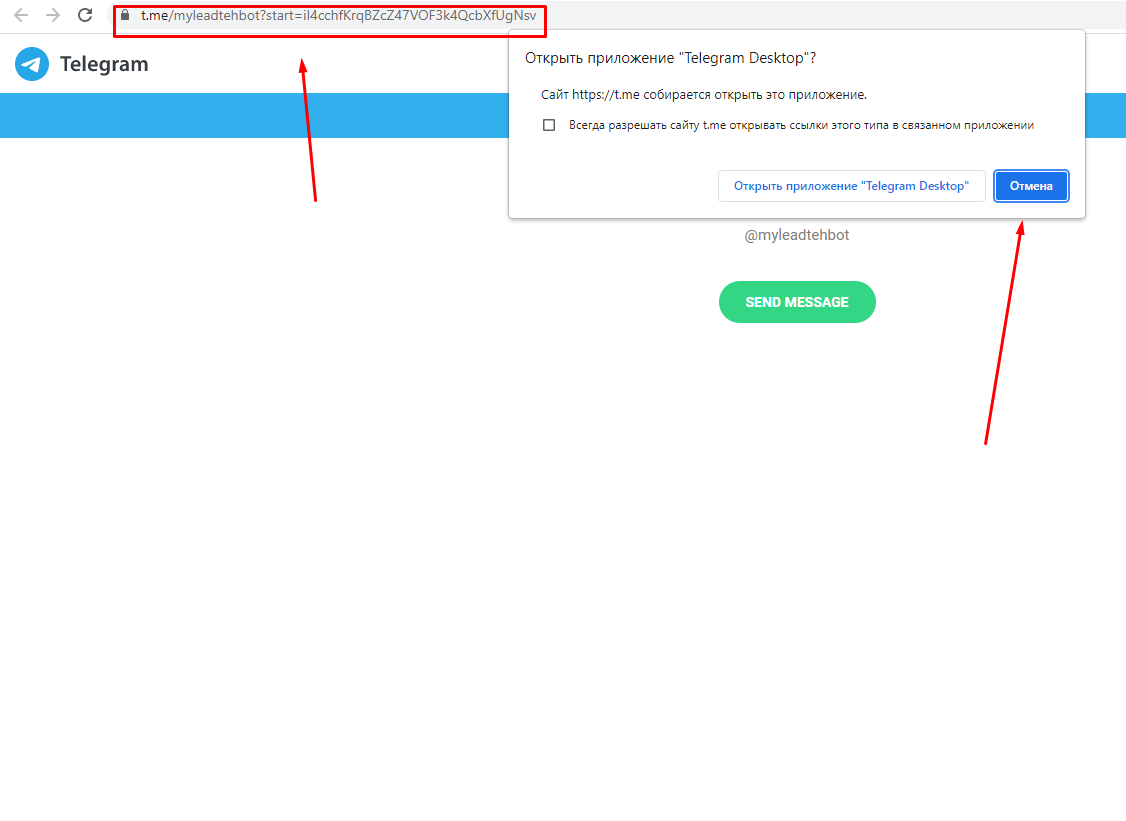
Click "cancel" and send link to user to connect notifications to their Telegram
ONLY after the user activates notifications, you can click the plus again to generate a new link (if you need to connect notifications to multiple users).
How to disable bot notifications in Telegram
To stop receiving notifications from the bot on your Telegram account, go to section (Settings > Notifications) and delete the connected account by clicking the cross
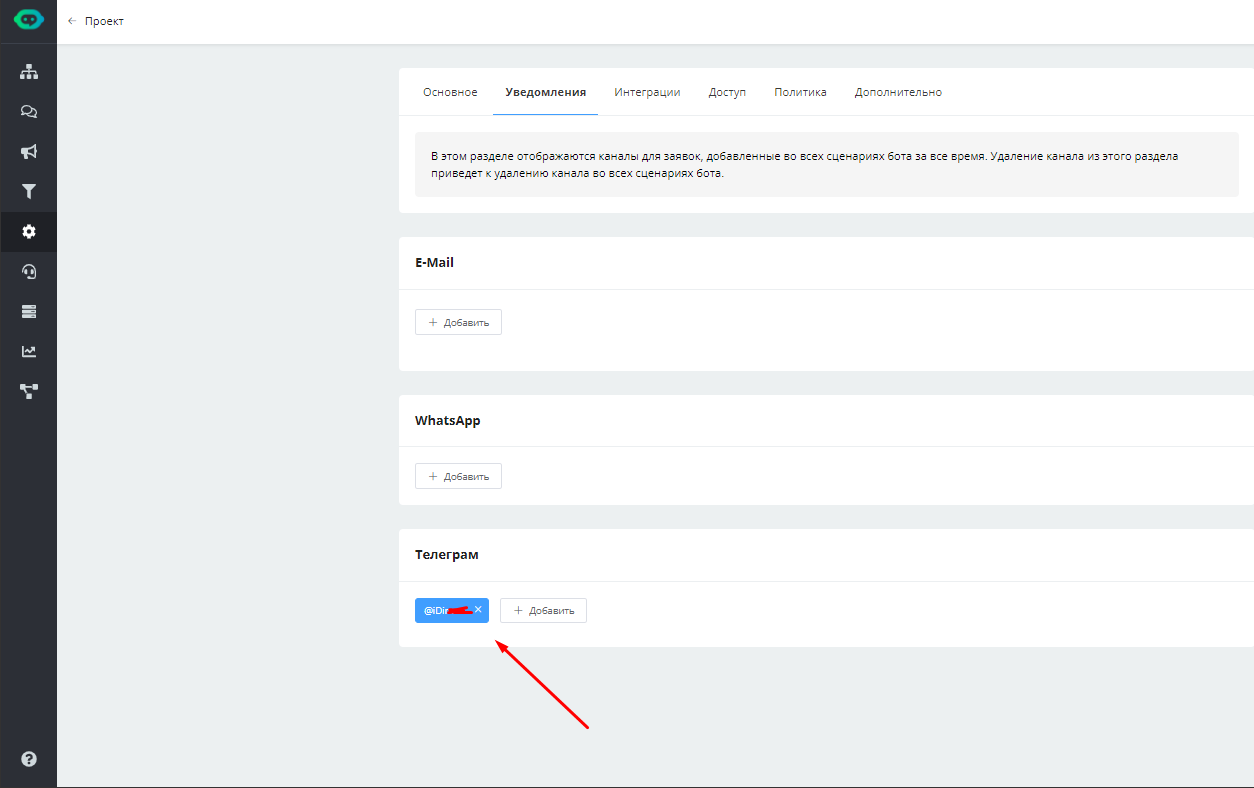
To stop receiving notifications in Telegram, delete the connection with the account
In the LEADTEX personal account, 250+ lessons on chat bot and MiniApp development are already available, as well as the opportunity to join the largest no-code developer community with 6000+ participants - Go to personal account.