How to Set Up Bitrix24 Integration
How to link bot with Bitrix24. Step-by-step setup of integration with Bitrix24
How to Integrate Chat Bot with Bitrix24
1. Creating Access Key
Log in to your personal account Bitrix24, then go to Applications, then open the Webhooks tab and click Add Webhook > Incoming Webhook.
Select access rights: CRM, Users and click Save.
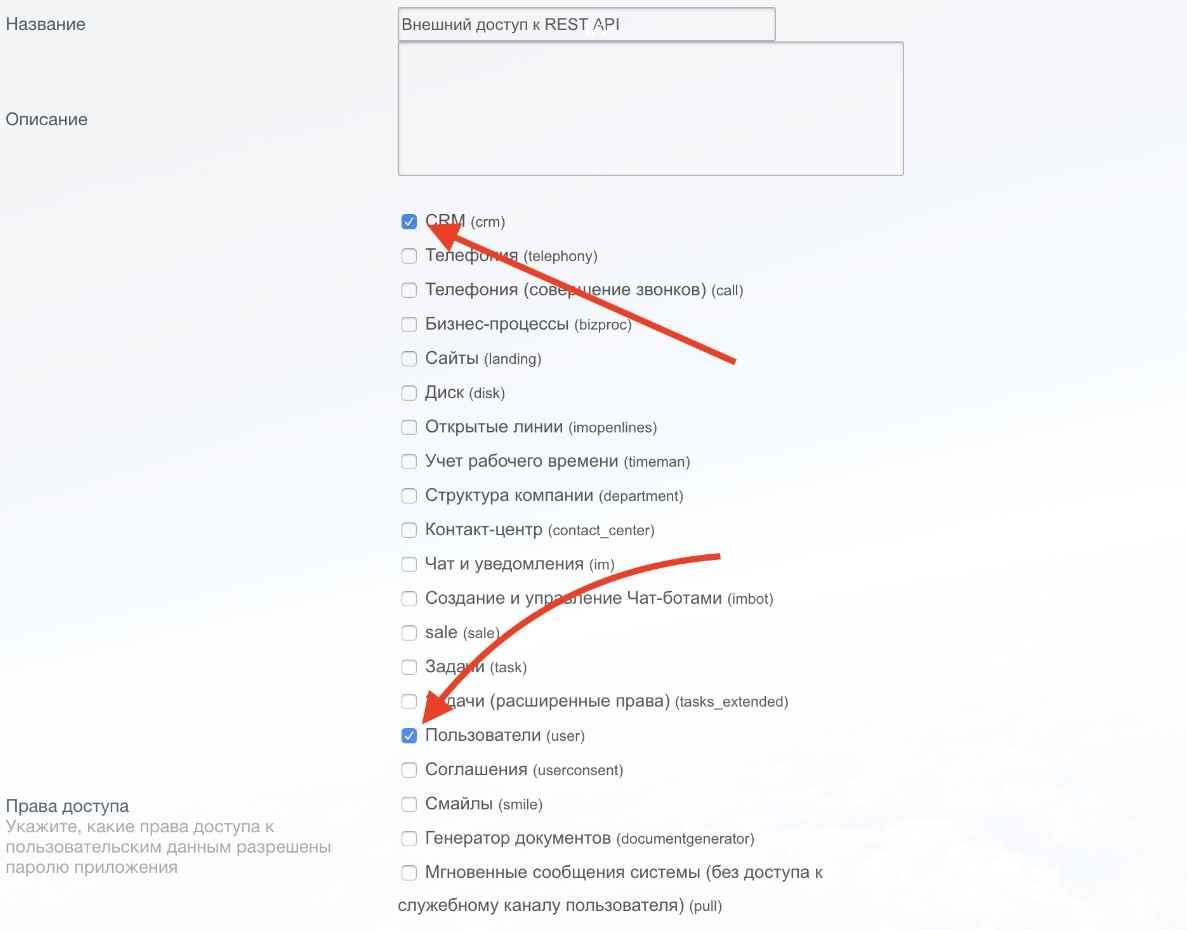
Assigning rights on Bitrix24 side
In the end, you should get something like this:
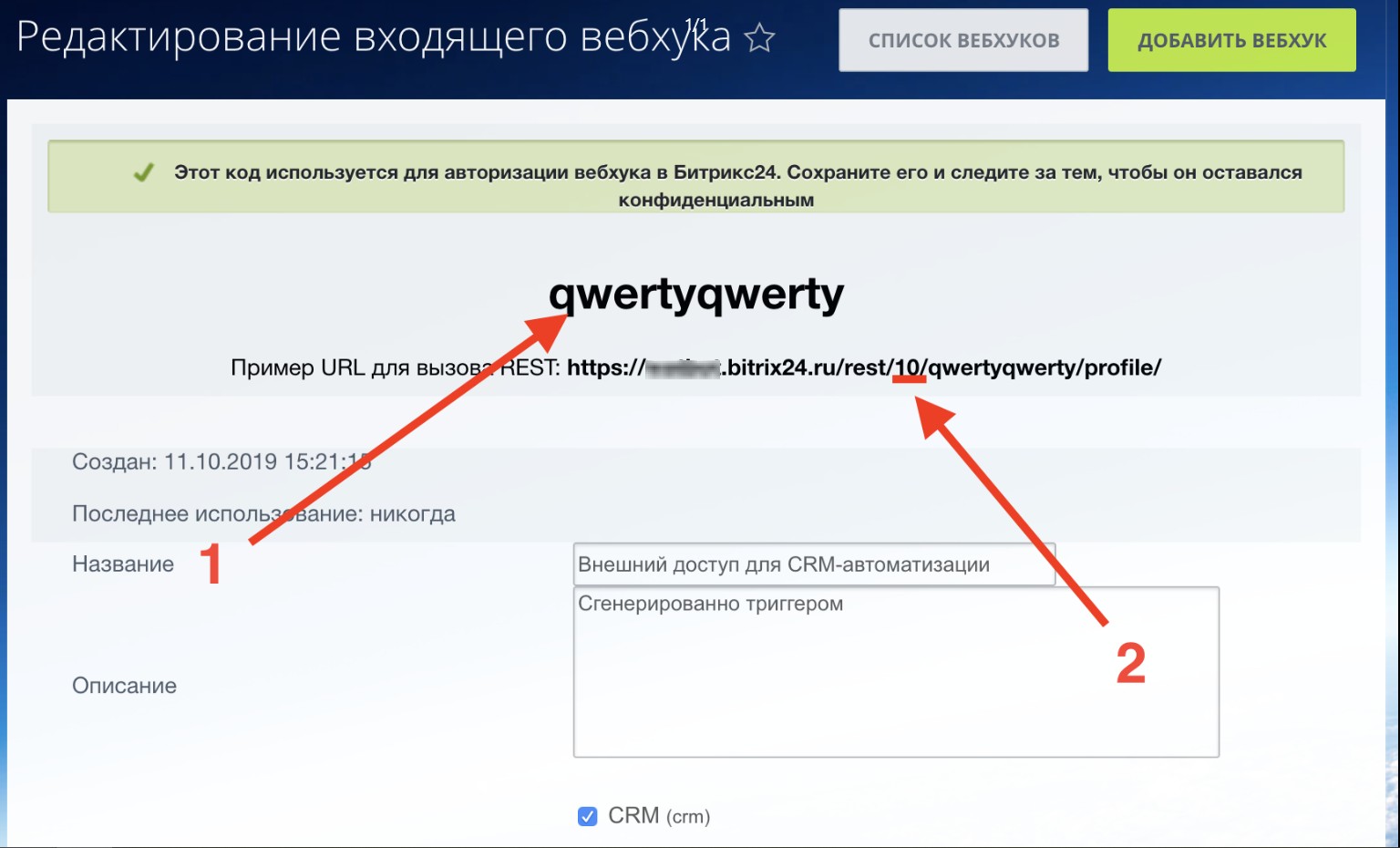
Getting Bitrix24 Access Key
The figure shows:
- Key
- Application ID
Information
https://leadtex.bitrix24.ru/rest/10/qwertyqwerty/profile/, where 10 is your application ID.
2. Integration Settings
Open LEADTEX personal account, go to your bot in Settings > Integrations > Bitrix24
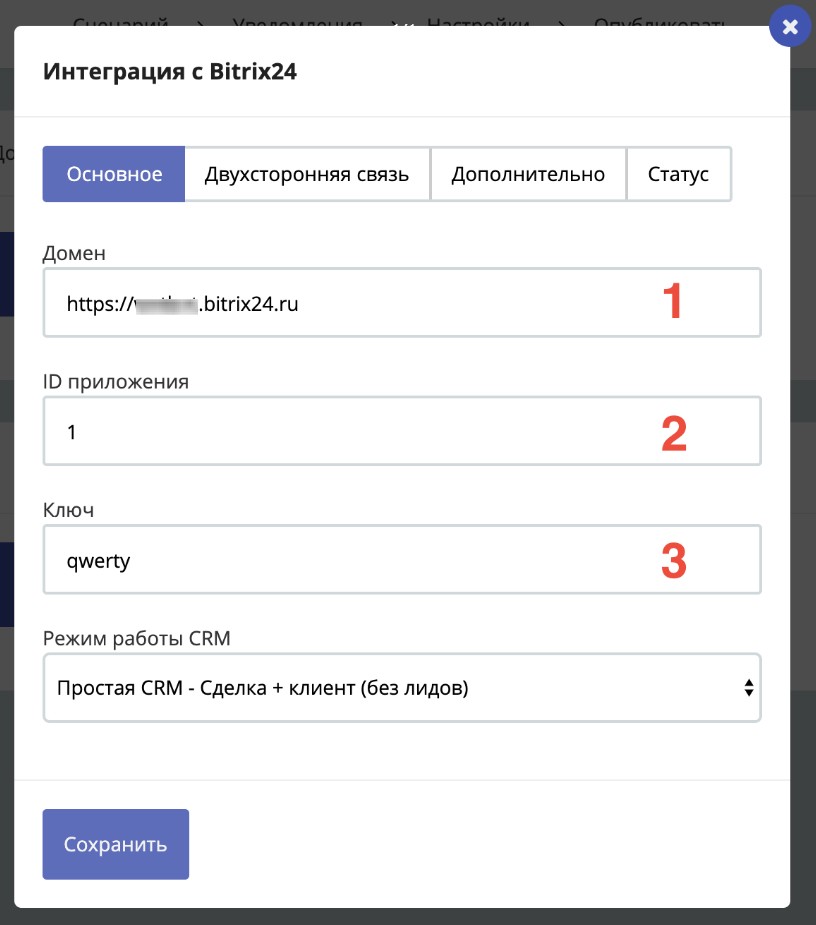
Bitrix24 Integration
Fields to fill in:
- Domain - your Bitrix24 address
- Application ID - obtained in step 1
- Key - obtained in step 1
Click Save, and go to the Status tab, click the status update icon
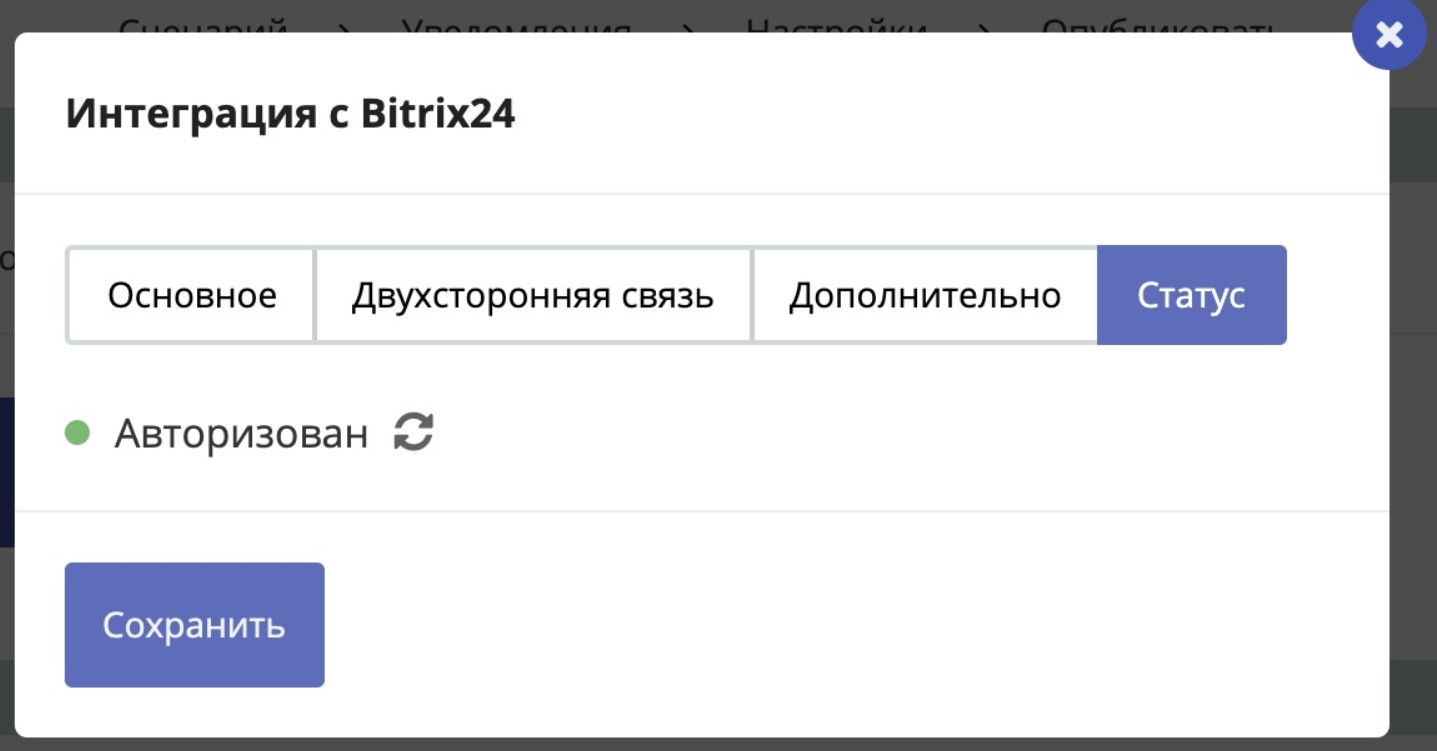
Bitrix24 Integration
Important
For the integration to work, the status must be: Authorized
Bonus for new users and the opportunity to get 500 rubles in points as a gift 🎁
- Register on LEADTEX
- Create and test your first project
- Don't miss the special offer. Get a gift 👈