How to Set Up Responsible Person in Bitrix24
How to assign responsible person in Bitrix24 in chat bot
Information
This instruction assumes that you have already set up the connection between LEADTEX and Bitrix24, if not, follow the link below.
How to Set Up Bitrix24 Integration
Open LEADTEX personal account, go to your bot in Settings > Integrations > Bitrix24
Go to the Additional tab and select the responsible person on whose behalf deals will be created.
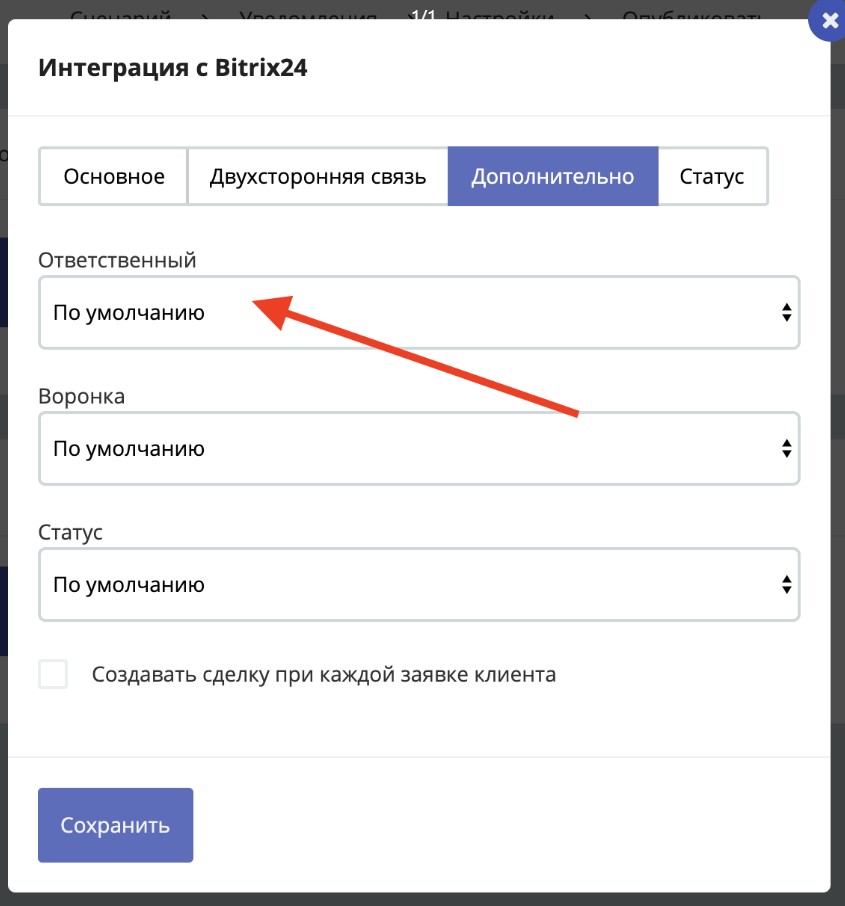
Bitrix24 Integration Settings
What to do if the responsible persons list is empty?
Open the Status tab and update the status
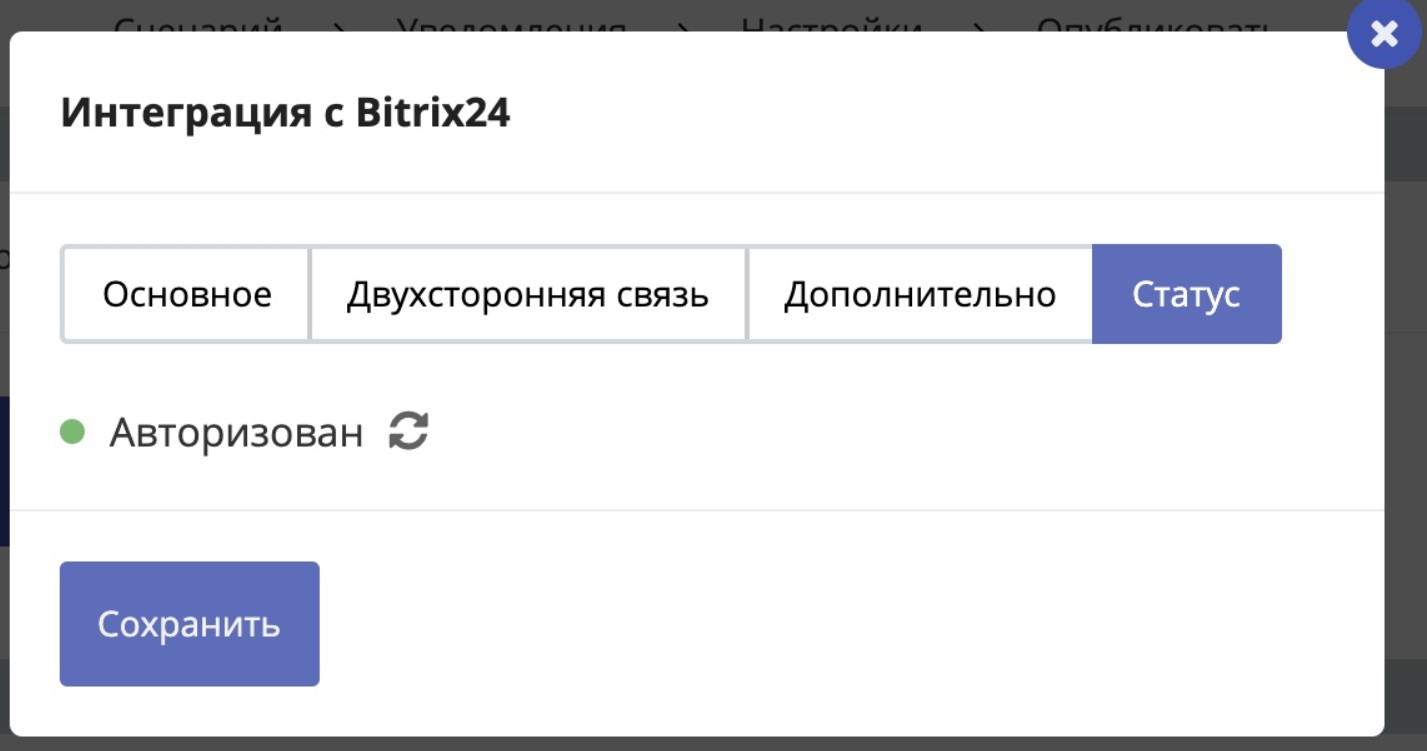
Updating status when responsible persons list is empty
Information
This is needed to load the list of users from Bitrix24.
When you add/remove users in Bitrix24, update the status and they will appear in LEADTEX.
Important
Status must be: Authorized
What to do if updating status didn't help?
Find the incoming webhook that you created for LEADTEX. Double-click on it and make sure the Users access right is set.
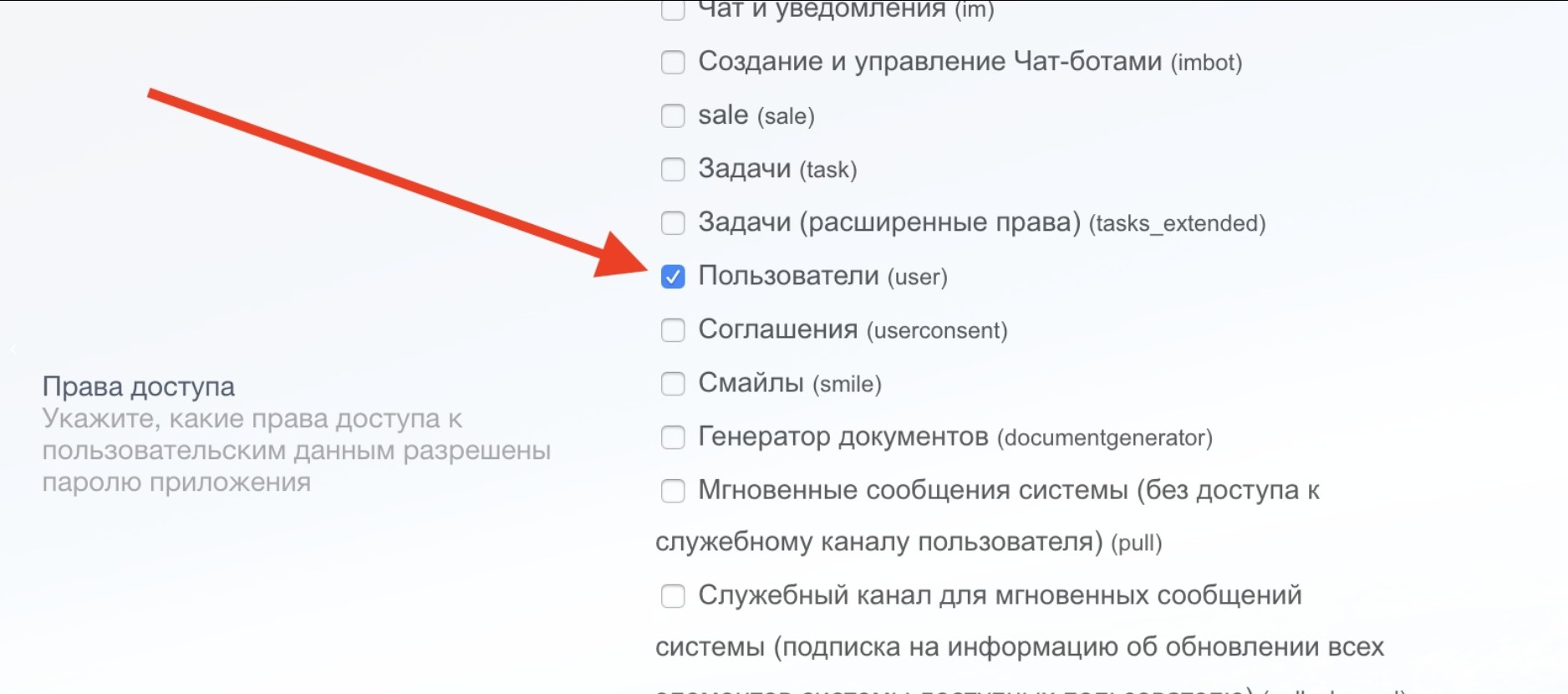
Setting Bitrix24 Access Rights
How to find incoming webhook?
Log in to your personal account Bitrix24, then go to Applications, then open the Webhooks tab and double-click on the required webhook.

Incoming webhook on Bitrix24 side
In the LEADTEX personal account, 250+ lessons on developing chat bots and MiniApps are already available, as well as the opportunity to join the largest no-code developer community with 6000+ participants - Go to personal account.