Paying with Stars in MiniApp
How to sell products in a MiniApp store for Telegram Stars
A MiniApp store can sell products for Telegram Stars. The buyer places an order in the mini app and pays for it with Stars in the Telegram payment window without leaving the store. General rules for Stars payments are in the Telegram Stars article.
Stars are a mode of the whole store: all prices are set in Stars and other payment methods are turned off. There is no Stars-to-ruble rate and no automatic price conversion.
Telegram only
Payment with Stars works only in Telegram. If the store is opened in MAX or in a browser, the buyer sees "Payment with Stars is only available in Telegram. Open the shop via the bot in Telegram." on the checkout page, and the checkout button is unavailable.
Enabling selling for Stars
- Telegram must be connected to the store's bot: the invoice and payment confirmation go through this bot. Without it, the setting cannot be saved.
- Open "Store (MiniApp)" → "Settings" → the "Payment and Shipping" tab.
- Turn on "Sell for Telegram Stars" and save the settings.
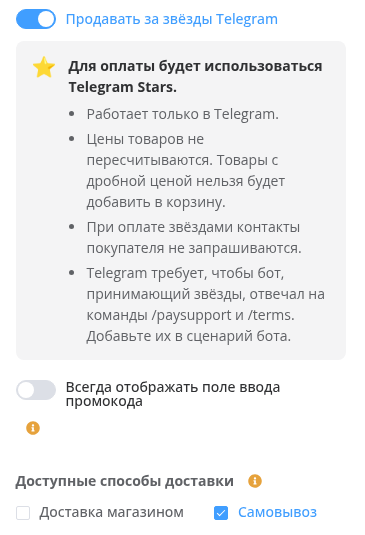
Selling for Stars in the store settings
When the switch is on:
- the store currency is Stars, currency selection is hidden;
- "Available Payment Methods" and the payment system are hidden: no payment system needs to be connected;
- shipping methods and pickup points stay — physical goods can be sold for Stars too.
If you turn the switch off, the currency and payment methods that were set before turning it on come back (after a page reload — rubles and cash payment); check them before saving. Product prices are not converted when switching: check them after changing the mode.
Prices in Stars
Stars are always whole, so in a store for Stars the following are entered as whole numbers:
- prices of products and their variants;
- shipping cost;
- fixed-amount promo code discount.
During product import, rows with a fractional price are not loaded; the error report shows where the price is not whole.
If prices remain fractional from the previous currency, such a product cannot be added to the cart. Fix the price in the product card.
A percentage promo code discount can be fractional — it is rounded down to a whole Star, so the order total is always whole. More about promo codes — in Promotions with Promo Codes.
The storefront shows ⭐ instead of a currency symbol.
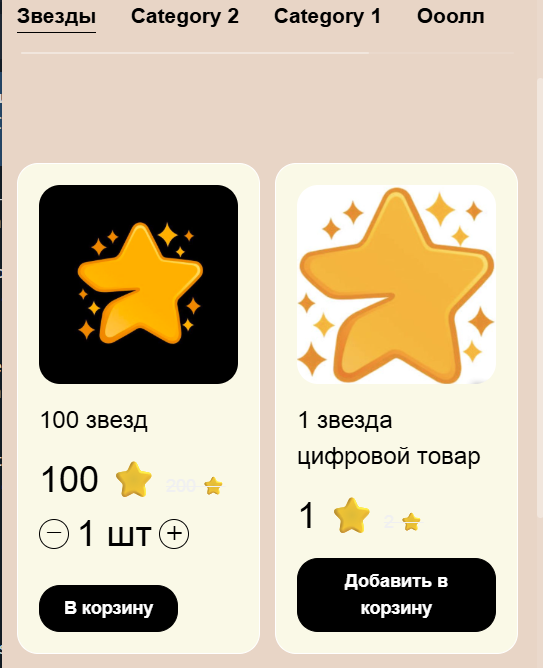
Prices in Stars in the storefront
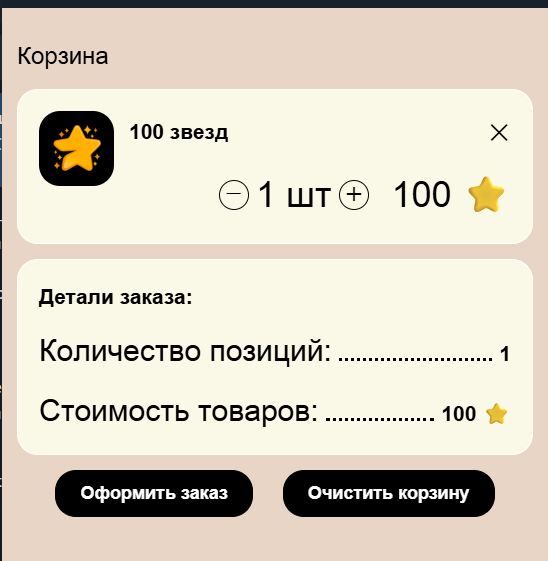
Cart of a store for Stars
Checkout
At checkout in a store for Stars:
- payment method selection is not shown;
- buyer contacts (name, phone, email) are not requested; the "Comment" field stays;
- shipping follows the store settings; the shipping cost is also in Stars and is included in the total.
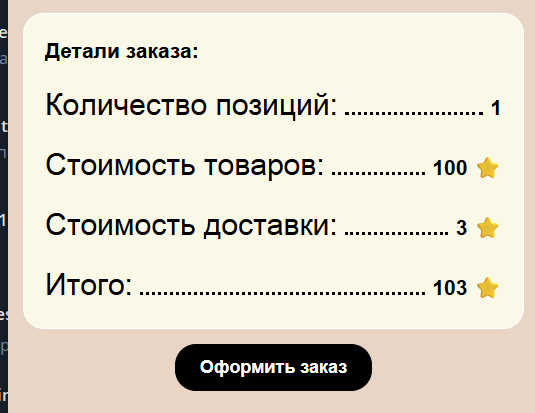
Order total with shipping in Stars
The contact information settings on the "Checkout" tab do not apply with Stars — a hint reminds about this.
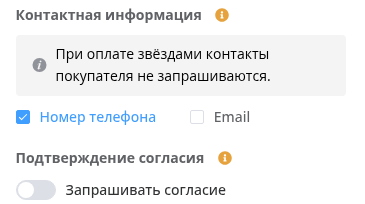
Buyer contacts are not requested when paying with Stars
Payment
- The buyer taps the checkout button. An order with the "Created" status is created.
- The Telegram payment window opens right away with the invoice "Order 1148 of 25.04.2025" and the list of products. The amount is the order total including shipping and discount.
- After payment, the buyer sees "Thank you for your order! The order has been paid with Stars.", and the order status changes to "Paid". Then everything works as with a regular online payment: notifications to the seller and the buyer, store events.
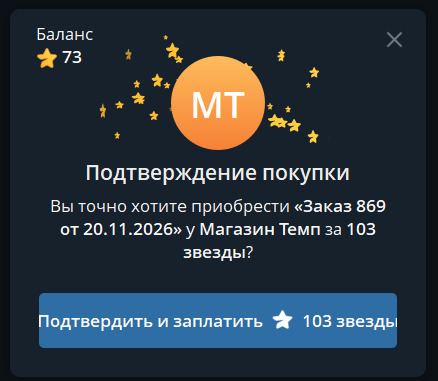
Order payment window in Telegram
If Telegram is still confirming the payment, the buyer sees "Payment is being processed. The order status will update once Telegram confirms the payment."
If the buyer closed the payment window or the payment failed, the order stays "Created". It can be paid again in the orders section of the mini app.
Telegram requirements
Telegram requires a bot that accepts Stars to respond to the /paysupport and /terms commands. How to set them up in the bot scenario — see Telegram Stars.
Digital goods — Stars only
Under Telegram rules, digital goods and services inside Telegram can be sold only for Stars. Otherwise Telegram may stop showing the bot and the mini app to mobile app users.