MAX Channel Connection
How to create a chat bot in MAX using LEADTEX chat bot constructor
Token Connection
Create a new bot or go to the constructor of an existing bot.
Information
If you already have created scenarios for a Telegram bot or other messengers, and you want to use these same scenarios for a MAX chat bot, you can add the MAX channel to these scenarios (you don't need to create a new bot in this case).
Go to the "Channels" section and click on the Max logo. Then click the "Add" button.

MAX channel selection

Add button
In the opened form, paste the token of your Max bot and click "Save". To get the token, see the section How to get MAX token.
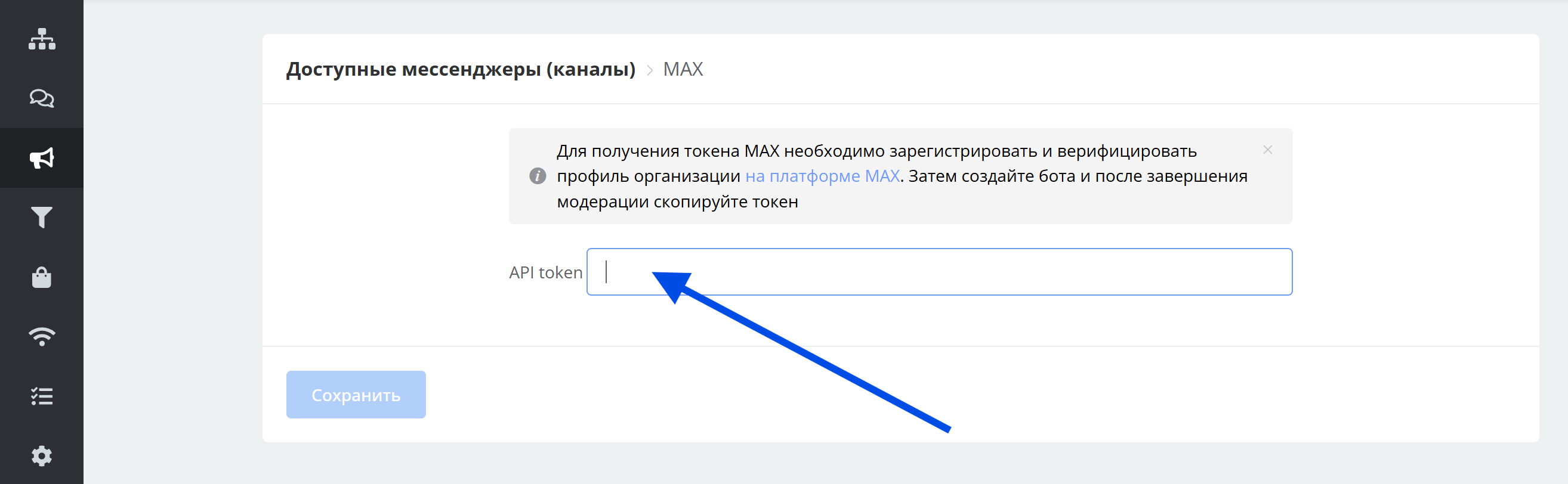
Adding MAX token
How to get MAX token
Information
Available for legal entities and individual entrepreneurs who are residents of the Russian Federation
To get a MAX token, you need to register and verify an organization profile on the MAX platform.
Instructions for creating an organization profile on the MAX platform
After profile verification, create a bot on the MAX platform.
Wait for the bot moderation to complete on the MAX platform. After moderation, the bot token will become available to you.
Copy the token on the MAX platform (in the Chat bots → Integration → Get token section).
Getting token on the MAX platform

Getting token on the MAX platform. "Get token" button

Token acquisition window on the MAX platform
Paste the copied token into the channel addition form on the LEADTEX platform (see the section Token Connection).