Direct Links to Additional Scenarios in MAX
Deeplinks in a MAX bot. How to create links to launch additional scenarios in a chat bot
To create a link to a scenario, go to Your Bot → Channels → MAX.
Then click Add Link. In the window that opens, select the scenario to launch via this link and click Save. If needed, add a note to the link.
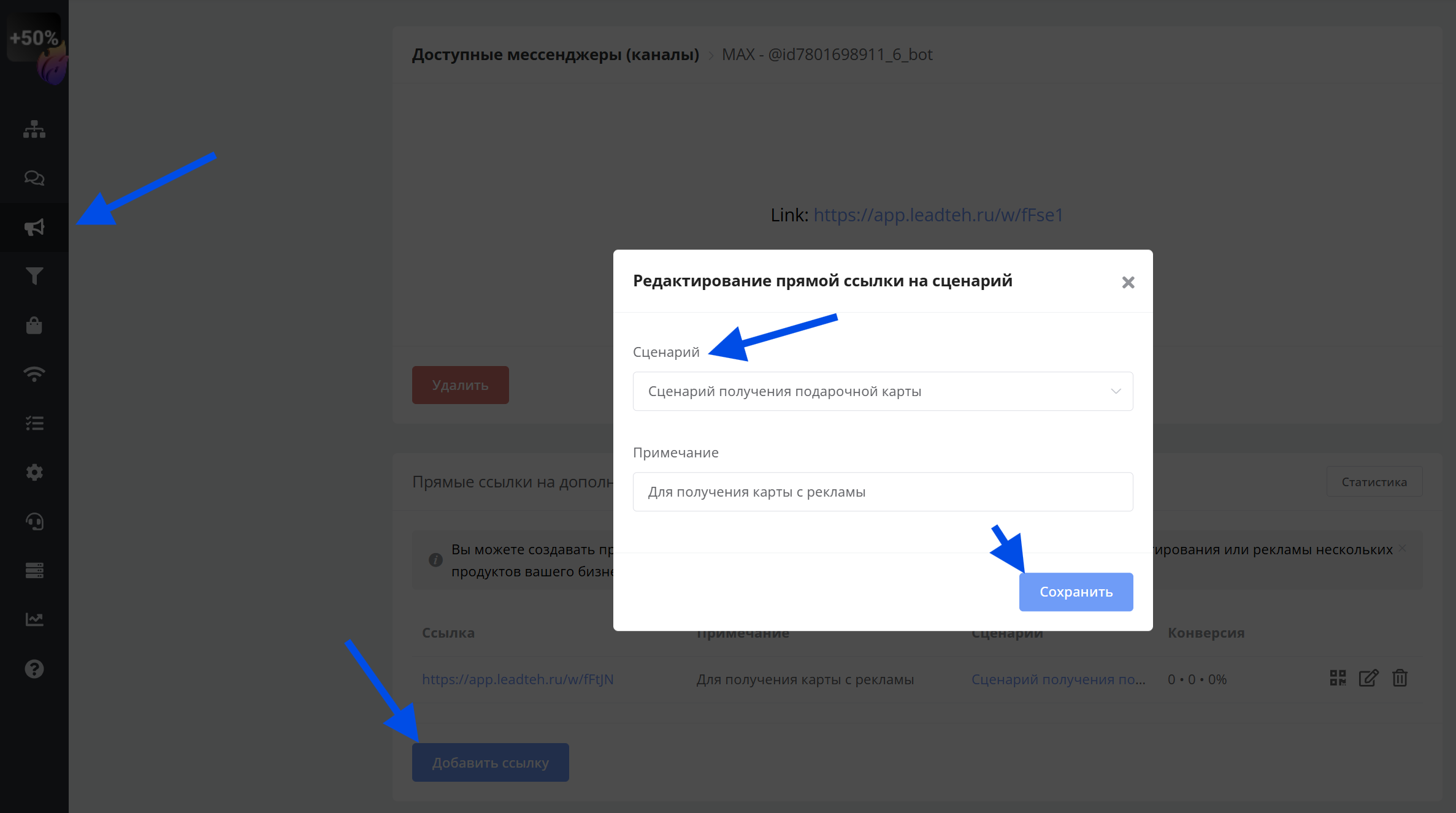
Creating links to additional MAX bot scenarios
Direct links to chat bot scenarios help immediately direct users to the right section, quickly open access to specific features, track advertising channel effectiveness, personalize entry points, and increase conversion from different sources.
🎁 Free course on chat bot and mini-app development for all users with an active PRO subscription is already on LEADTEX.
10 detailed lessons from A to Z.
Start learning now — Start learning.