VK Connection
Connecting chat bot to VKontakte community. How to set up bot in VK community
How to Connect Chat Bot to VK Community
1) Select the "channels" tab on the left
2) Select the channel we need - i.e. VKontakte
3) Click the add button
4) We will be asked to link a VKontakte account. Click the clickable link to link.
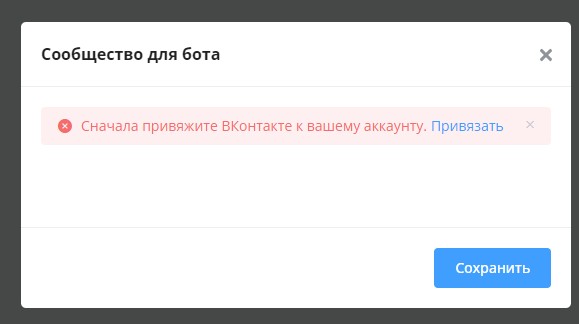
Connecting VKontakte Community
5) Go to the link, at the bottom we see the "social networks" label and the "VKontakte" button. Click it. In the pop-up window, click the "allow" button.
If when entering the VK bot, the start message does not arrive, test sending another start block, for example, text without buttons. To reload the VK bot (i.e. restart from the beginning), send the command 000 (three zeros). If a message without buttons arrives, but with buttons it doesn't, it means that the chat bot function was not activated in VK. For this, in VK, go to the community that you plan to connect to the bot. On the right, go to the management section:
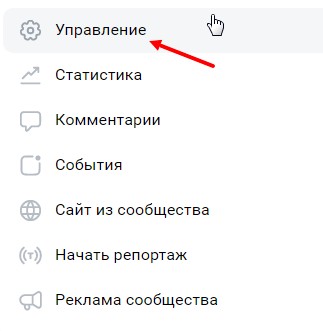
Launching Chat Bot in VKontakte
Inside, open the messages section:
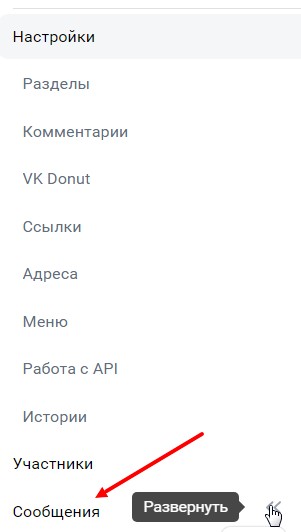
Launching Chat Bot in VKontakte
And go to the "bot settings" subsection:
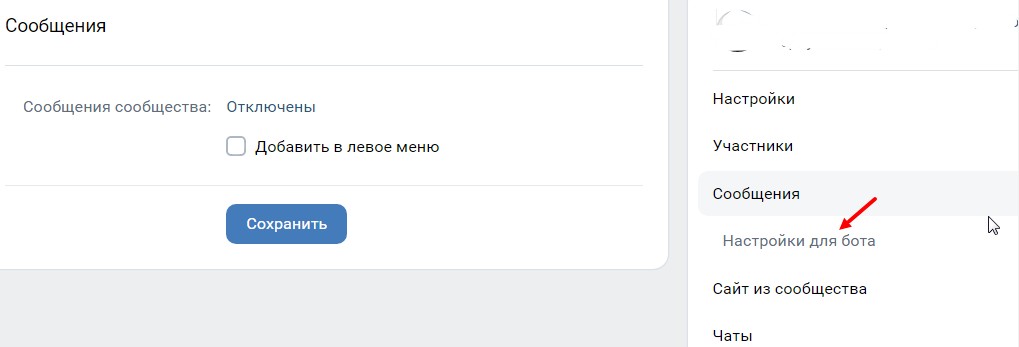
Bot Settings in VKontakte
Information
Videos not hosted in VK will arrive in the bot as a link.
Bonus for new users and the opportunity to get 500 rubles in points as a gift 🎁
- Register on LEADTEX
- Create and test your first project
- Don't miss the special offer. Get a gift 👈