Payment
LEADTEX Pricing and Payment - Chat Bot Constructor Subscription Cost
To pay for using the platform, go to the main page of your account and click on the "payment" menu on the right:
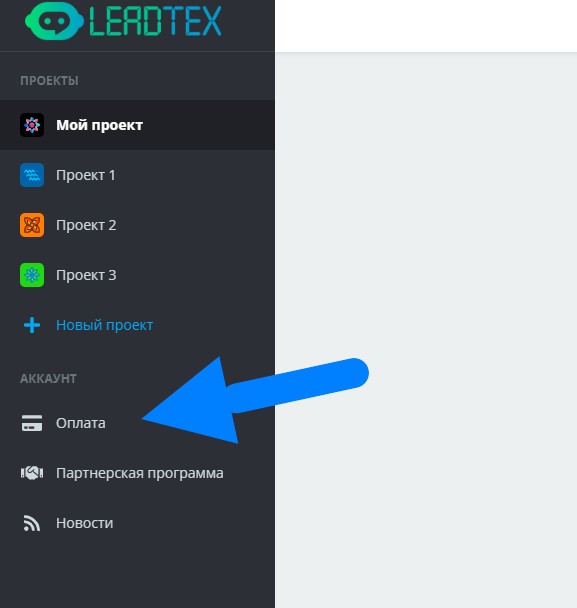
Payment on Leadtex
All new users are provided with a week of free access to the Pro tariff. \ On this page you will see
- Your tariff,
- Until what date it is paid (two days before the subscription ends, you will receive a payment reminder by email),
- Total number of contacts (users of all bots in your account),
- Additional options (if you need WhatsApp, you need to click on + next to one of the three available tariffs and specify the required number of accounts).
- By clicking on the text "Price depends on the number of contacts" you can see the pricing grid by the number of contacts in the account
 (1).png)
Leadtex Pricing
In the "operations" section you will see all your top-ups and debits. When you click, a more detailed description will open:
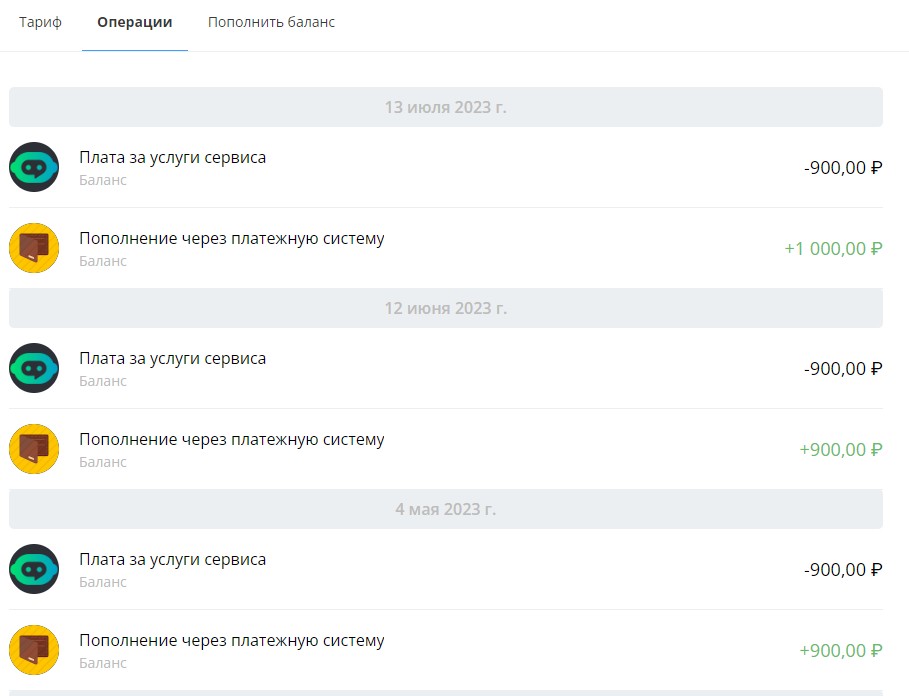
Top-ups and Debits
To pay for the subscription, go to the "Top Up Balance" section. \ To pay through a Legal entity, contact our technical support by clicking on the messages icon in the lower right corner:
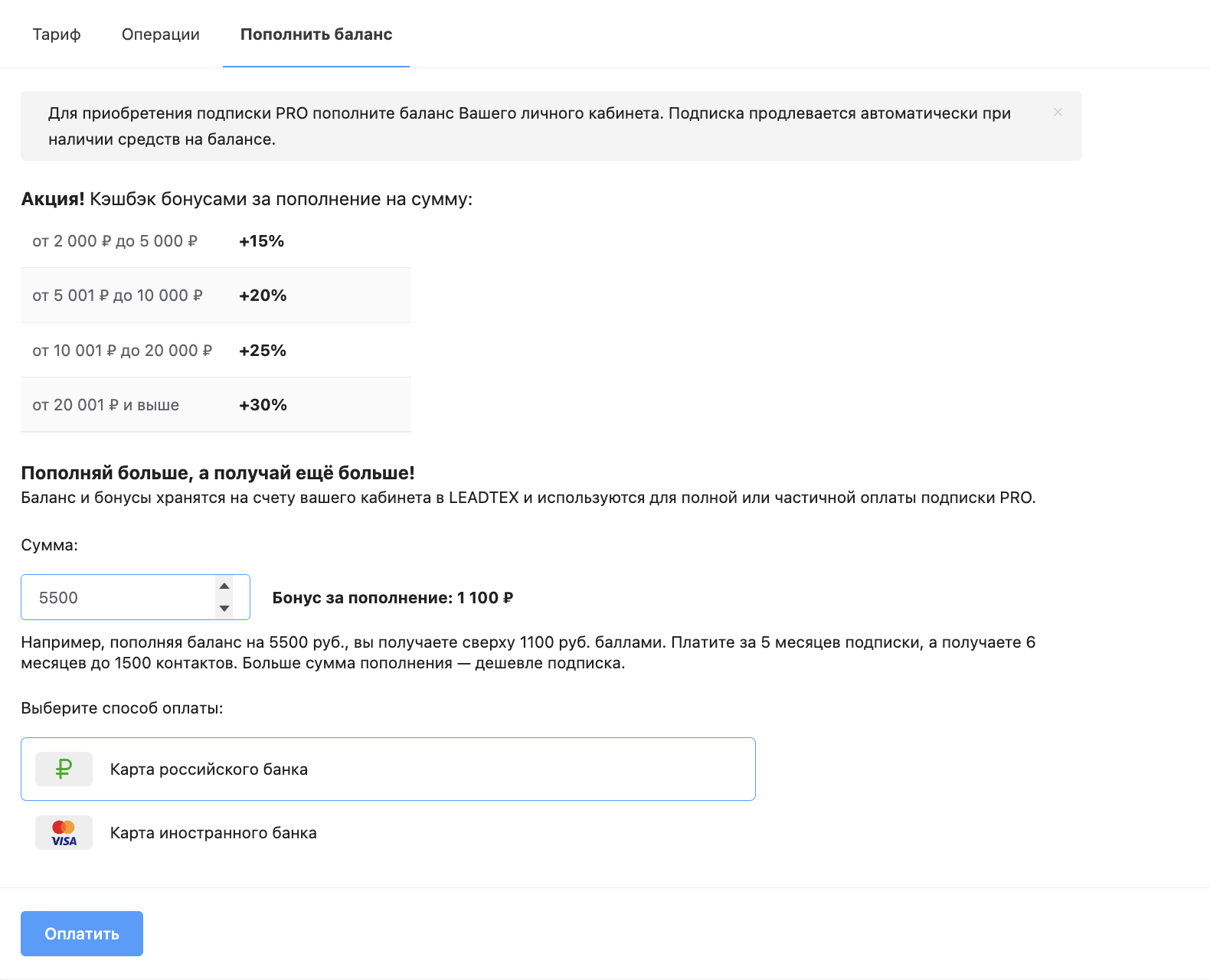
Leadtex Balance Top-up
Profitable Cashback: The Larger the Top-up Amount — The Cheaper the Subscription 🔥
For example, when topping up your balance for 5,500 rubles, 1,100 rubles will be credited in cashback points – 1 month of free use of LEADTEX on the starting step of the PRO tariff.
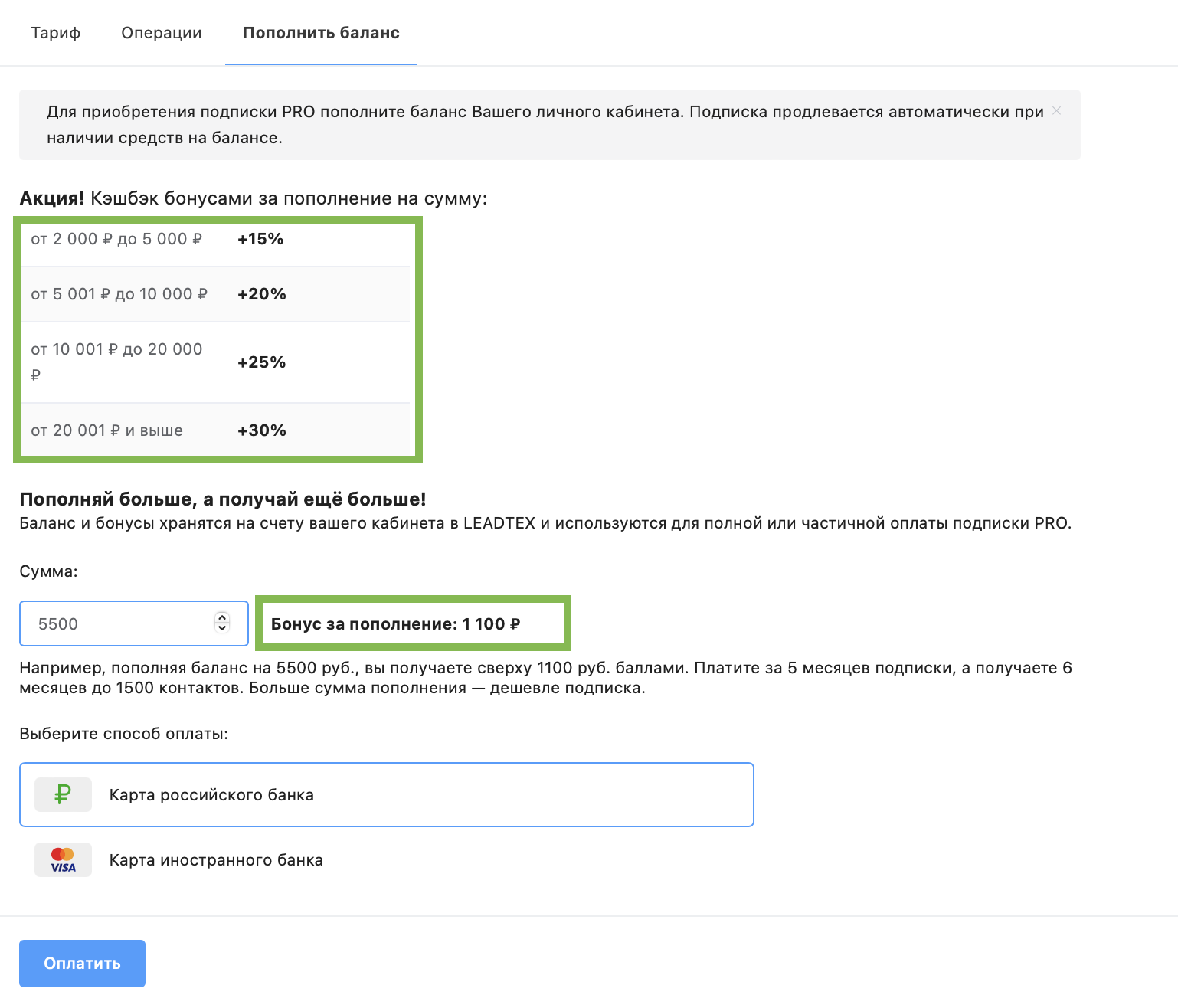
Profitable cashback when topping up Leadtex balance