Scenario Tree
Scenario tree - chat bot logic structure. How to manage scenarios in project
The scenario tree shows the hierarchical structure of all your bot's scenarios, allowing you to quickly navigate and edit the logic.
Chat Bot Structure Management
As the bot grows, many scenarios appear, which are difficult to navigate. We solved this problem by developing a new tool — "Scenario Tree".
Now you can create nested folders and organize your scenarios in them. Simply drag the desired scenario with the mouse cursor into the desired folder.
.png)
Scenarios in chat bot
Each scenario and folder has a context menu:
.png)
Chat bot scenario management
In a large structure, it is difficult to find the current scenario, for this we developed the "Find Current Scenario" tool:
.png)
Scenario search
If you need to expand the entire tree, use the "Expand" tool.
.png)
Chat bot scenario management
Use "Quick Search" to find the desired scenario:
.png)
Quick scenario search
Scenario Selection Tree Everywhere
We have an excellent tool for managing bot scenarios — storing scenarios in the form of a tree with the ability to create folders and put scenarios in them. But until now, in the "Scenario" block, autoresponder step or in prepared phrases, you could only select a scenario in the form of a linear list. Now this is presented in a convenient structure in all sections where there is scenario selection:
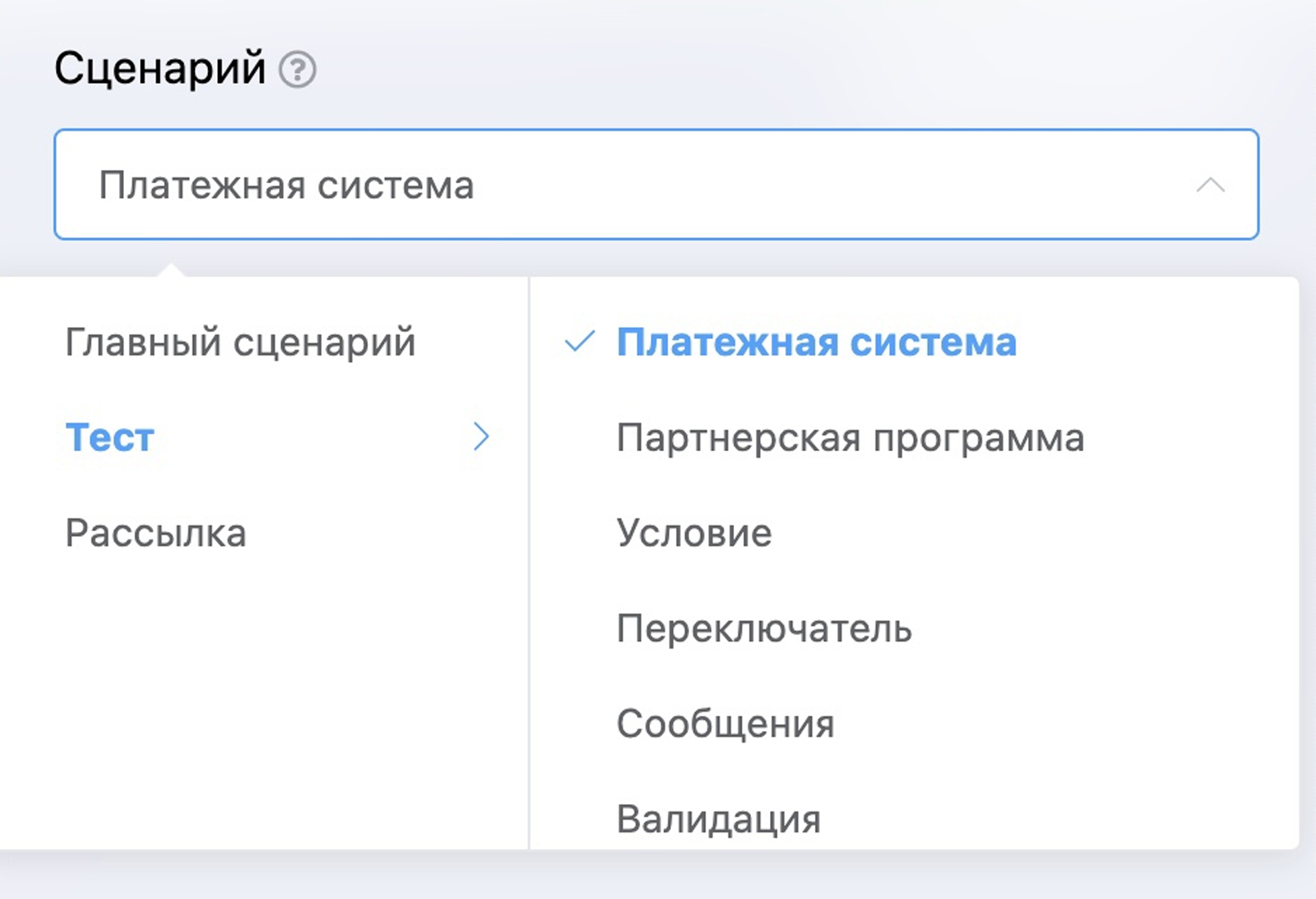
Chat bot scenario tree