Lists
Creating and managing lists in chat bot. Built-in lists, custom databases
Chat Bot Database and Contact Management
The section contains system lists that are automatically generated in the bot:
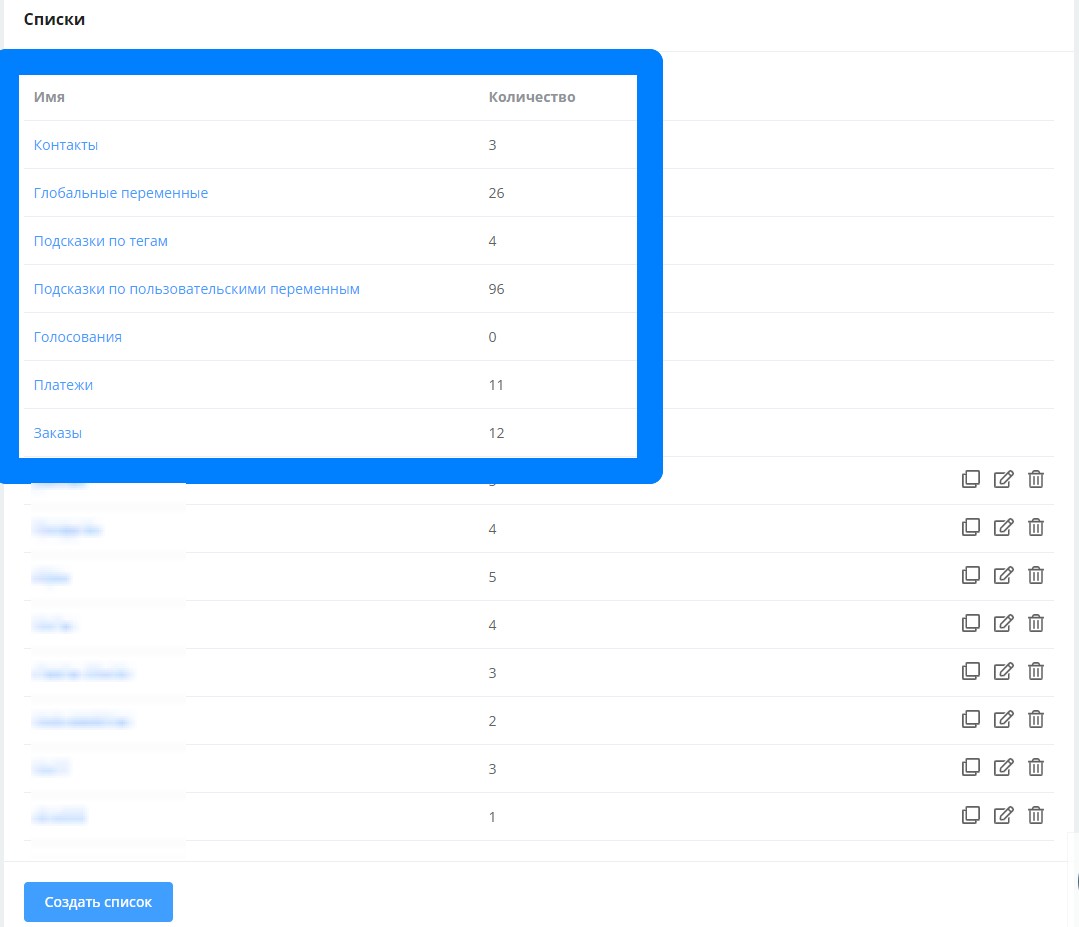
System Lists
- The "Contacts" list contains all bot users, including those who blocked the bot on their own initiative.
To export contacts, go to the list and click on the three dots. Contact list upload is only supported for WhatsApp bots.
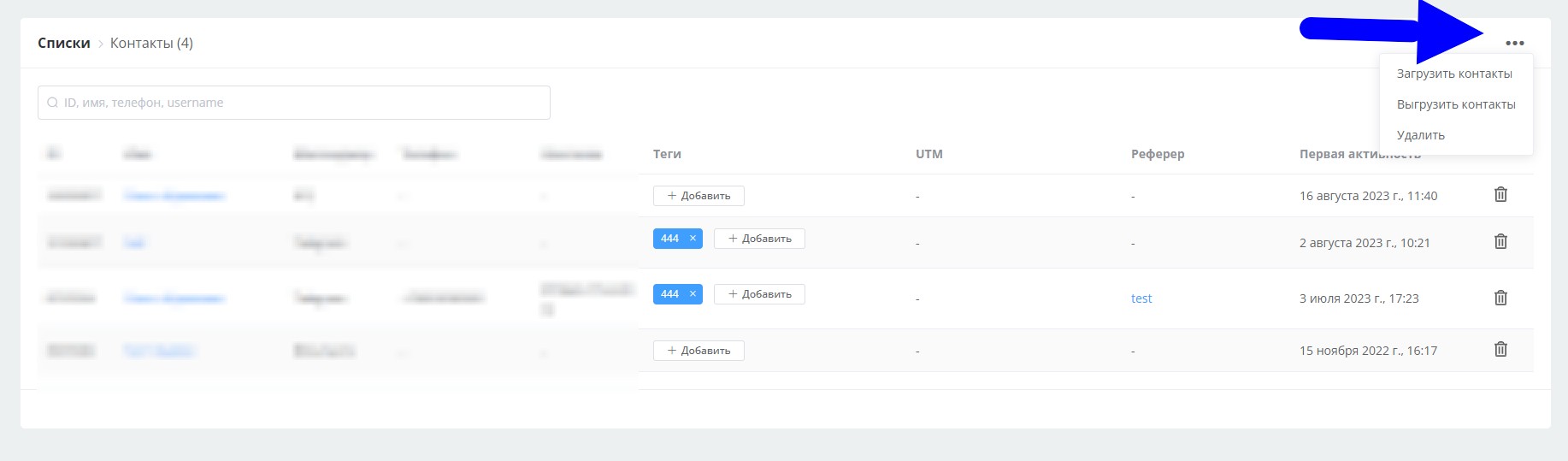
Contact Upload
- "Global Variables" list
- "Tag Hints" list contains tags that were used in the bot. Outdated tags can be deleted from the list. This deletion does not affect contact tags.
- "User Variable Hints" list contains all local variables that were used in the bot. Outdated variables can be deleted from the list. This deletion does not affect contact variables.
- "Voting" list stores voting participant data
Chat Bot for Voting in Telegram
- "Payments" list contains information about payments made through payment systems connected to the bot.
- "Orders" list contains all orders placed by the "Cart" block.\ Order statuses can be changed manually.
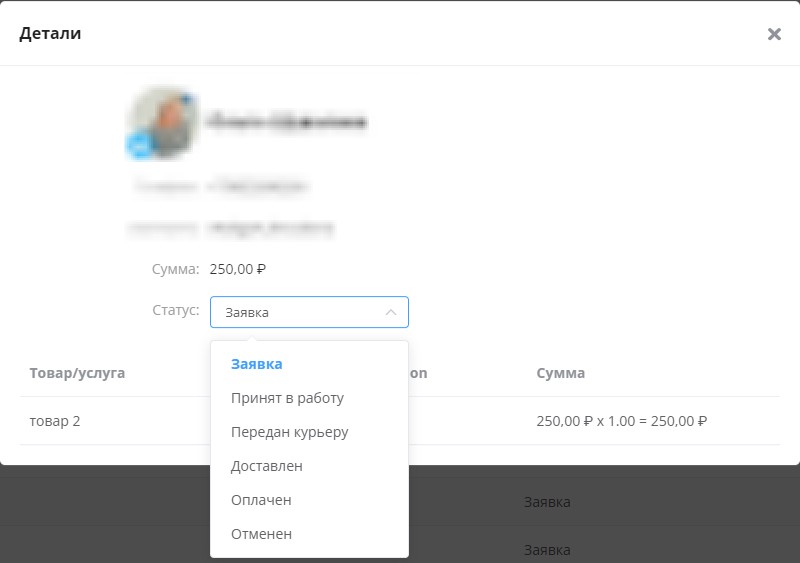
Order Management in Chat Bot
Creating your own lists is also available.
Click "create list", specify a name for the list and then click "add" to create list fields.
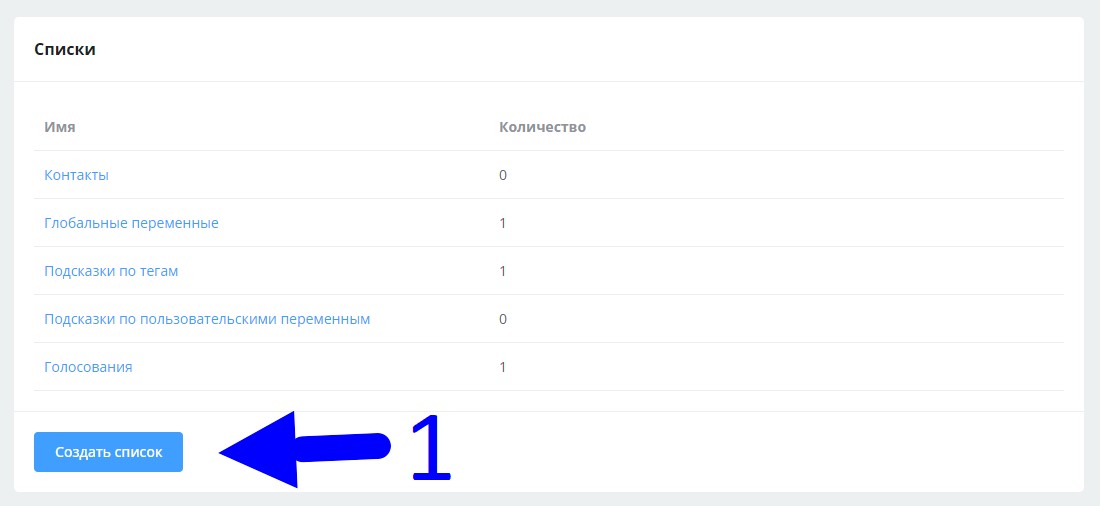
Creating Lists in Chat Bot
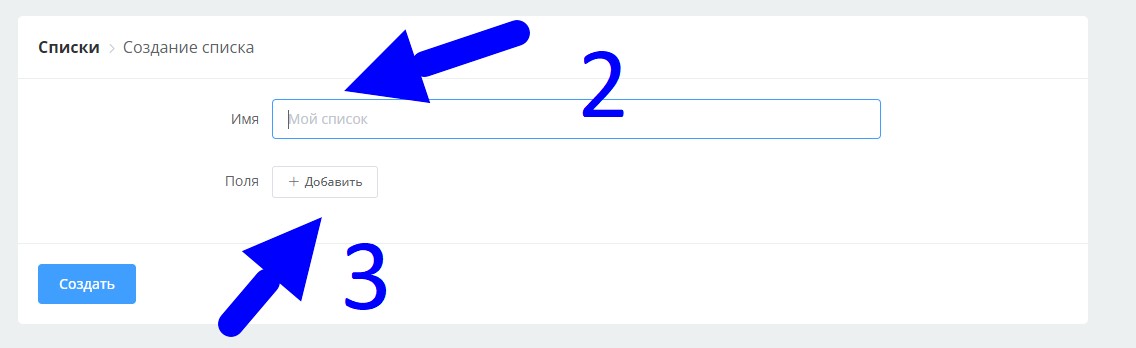
Creating Lists in Chat Bot
Lists support the following field types
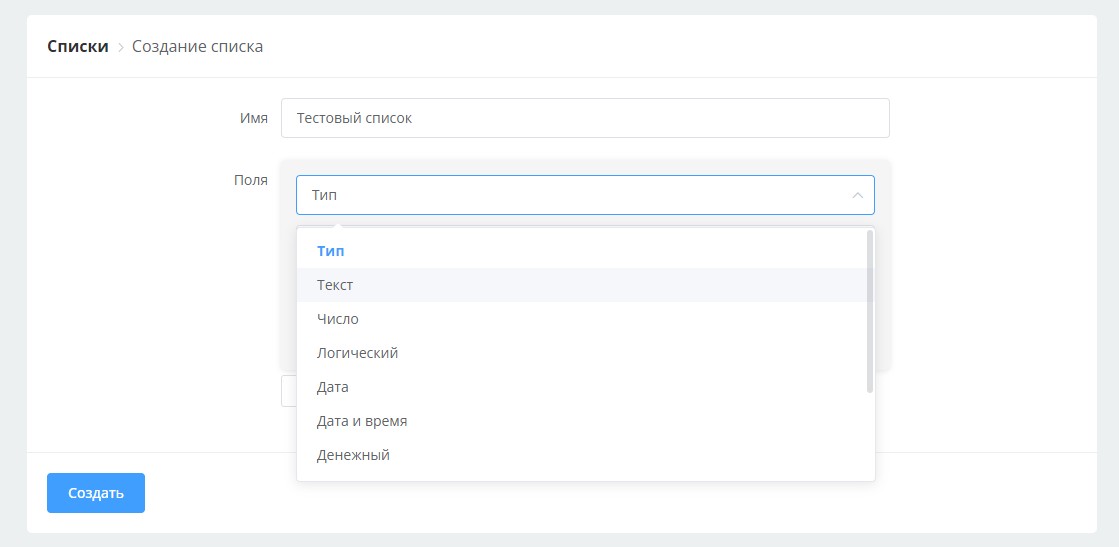
List Fields in Chat Bot
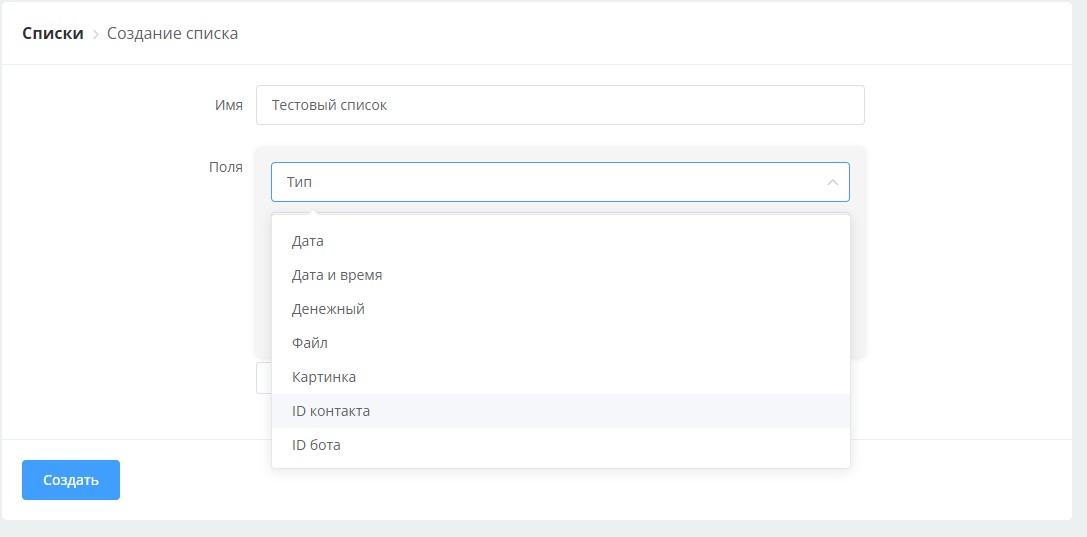
List Fields in Chat Bot
Lists can be filled with information:

Filling Lists in Chat Bot
- manually, entering each item separately
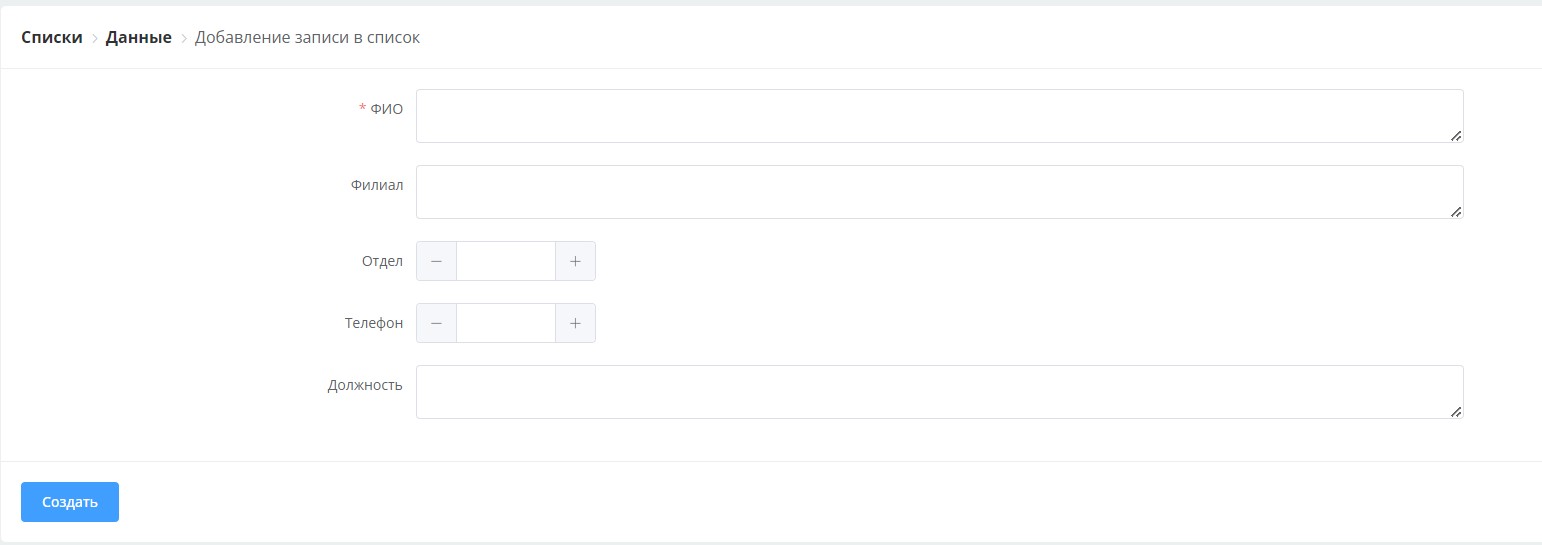
Manual List Filling in Chat Bot
- upload Excel file (We recommend using Office 2016 for this)
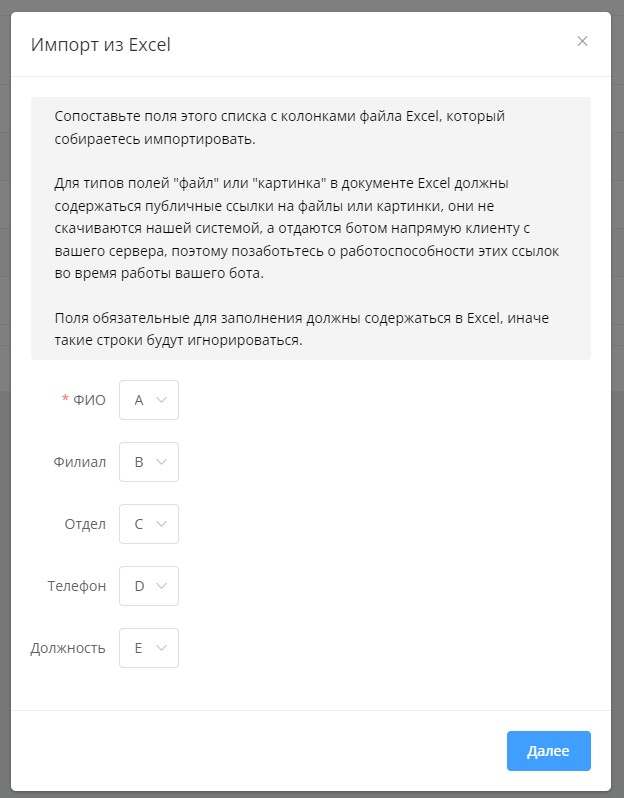
Auto-filling lists from Excel file
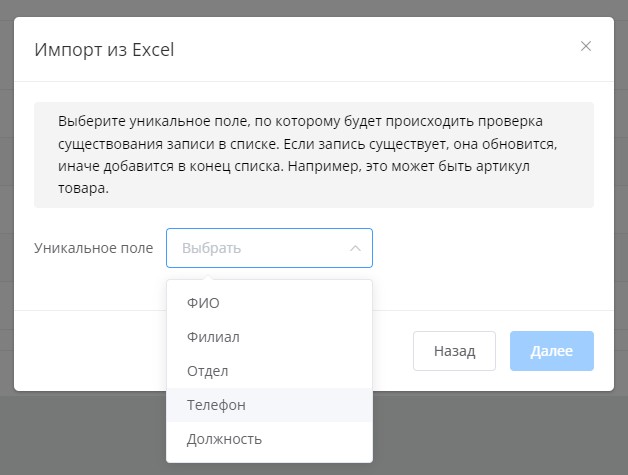
Auto-filling lists from Excel file
Creating Online Store with YooKassa Integration and Product Cart
Step-by-step creation of a functional pizza online store using the LEADTEX list system. Setting up product catalog, shopping cart, integration with YooKassa payment system and order notification system.
- "add record to list" block
Lists you create can be exported to an Excel file.
Creating User Booking System with Filtering and Data Management
Development of a bot for managing user bookings using read, add and delete record blocks. Setting up data filtering by user ID and creating an interactive management interface.
Creating Warehouse Management System via Telegram Bot
Building a comprehensive warehouse management system using HTTP requests to external APIs, built-in bot and access system through passwords and user tags.
Ready-made template for installing the "Warehouse Management" project in one click:
Telegram Bot Template "Warehouse Management"
In the LEADTEX personal account, 250+ lessons on developing chat bots and MiniApps are already available, as well as the opportunity to join the largest no-code developer community with 6000+ participants - Go to personal account.