Documents in the Built-in CRM (Customer Relationship Management System) Deal Card and Their Mailing
How to attach documents to a deal
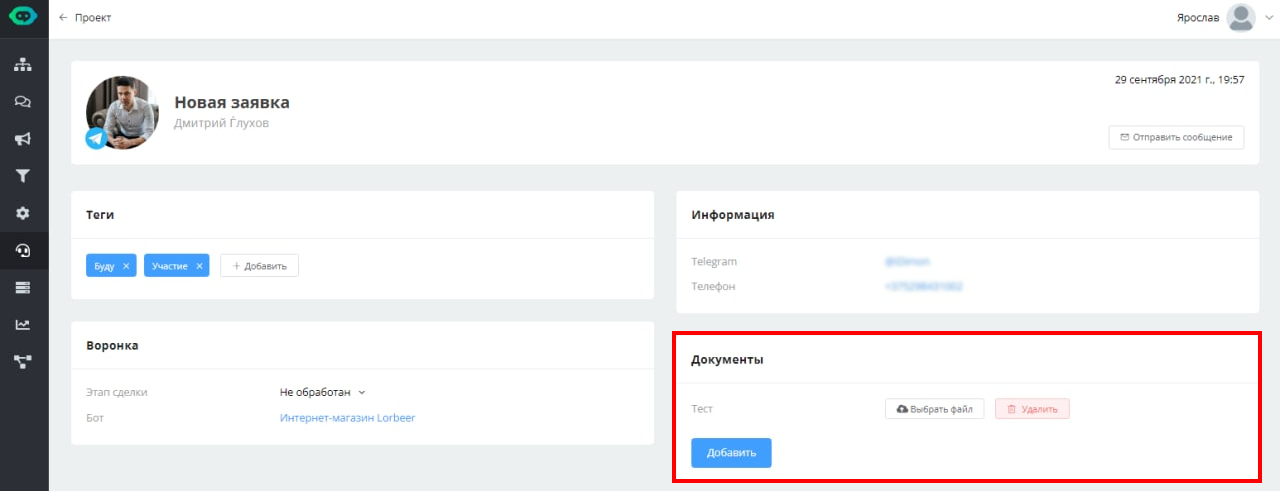
Documents in the deal card
You can attach various documents to a deal and then send them in a mailing. To do this, create a "Message Chain" block in the scenario and select the "Document from CRM" type.

Adding documents via the "Message Chain" block
Next, specify the file name and deal stage.

Adding documents via the "Message Chain" block
As a result, the user will receive their file from the CRM deal that is at a specific stage. If you do not specify a stage, the file is taken from the first deal that has a file.