Built-in Messenger (with the ability for a manager to intervene in a dialog with a chat bot user)
Bot dialogs: viewing dialog history and sending messages on behalf of the bot
On the right, you can see all information about the subscriber (variables, tags, etc.). You can immediately add new tags and user variables.
.jpg)
Built-in messenger
If a manager intervenes in a dialog, there are two places where this is visible:
- On the left in the dialogs, a "pause" icon is displayed. When viewing the dialog list, you can immediately see this icon and tell which dialog is currently paused
- If you open the dialog, you will see a notification that the bot is disabled for this user and the time of automatic re-enabling. You can configure the time by clicking the "configure time" link after the notification.
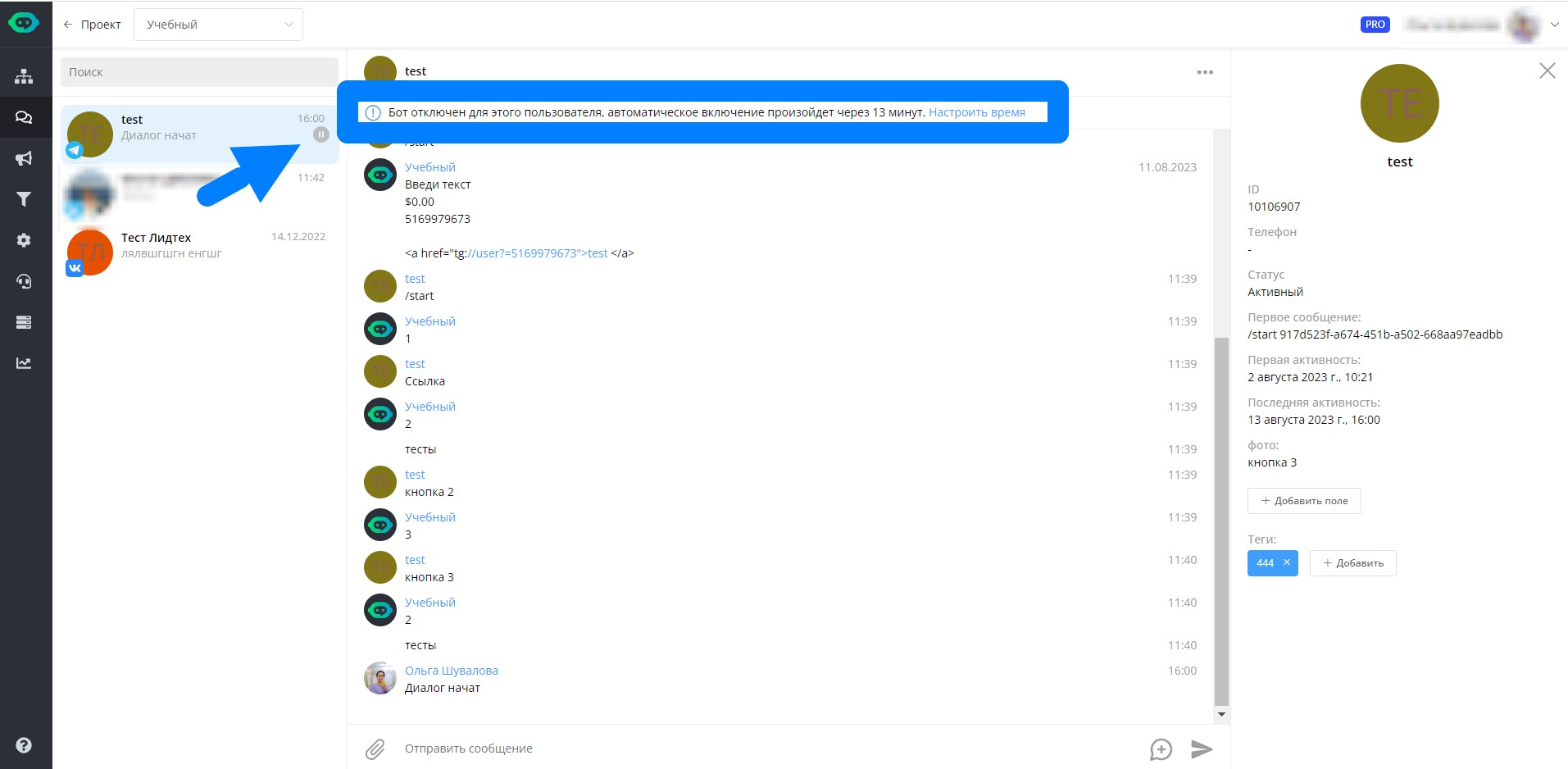
Information about bot being disabled
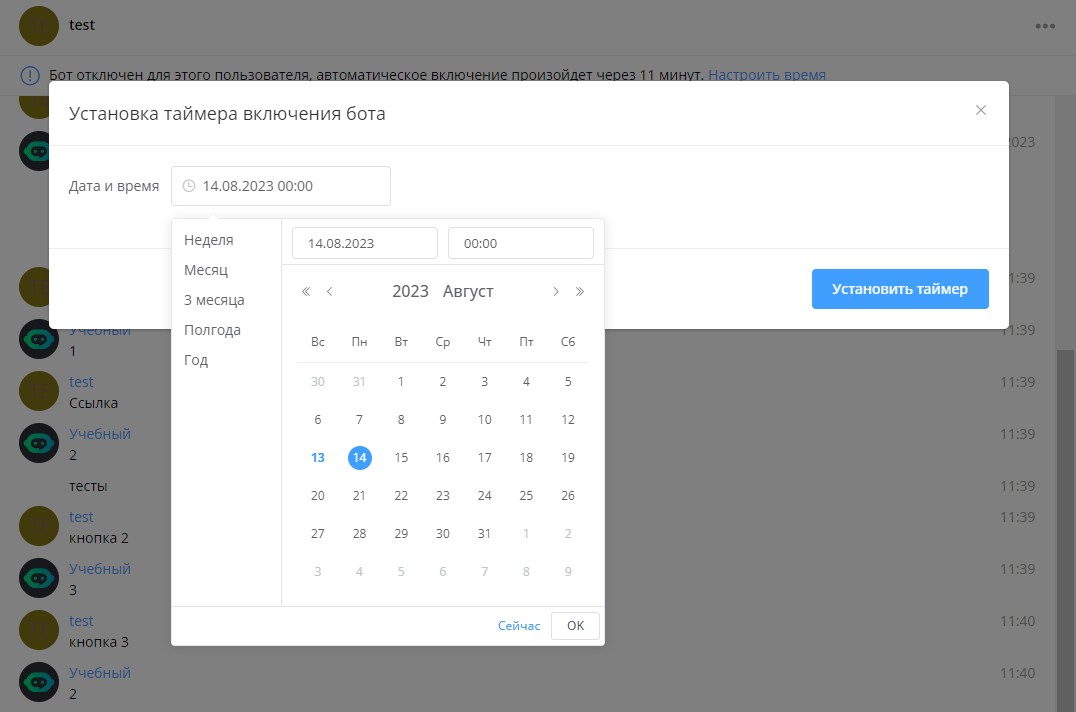
Custom bot disable duration
In this section, you can also disable the bot permanently. Then a "stop" icon will appear on the left in the user's dialog, along with a corresponding notification in the contact card. To re-enable the bot when needed, click the corresponding button, and the bot will handle the user's next message.
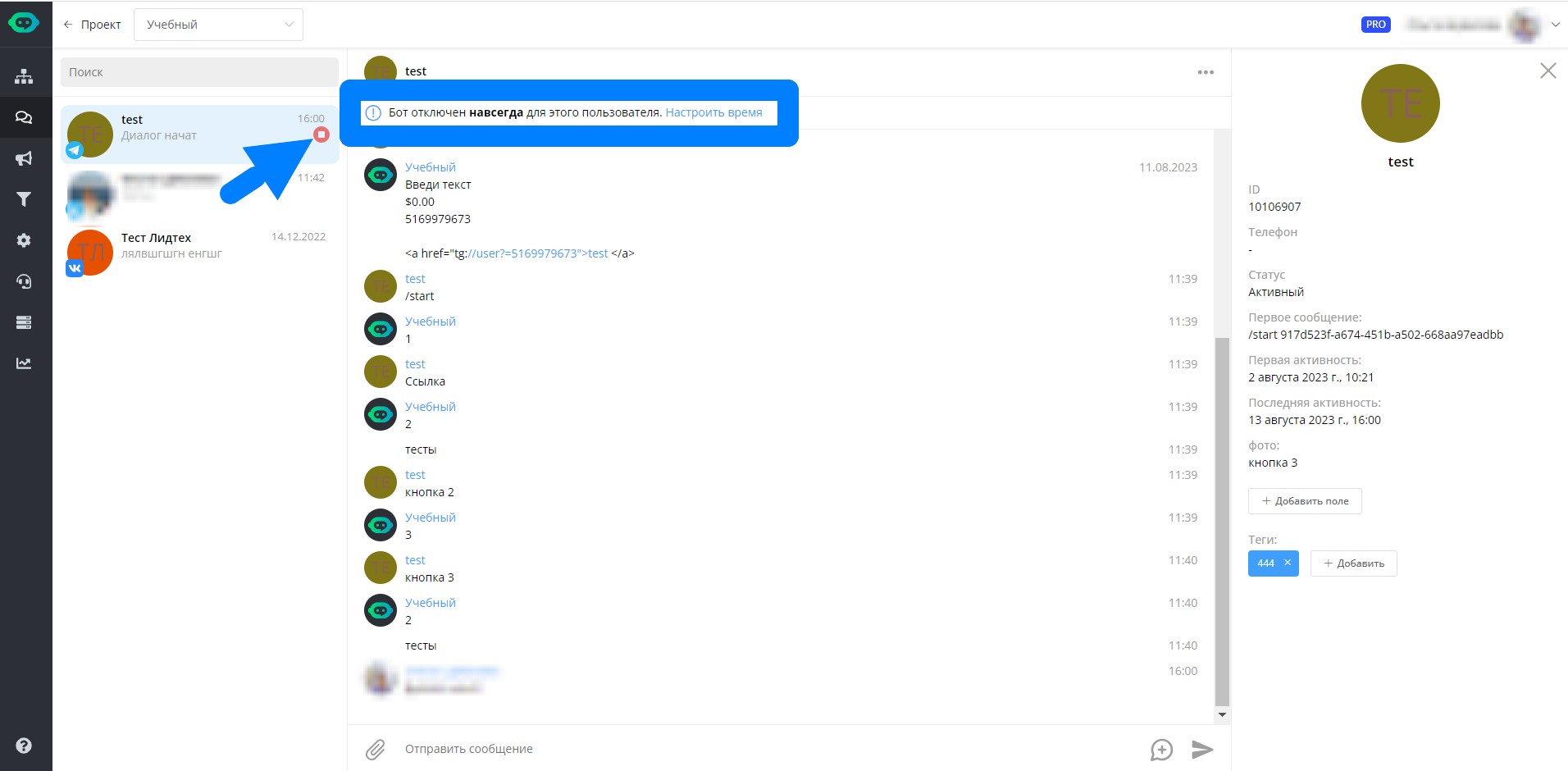
Permanently disabling the bot
The dialog does not open automatically. This prevents an administrator from marking operator messages as read.
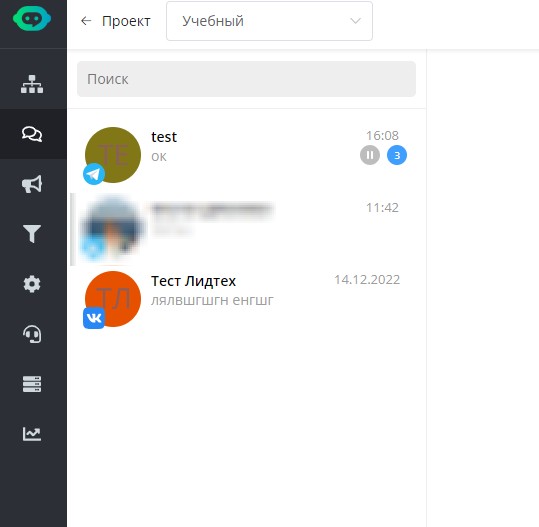
Dialogs in the built-in messenger
If needed, you can create pre-prepared replies — message templates. You can create up to 3000 templates in total. To do this, open a chat with any user and click the icon in the bottom right corner:
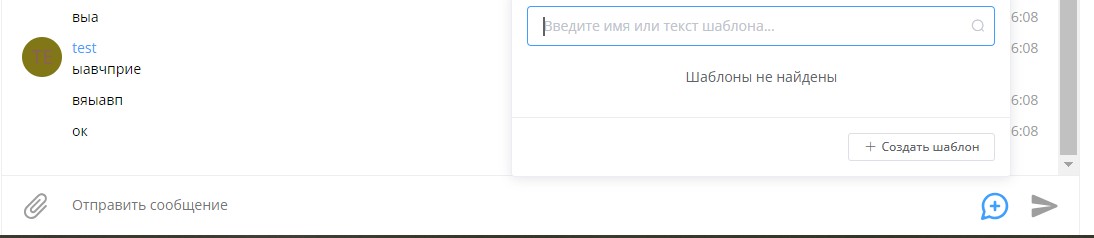
Reply templates in the built-in messenger
Then click "create template" and fill out the form:
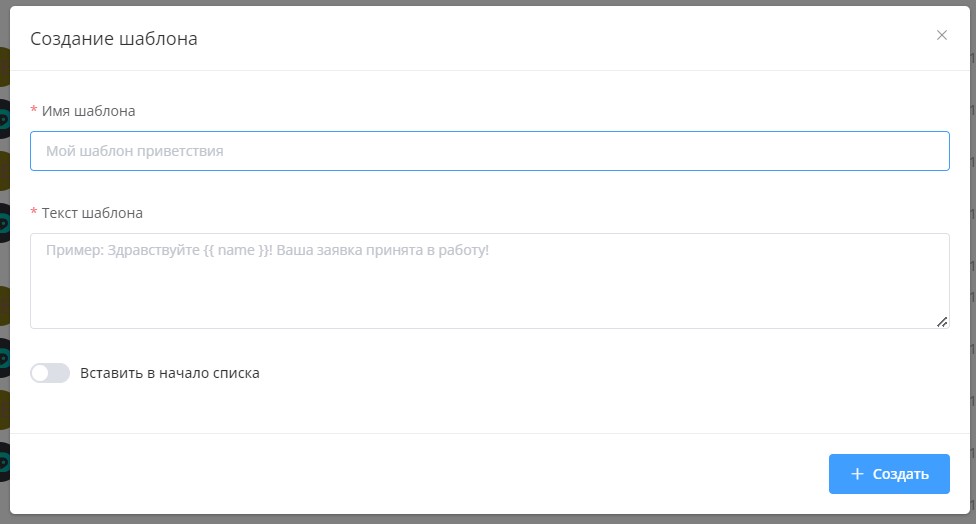
Reply templates in the built-in messenger
Creating a technical support bot using the built-in messenger
Create a professional technical support bot with live communication through the LEADTEX built-in messenger.
Learn how to set up automatic replies by keywords, use the "Switch" block to handle user questions, create message templates for quick replies, and organize the handoff from bot to live operator with temporary bot disabling.
LEADTEX account already offers 250+ lessons on chat bot and MiniApp development, plus the chance to join the largest developer community with 6000+ members - Go to your account.